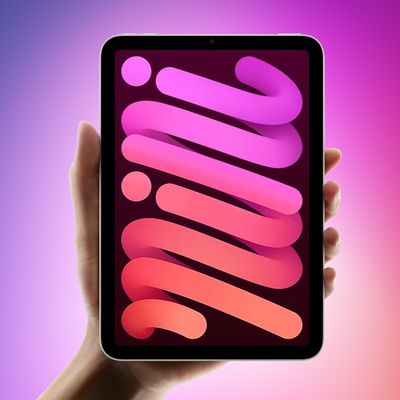
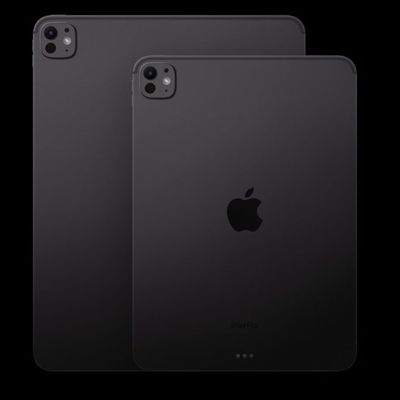
Get a new iPad, iPad mini, iPad Air or iPad Pro for the holidays? If so, you may want to check out our extensive collection of iPad how tos and guides to learn the ins and outs of your new tablet.
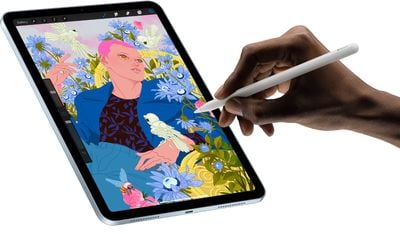
Even if you've had an iPad before, if you're upgrading to a new model, there are new features to get acquainted with, such as the addition of Face ID and the lack of a Home button in the iPad Pro, the Touch ID power button on the iPad Air, and Apple Pencil support across the entire lineup. Below, we've organized our most useful iPad-related how tos into categories for quick access.
Beginner Tips
- How to Set Up Your New iPhone or iPad Using Automatic Setup
- How to Update Apps
- How to Delete Apps on iPhone and iPad
- How to Back Up Your iPhone and iPad
- How to Factory Reset Your iPhone or iPad
- How to Shut Down or Force Restart Your iPad Pro
- How to Take a Screenshot on Your iPad
- How to Send and Receive SMS Messages on iPad via Text Message Forwarding
- How to Identify and Remove Unnecessary Apps on Your iPhone and iPad
- How to Use the iPad App Switcher
- How to Use Drag and Drop on an iPad and iPhone
- How to Create and Use Memoji
- How to Turn on Automatic Software Updates
- How to Use Instant Hotspot on iPhone and iPad
- How to Clear the Cache on iPhone and iPad
- How to Disable Control Center on Your iPhone or iPad Lock Screen
- How to Set Up FaceTime on iPad
- How to Update the Software on Your iPhone and iPad
- How to Print Screen on a Mac
- How to Enable Dark Mode
- How to Mark an Apple Device as Lost in the Find My App
- How to Use Safe Mode to Resolve Mac Startup Issues
- How to Schedule Sleep and Wake Times for Your Mac
- How to Change Your Mac’s Computer Name
- How to Transfer Files Between Your Mac and Your iPhone and iPad
- How to Use Your iPhone or iPad Camera on Your Mac
Useful iPad Features
- How to Save or Share a Safari Web Page as a PDF
- How to Change Where Safari Downloads Are Saved on Your Mac
- How to Change the Default Web Browser on iPhone and iPad
- How to Use the Magnifier Feature on iPhone and iPad
- How to Take Burst Photos on iPhone and iPad
- How to Share Your Wi-Fi Password With a Friend on iPhone or iPad
- How to Add a Website Bookmark to Your Home Screen on iPhone and iPad
- How to Subscribe to Calendars on iPhone and iPad
- How to Control and Tweak a True Tone Display on iPhone and iPad
- How to Use Apple Pay Cash on iPhone and iPad
- How to Use the iPad's Nifty Flick Keyboard Feature
- How to Record Your iPhone or iPad Screen
- How to Use App Limits and Downtime
- How to Use Screen Time on Mac
- How to Record a FaceTime Call on Your Mac
App Tips
- How to Use the Activity Monitor App on Mac
- How to Locate Friends Using Find My
- How to Share Your Location With a Friend Using Find My
- How to Access the Download Manager in Safari
- How to Use the Find My App on a Friend's iPhone or iPad to Locate Your Missing Device
- How to Use Text Editing Gestures on iPhone and iPad
- How to See Links, Attachments, and Photos From a Messages Conversation
- How to Create a New Window From a Link in Safari on iPadOS
- How to Use the QuickPath Swipe Keyboard on iPhone and iPad
- How to Use the Onscreen Floating Keyboard in iPadOS
- How to Use App Exposé in iPadOS
- How to Set Communication Limits on Your Child's Allowed Screen Time and Downtime on iPhone and iPad
Using a Keyboard and Mouse
- How to Use a Bluetooth Mouse or Trackpad With Your iPad
- How to Connect a Bluetooth Mouse or Trackpad to Your iPad
- How to Remap Modifier Keys on iPad When Using a Keyboard
- How to Use the On Screen Keyboard on an iPad Pro With Keyboard Connected
Hidden Tricks
- 10 Long Press Tips to Reveal Hidden Functions in Safari on iPhone and iPad
- 10 Tips and Tricks for the iPad Pro Magic Keyboard
- How to Change Siri's Voice on iPhone or iPad
- How to Drag and Drop Text Between Apps on the iPad
- How to Close All of Your Safari Tabs at Once on iPhone or iPad
- How to Scan a QR Code Using the Camera on the iPhone or the iPad
- How to Perform a Quick Website Search in Safari
- How to Get Siri to Play a Daily News Digest
Important Security Tips
- How to Use iCloud Keychain on Your iOS Devices
- How to Secure Your Apple ID Using Two-Factor Authentication
- How to Create a More Secure Passcode on Your iPhone or iPad
- How to Use Automatic Strong Passwords and Password Auditing
- How to Use Safari's Private Browsing Mode and Delete Your Browsing History
- How to Access iCloud on iPhone, iPad, Mac, Windows, and the Web
In-Depth Guides
If there are iOS and iPadOS features you want to learn more about, make sure to take a look through the list of in-depth guides that we have below. We also have guides covering Apple's most popular services and products.
- Apple News+ Guide: Everything You Need to Know
- Apple Arcade: The Complete Guide
- Apple Card: All the Details on Apple's Credit Card
- Apple TV+: Apple's Streaming Video Service
- HomeKit: Everything You Need to Know
- Siri: Everything You Need to Know
- Sidecar: Turn an iPad Into a Secondary Mac Display
- Sign in with Apple: What It Is and How It Works
- Apple Student Discount Guide: Savings for Students and Teachers
- Apple Trade-In Guide: Getting the Most Money Back
- Everything You Need to Know About the Apple Pencil
- Apple’s Magic Keyboard for iPad Pro: Everything You Need to Know
- All the iPad Trackpad Keyboard Cases You Can Buy
- Safari iOS 14 Guide: Privacy Report, Built-In Translation, Compromised Password Alerts and More
- AppleCare Guide: Is it Worth Paying For?
Must-Watch Videos
We've also created several iPad-related tutorial videos that are well worth watching if you have one of Apple's new devices.
Selling Your Old iPad
If you're planning to sell or give away your old iPad now that you have a new model to play with, make sure to check out our detailed guide on how to cleanly erase your old devices to get rid of all your data.
More Info
Have any useful iPad-related tips and tricks that other MacRumors readers should know? Share them in the comments!
If you want to know more about Apple's iPad lineup, make sure to check out our full roundups with complete details on the different tablets: iPad Pro, iPad mini, iPad Air, and iPad.