

If you don't want your iPhone or iPad to bug you about Apple's frequent software updates but want your software to stay up to date, there's an option on the iPhone or the iPad to enable automatic software updates. Apple first enabled this change in iOS 12.
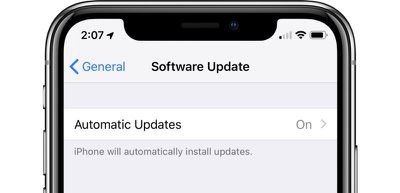
With this feature turned on, when a new version of iOS is released, your iPhone or iPad will be updated automatically
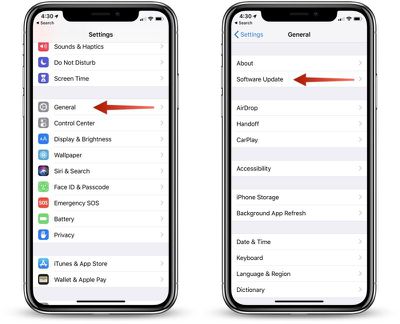
- Open the Settings app,
- Choose "General."
- Select "Software Update."

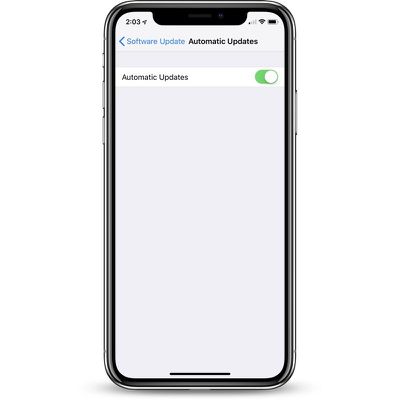
- Tap on "Automatic Updates."
- Toggle the option from off to on.
Automatic updates are turned off by default, so the default behavior of software updates hasn't changed. Unless this is turned on, your iOS device will wait for you to manually tap the install button when an update is released, though it will continue to download new updates in the background.
To turn off automatic updates, follow the same steps, toggling the update from on to off.






















Top Rated Comments
These tutorials are getting better..*facepalm*
I don't mind these how-tos, it is not like you have to read them.
Over the past 5 years, the iOS has gotten a lot more complex and unintuitive when it comes to the settings. I am not saying that this how-to is complex, but many things that used to be really simple, are now moved, and hard to find.
I find myself having to do a something-search for where to find settings on Apple devices a lot more often than I used to. So, I appreciate how-tos like this one.