With iOS 26, macOS 26, tvOS 26, and watchOS 26, Apple is planning to debut a new design that's been described as taking inspiration from visionOS, the newest operating system. With WWDC coming up soon, we thought we'd take a closer look at visionOS and some of the design details that Apple might adopt based on current rumors and leaked information.
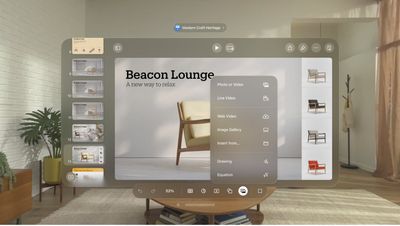
1. Translucency
Inside Apple, the iOS 26 redesign project is known as "Solarium," which gives us some insight into Apple's focus. A solarium is basically an all-glass room that's designed to let in a lot of light.
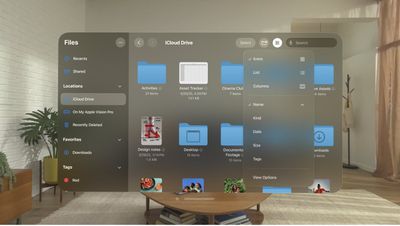
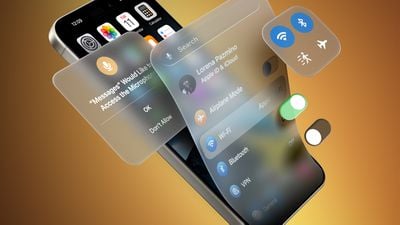
Since launch, visionOS has had menus and interface elements that are translucent because in an AR/VR environment, people need to be able to see their surroundings as much as possible to feel immersed.
The translucent design elements in visionOS better blend into the background for an unobtrusive look, letting color and light from the real world blend through. It's not hard to picture how this sort of translucent design would work well in apps like Photos, which we've already seen a mockup of.
2. Floating Navigation Bars and Menus
Floating menus and navigation bars go right along with translucency. In visionOS, everything is essentially floating in the open space around you, whether you're looking at your surroundings through the passthrough camera, or a virtual reality background.
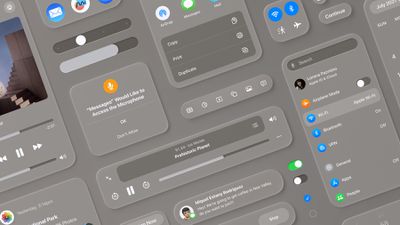
In iOS 26, Apple could replicate this effect with shading and shadowing that makes interface elements look slightly raised over the content in the background, for a soft, blurred depth effect.
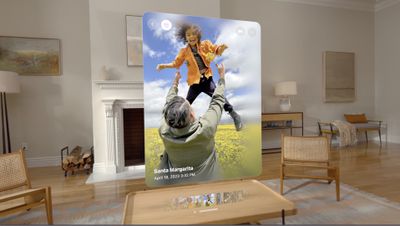
visionOS has a lot of top-aligned toolbars rather than bottom bars, so it's possible we'll see iOS shifting that way too.
3. Rounded Buttons and Interface Elements
iOS already has rounded squares and rounded rectangles for icons, notifications, menus within apps, search bars, and all of the card-style interfaces that we're used to, but visionOS is even rounder. The floating navigation bars in iOS could be pill-shaped with more starkly rounded edges.
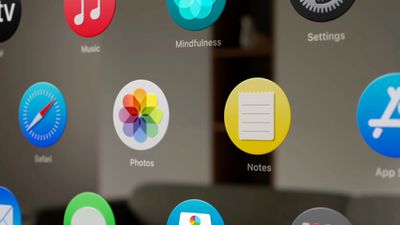
visionOS also has more dramatic rounding at the corners, and the app icons are fully round. iOS 26 could be rounder in general, more closely matching some of the shapes in visionOS. Leaker Jon Prosser has claimed that there will be an option for round app icons, but it's not clear if Apple would want to go in that direction for iOS because Android has long used round app icons. The iconic squircle has been one of many design features distinguishing iOS from Android.
4. Glassy Look
With its translucency, the visionOS interface can look almost like frosted glass. Apple's WWDC 2025 design features a frosted glass rainbow with shifting pastel colors, which is perhaps a hint at plans to adopt a frosted, sea-glass-style look that's not too far off from what we've already got in visionOS.
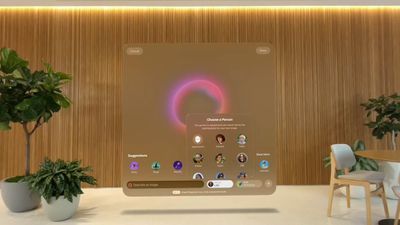
visionOS actually uses a system-designed material that Apple calls glass for app windows. It lets light, virtual content, and objects in the surroundings show through menus and windows. Glass adapts to background color and provides contrast for app content while also taking into account people's physical surroundings. Apple could use a similar material design in iOS 26.
5. Subtle Lighting Changes
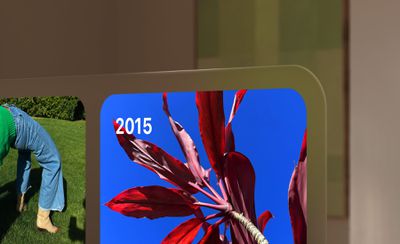
In visionOS, the translucent interface elements can interact with lighting conditions of the room the user is in. That doesn't translate to the iPhone, but iOS is apparently going to have some subtle light effects that will emphasize the translucency and glass-like design.
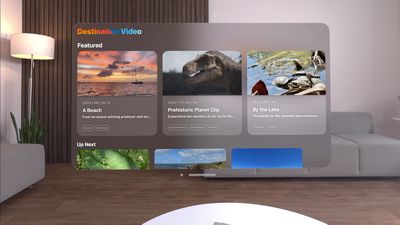
In visionOS, the windows also cast shadows that are responsive to head movements. That's not something that translates to iOS, but lighting and shadow effects that shift when you move your iPhone is a possibility. In fact, Prosser claims there's a glint on the Lock Screen's Flashlight and Camera (or customized) buttons when moving the iPhone.
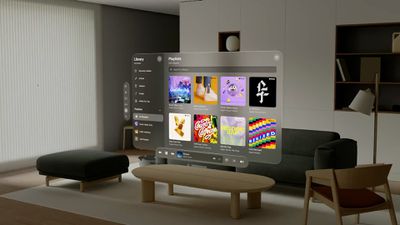
Apple could use dynamic shadowing in apps and for widgets, and adaptive color could further the effect by allowing interface elements to blend with wallpaper and shift with ambient light.
6. Simplicity
For the most part, visionOS has a simplified design in Apple apps, with an airier feel due to the spacing that's needed to ensure people have enough room to look at a button to interact with it. iOS 26 could adopt streamlined navigation and menu elements for a less cluttered look.
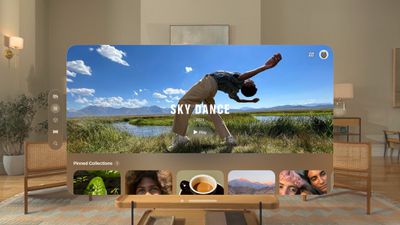
visionOS uses cleaner fonts, bolder text, and increased line height, which may or may not translate to iOS.
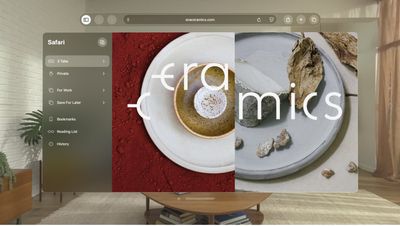
Apple is likely taking a good look at navigation, menu options, and layout, because one of the main aspects of the redesign is more cross-platform cohesion, according to Bloomberg's Mark Gurman. He says that iOS 26 will be "simpler to use, faster to navigate, and easier to learn."
Design Consistency
It's not just iOS 26 that's being overhauled. The visual changes and tweaks to menus, buttons, and navigation will also extend to macOS 26, and of course, iPadOS 26. watchOS 26 and tvOS 26 will see design refreshes, too.
Apple will undoubtedly provide developers with new design guidelines and resources to extend the updated look to third-party apps.
WWDC Debut
The new design that we've been hearing so much about is set to be unveiled at the WWDC keynote event on Monday, June 9. It starts at 10:00 a.m. and while Apple will livestream it, if you can't watch, you can follow along here on MacRumors.com or on our MacRumorsLive X account. Apple will provide developers with the new operating system updates complete with redesign after the keynote event, and a public beta will follow in July. iOS 26 and its sister updates will launch to the public in September.