Apple Shares 5 Helpful AirPods Tips and Tricks - MacRumorsOpen MenuShow RoundupsShow Forums menuVisit ForumsOpen Sidebar
Skip to Content

Apple Shares 5 Helpful AirPods Tips and Tricks

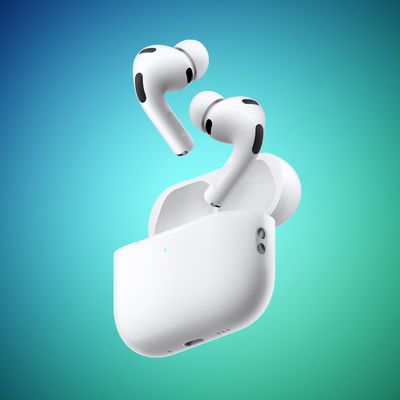
A recent video uploaded to the Apple Support channel on YouTube offers five helpful tips and tricks for AirPods that you may not have known about.


AirPods features highlighted in the video include Audio Sharing, Live Listen, Background Sounds, Announce Notifications with Siri, and the ability to rename AirPods in the Settings app on the iPhone. Most of these functions are available on all AirPods models, but Announce Notifications with Siri does not work with first-generation AirPods.

If you own AirPods Pro, also check out our guide covering the latest features added with iOS 17, such as Conversation Awareness and Personalized Volume.

Waiting for new AirPods? Find out when to expect the AirPods 4 and new AirPods Max.

Related Forum: AirPods
Popular Stories

airpods pro 3 blue

Apple Offers 10% Off AirPods and More for Earth Day Device Recycling

Thursday April 16, 2026 6:19 am PDT by
Apple is offering 10% off AirPods, Beats, or accessories to customers who recycle an eligible iPhone, iPad, Apple Watch, or Mac at a participating Apple Store through May 16. The discount applies when the recycling and purchase are completed in the same transaction. The promotion runs from today, April 16, through to May 16. Products brought in for recycling undergo screenings, with eligible ...
Sony WF 1000XM6 vs AirPods Pro 3 Thumb 2

AirPods Pro 3 vs. Sony WF-1000XM6: Which Flagship Earbuds Should You Buy?

Tuesday April 21, 2026 9:44 am PDT by
Sony refreshed its earbuds earlier this year, introducing the $330 WF-1000XM6 earbuds to compete with the $249 AirPods Pro 3 that came out last September. We compared Sony's new earbuds with Apple's latest model to see which is better. Subscribe to the MacRumors YouTube channel for more videos. Sony's XM6 earbuds are smaller than the AirPods Pro 3 because there's no stem, but the in-ear fit...
airpods pro 3 glitter blue

What to Expect From the Next AirPods Pro, Launching as Soon as This Year

Wednesday April 22, 2026 2:34 pm PDT by
Apple is working on a new version of the AirPods Pro, which could come as soon as this year. The AirPods are expected to be a variant of the current AirPods Pro, which suggests they won't be called the AirPods Pro 4. Cameras Multiple sources have said Apple is developing AirPods Pro that have tiny infrared cameras. The cameras won't be used to take photos or videos like an iPhone camera,...

Top Rated Comments

27 months ago
My favorite trick: In the accessibility section you can input an audiogram a few different ways and it will adjust the EQ to compensate for any hearing loss. It makes a big difference for me.
Score: 13 Votes (Like | Disagree)
Criss P. Avatar
27 months ago
Unfortunately none is to prevent AirPod Max from dying... I've had mine for 3 years, the ONLY use it at night to watch content on my iPad while on bed, yet, one day they decided stop from connecting to any my devices (iphones, ipads, appletv), did EVERY SINGLE troubleshooting i could find, nothing worked. They simply...died.
Score: 12 Votes (Like | Disagree)
miamialley Avatar
27 months ago

I wish when I put my AirPods in to make a call, music would not play. Most of the time I use them for calls.
Hmm. I don’t have the audio automatically play when I put them in my ears. The associated audio app pops up on my lock screen, but nothing plays.
Score: 8 Votes (Like | Disagree)
27 months ago
My first suggestion would be to turn off spatial audio unless you want your music to sound like you've had 3 Jägerbombs back to back.

Also the Equalizer app is awesome if you want to draw more bass out of your Airpods since the preset EQ in settings are lame. Only works for non DRM music on your phone.
Score: 7 Votes (Like | Disagree)
JohnRckr Avatar
27 months ago
Apple should share with us new Airpods Max, asking 600$ for years old mediocre product is funny.
Score: 4 Votes (Like | Disagree)
27 months ago

I wish when I put my AirPods in to make a call, music would not play. Most of the time I use them for calls.
Turn off auto ear detection to fix that.

[LIST=1]
* Make sure your AirPods are paired with an iPhone or iPad.
* Go into Settings > Bluetooth.
* Find your AirPods and tap the (i) next to it.
* Turn off Automatic Ear Detection.
Score: 3 Votes (Like | Disagree)
Related Apple News: Samsung | Ipad 12 | Switchbot S20 And K11 Plus | Entertainment | Mac Mini