iPhone 15 Pro Action Button Options Potentially Revealed in iOS 17 Code: Flashlight, Shortcuts, Voice Memos, and More

Apple released the fourth beta of iOS 17 to developers yesterday, and among the changes in the latest beta are some new code snippets that potentially hint at functionality for the rumored Action button on the upcoming iPhone 15 Pro and ‌iPhone‌ 15 Pro Max.

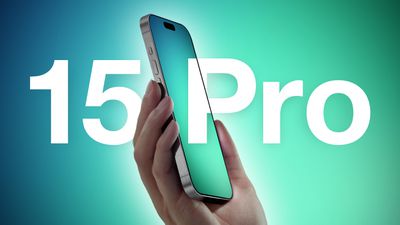
iPhone 15 Pro Two Volume Buttons and Titanium Feature Blue Green
The Action button, which could be similar to the Apple Watch Ultra's Action button but with more phone-focused options, is expected to be a new physical button on the next-generation Pro ‌iPhone‌ models that replaces the Ring/Silent switch. The Action button would allow users to quickly access various functions and settings without necessarily unlocking the device or navigating to an app.

According to the code found in iOS 17 beta 4, the Action button could have nine different options that users can customize and assign to different actions. While the code only lists feature names related to the Action button, we can infer what most of them will be able to do:

  • Accessibility: This option would presumably let users access various accessibility features, such as VoiceOver, Zoom, AssistiveTouch, and more.
  • Shortcuts: As on the Apple Watch Ultra, this option would let users run any shortcut they have created or downloaded from the Shortcuts app, such as sending a message, playing a playlist, or controlling smart home devices.
  • Silent Mode: Similar to how the switch works on current ‌iPhone‌ models, this option would let users toggle silent mode on or off, which would mute or unmute the ringer and alerts.
  • Camera: This option would likely let users launch the Camera app and/or take a photo or video with a single press of the Action button.
  • Flashlight: This option would let users turn on or off the flashlight on the back of the device.

  • Focus: This option should let users activate or deactivate a Focus mode.
  • Magnifier: This option would presumably let users activate the Magnifier app to use the ‌iPhone‌'s camera as a magnifying glass to zoom in on small text or objects.
  • Translate: This option could let users launch the Translate app and start a conversation or text translation with a single press of the Action button.
  • Voice Memos: This option would let users start or stop recording a voice memo with the Voice Memos app.

Apple has not yet unveiled the ‌iPhone‌ 15 Pro, but an announcement and launch are expected in the usual September timeframe. If the rumors are correct, the Action button could be one of the key new features that makes the ‌iPhone‌ 15 Pro stand out from its predecessors.

Popular Stories

iOS 26

iOS 26.2 Coming Soon With These 8 New Features on Your iPhone

Thursday December 11, 2025 8:49 am PST by
Apple seeded the second iOS 26.2 Release Candidate to developers earlier this week, meaning the update will be released to the general public very soon. Apple confirmed iOS 26.2 would be released in December, but it did not provide a specific date. We expect the update to be released by early next week. iOS 26.2 includes a handful of new features and changes on the iPhone, such as a new...
iOS 26

iOS 26.4 and iOS 27 Features Revealed in New Leak

Friday December 12, 2025 10:56 am PST by
Macworld's Filipe Espósito today revealed a handful of features that Apple is allegedly planning for iOS 26.4, iOS 27, and even iOS 28. The report said the features are referenced within the code for a leaked internal build of iOS 26 that is not meant to be seen by the public. However, it appears that Espósito and/or his sources managed to gain access to it, providing us with a sneak peek...
iOS 26

Apple Releases iOS 26.2 With Alarms for Reminders, Lock Screen Changes, Enhanced Safety Alerts and More

Friday December 12, 2025 10:10 am PST by
Apple today released iOS 26.2, the second major update to the iOS 26 operating system that came out in September, iOS 26.2 comes a little over a month after iOS 26.1 launched. ‌iOS 26‌.2 is compatible with the ‌iPhone‌ 11 series and later, as well as the second-generation ‌iPhone‌ SE. The new software can be downloaded on eligible iPhones over-the-air by going to Settings >...
AirPods Pro Firmware Feature

Apple Releases New Firmware for AirPods Pro 2 and AirPods Pro 3

Thursday December 11, 2025 11:28 am PST by
Apple today released new firmware designed for the AirPods Pro 3 and the prior-generation AirPods Pro 2. The AirPods Pro 3 firmware is 8B30, up from 8B25, while the AirPods Pro 2 firmware is 8B28, up from 8B21. There's no word on what's include in the updated firmware, but the AirPods Pro 2 and AirPods Pro 3 are getting expanded support for Live Translation in the European Union in iOS...
macOS Tahoe 26 Thumb

Apple Releases macOS Tahoe 26.2 With Edge Light

Friday December 12, 2025 10:08 am PST by
Apple today released macOS Tahoe 26.2, the second major update to the macOS Tahoe operating system that came out in September. macOS Tahoe 26.2 comes five weeks after Apple released macOS Tahoe 26.1. Mac users can download the macOS Tahoe update by using the Software Update section of System Settings. macOS Tahoe 26.2 includes Edge Light, a feature that illuminates your face with soft...
AirTag 2 Mock Feature

Apple AirTag 2: Four New Features Found in iOS 26 Code

Thursday December 11, 2025 10:31 am PST by
The AirTag 2 will include a handful of new features that will improve tracking capabilities, according to a new report from Macworld. The site says that it was able to access an internal build of iOS 26, which includes references to multiple unreleased products. Here's what's supposedly coming: An improved pairing process, though no details were provided. AirTag pairing is already...
ipados 26 1 slide over

Apple Releases iPadOS 26.2 With Multitasking Improvements

Friday December 12, 2025 10:09 am PST by
Apple today released iPadOS 26.2, the second major update to the iPadOS 26 operating system released in September. iPadOS 26.2 comes a month after iPadOS 26.1. The new software can be downloaded on eligible iPads over-the-air by going to Settings > General > Software Update. iPadOS 26.2 continues with the multitasking improvements that were added with iPadOS 26.1. You can now drag and...
iphone fold text

'iPhone Fold' Arrival Expected to Cement Book-Style Era for Foldables

Friday December 12, 2025 3:55 am PST by
Foldable smartphone panel shipments are projected to jump 46% year-over-year in 2026, with Apple's entry into the market serving as the main catalyst, according to Counterpoint Research's latest Foldable-Rollable Display Shipment Tracker. "Apple is the key driver as it starts to procure panels for its first foldable iPhone," said Counterpoint's Guillaume Chansin. The research firm expects...

Top Rated Comments

contacos Avatar
31 months ago
Can you remove the camera and flashlight button on the lockscreen then? We really don’t need 100 ways to open them
Score: 40 Votes (Like | Disagree)
TheYayAreaLiving ?️ Avatar
31 months ago
I don't really use the Action Button on my Apple Watch Ultra. Do you?
I'm going to miss the classic Mute Switch which only had one job to do! Some things are great being left alone. Furthermore, less is more.

Score: 31 Votes (Like | Disagree)
jarman92 Avatar
31 months ago

I don't really use the Action Button on my Apple Watch Ultra. Do you?
I'm going to miss the classic Mute Switch which only had one job to do! Some things are great being left alone. Furthermore, less is more.


I somewhat agree, but I’m coming around to the idea of the Action Button. I like the mute switch but my phone is on silent 99.9% of the time, so the switch is pretty much useless now.
Score: 27 Votes (Like | Disagree)
dantracht Avatar
31 months ago
I’d leave it on silent mode. Just me.
Score: 26 Votes (Like | Disagree)
jakeowens Avatar
31 months ago
please tell me the action button being able to be used as the flashlight button will FINALLY mean we have the option to remove the flashlight button on the lock screen. (I accidentally push it ALL THE TIME)
Score: 25 Votes (Like | Disagree)
mjschabow Avatar
31 months ago
Assuming 90% of us will use it to launch the camera. It's one of my favorite Samsung features coming to iOS.
Score: 21 Votes (Like | Disagree)