

iCloud Passwords for Windows Gains 2FA Code Generator - MacRumorsOpen MenuShow RoundupsShow Forums menuVisit ForumsOpen Sidebar
Skip to Content

iCloud Passwords for Windows Gains 2FA Code Generator

The iCloud Keychain password manager in Apple's ‌iCloud‌ for Windows app now supports two-factor authentication codes, according to user reports posted on Reddit.
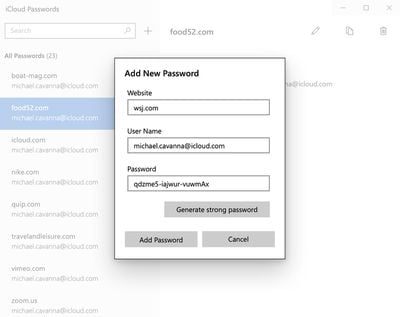
icloud windows strong password
Two-factor authentication, or 2FA, acts as an additional layer of security for online accounts, by requesting a code generated by a password manager when the account owner logs in.

Apple includes support for the generation of 2FA codes in ‌iCloud‌ Keychain in iOS 15 and macOS Monterey, thereby avoiding the need for a third-party two-factor authentication app. Now it appears that Apple has brought parity to the password manager that is included in its ‌iCloud‌ for Windows utility by including a 2FA generator, according to Redditors.

Apple debuted the ‌iCloud‌ Keychain password manager app last August, allowing Windows users to access their ‌iCloud‌ Keychain passwords for cross-device functionality. Apple in November also added an option to let uses generate strong passwords in ‌iCloud‌ for Windows.

With the password management option, those who are running Windows can access their ‌‌iCloud‌‌ Keychain passwords and can add, edit, copy and paste, delete, and look up usernames or passwords.

‌‌iCloud‌‌ password extensions for Microsoft Edge and Windows Chrome work in tandem with the password feature, letting ‌‌iCloud‌‌ passwords be autofilled on a Windows machine just like in Safari. ‌‌iCloud‌‌ for Windows Passwords is part of ‌‌iCloud‌‌ for Windows, and Windows users can download it from the Microsoft Store.

(Via 9to5Mac.)

Popular Stories

iOS 27 on iPhone 17 1

iOS 27 Will Add These New Features to Your iPhone

Saturday May 2, 2026 8:43 am PDT by
Apple is expected to unveil iOS 27 during its WWDC 2026 keynote on June 8, and there are already many rumored features and changes for iPhones. The first developer beta of iOS 27 will likely be available immediately following the keynote, and a public beta typically follows in July. Following beta testing, the software update should be released to all users with a compatible iPhone in...
Apple Event Logo

Apple Just Released a New Accessory

Monday May 4, 2026 8:13 am PDT by
Apple today released a new Pride Edition Sport Loop for the Apple Watch. The band features a rainbow design with 11 colors of woven nylon yarns. The new Pride Edition Sport Loop is available to order now on Apple.com and in the Apple Store app in 40mm, 42mm, and 46mm sizes, and it will be available at Apple Store locations starting later this week. In the U.S., the band costs $49. There...
Apple Announces 2026 Pride Band Watch Face and iPhone Wallpaper Article 2

iOS 26.5 Coming Soon With These New Features

Monday May 4, 2026 8:40 am PDT by
iOS 26.5 is expected to be released next week, following more than a month of beta testing. The update is relatively minor, but there are a couple of new features and changes across the operating system that we have recapped below. iOS 26.5 lays the groundwork for end-to-end encryption for RCS in the Messages app and ads in the Apple Maps app, and it will include a new Pride wallpaper and a...

Top Rated Comments

49 months ago
It doesn't make security sense to have your TOTP codes ('https://en.m.wikipedia.org/wiki/Time-based_one-time_password') in the same password manager as your passwords. The purpose of the TOTP is to have a separate factor - putting it in the same manager that handles your passwords nullifies that if your manager is compromised.
Score: 7 Votes (Like | Disagree)
FreakinEurekan Avatar
49 months ago
The screenshot used has literally nothing to do with the article 🧐
Score: 4 Votes (Like | Disagree)
49 months ago

but the story image isn't the code generator window, it's the "manually add a password to keychain" window.
And the user does not even exist on wsj.com - how rude.
Score: 4 Votes (Like | Disagree)
49 months ago
but the story image isn't the code generator window, it's the "manually add a password to keychain" window.
Score: 4 Votes (Like | Disagree)
n0va Avatar
49 months ago
Would’ve killed for this 3 years ago haha

Cool to see they finally let us use 2FA on windows though
Score: 4 Votes (Like | Disagree)
49 months ago
Good that it is finally available.
Score: 2 Votes (Like | Disagree)
Related Apple News: Culture | Ipad 12 | Apple Vision Pro | Never Miss Doorbell Wearing Iphone | Ipad

















