

For this week's giveaway, we've teamed up with Tap to give MacRumors readers a chance to win one of the company's wearable keyboards, which Tap believes is the keyboard of the future.
Available for $199, the Tap is a keyboard that's unlike anything else that you've used because it turns your fingers into the keys, letting you type letters, numbers, and symbols with simple taps.
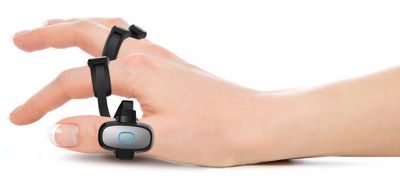
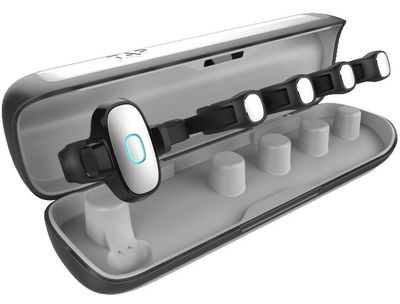
The Tap uses a series of finger-worn rings with built-in sensors that are designed to detect your tap gestures. The rings are adjustable and can fit a wide range of hand sizes, and because it's wearable, you can basically use the Tap Keyboard wherever you happen to be.
Typing each letter of the alphabet is done with a different tap. To make an "A," for example, you tap your thumb in a downwards motion. A single tap of the index finger makes an "E," and to create a "K" you tap your thumb and ring finger downwards at the same time.
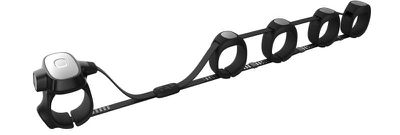
Learning to use the Tap Keyboard can take a few days to a few weeks because learning and mastering an entirely new way of typing takes some time. When I reviewed the Tap last year I was able to learn how to use it in about a week of practicing for 30 minutes a day.

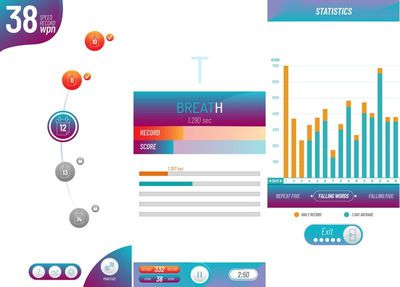
Tap makes a fun, intuitive app called the TapAcademy to teach you how to use the Tap. It's a 30-day course that requires just 10 minutes a day to memorize all the letters, numbers, and symbols you need to use the Tap. There are Tap-designed games to play too.
The Tap is a Bluetooth keyboard, so it works with all Bluetooth-enabled devices, including your Mac, your iPhone, and your iPad. There's also a built-in mouse replacement feature that lets you use your thumb as a mouse for navigation.
On the iPhone, there are some neat features to be aware of. There are plenty of built-in iOS shortcuts for doing things like searching, selecting apps, and getting to the Home screen, and multiple Accessibility options are supported. There are Tap controls for VoiceOver commands, such as choosing an item, reading what's on the page, and more, and it works with the iOS Switch Control feature. You can map switches to any finger tap, making Tap inclusive and useful for those with visual impairments or limited mobility.
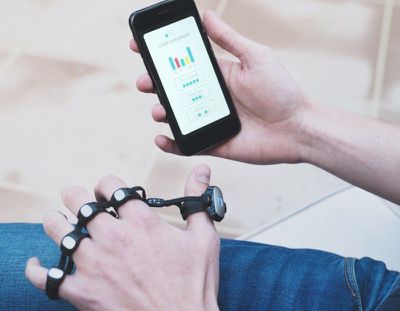
The Tap Keyboard has been out for over a year now, and the company behind it has had time to refine the technology. A recent firmware update made the Tap more accurate on soft surfaces (like a leg), and it added a new option for pairing the Tap with up to three devices and switching between them with a button press.

We have two of the Tap Keyboards for MacRumors readers. To enter to win our giveaway, use the Gleam.io widget below and enter an email address. Email addresses will be used solely for contact purposes to reach the winners and send the prizes. You can earn additional entries by subscribing to our weekly newsletter, subscribing to our YouTube channel, following us on Twitter, following us on Instagram, or visiting the MacRumors Facebook page.
Due to the complexities of international laws regarding giveaways, only U.S. residents who are 18 years or older and Canadian residents (excluding Quebec) who have reached the age of majority in their province or territory are eligible to enter. To offer feedback or get more information on the giveaway restrictions, please refer to our Site Feedback section, as that is where discussion of the rules will be redirected.
The contest will run from today (June 21) at 11:00 a.m. Pacific Time through 11:00 a.m. Pacific Time on June 28. The winners will be chosen randomly on June 28 and will be contacted by email. The winners will have 48 hours to respond and provide a shipping address before new winners are chosen.




















Top Rated Comments
Better solution, dictation.