Honda Introduces 2016 Civic With CarPlay and Android Auto Support
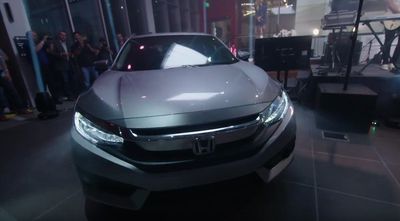
Honda on Wednesday at YouTube Space LA introduced the redesigned 2016 Civic with CarPlay and Android Auto support. The tenth-generation sedan will be the second Honda vehicle to support CarPlay alongside the 2016 Accord as the Japanese car maker continues its 2016 vehicle rollout.
Apple has listed Honda as a CarPlay partner on its website for quite some time, but the car maker waited until its 2016 lineup to introduce the iPhone-based dashboard system. GM is also supporting CarPlay and Android Auto in 2016 across its Chevrolet, Cadillac, Corvette, Buick and GMC vehicle brands.
CarPlay connects to iPhone and provides hands-free or eyes-free access to Maps, Phone, Messages, Music, Podcasts and third-party apps such as Spotify, Rdio, iHeartRadio, CBS Radio and MLB At Bat. The in-dash software uses Siri and also interfaces with your vehicle's knobs, dials and buttons.
Popular Stories
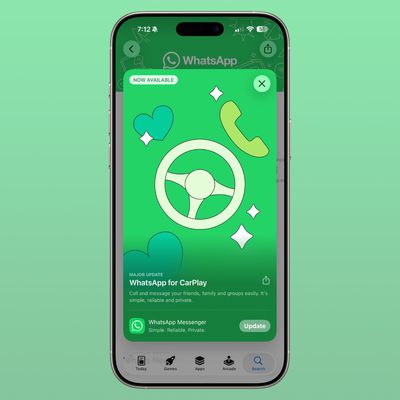
Facebook-owned messaging app WhatsApp was today updated with expanded support for CarPlay. CarPlay users are able to more easily call and message their friends and family members in WhatsApp directly from the car interface.
WhatsApp had CarPlay integration before, but with limited Siri-based functionality. The new app has a full native CarPlay interface with a list of recent chats and call...
Last year, Apple launched CarPlay Ultra, the long-awaited next-generation version of its CarPlay software system for vehicles. Nearly a year later, CarPlay Ultra is still limited to Aston Martin's latest luxury vehicles, but that should change fairly soon.
In May 2025, Apple said many other vehicle brands planned to offer CarPlay Ultra, including Hyundai, Kia, and Genesis.
CarPlay Ultra...
Apple today updated its Sports app with weather conditions for F1 Grand Prix races and smaller widget options for both the iPhone's Home Screen and CarPlay.
The widget lets you view scores for your favorite leagues and teams at a glance.
CarPlay gained support for widgets on iOS 26. To view them, swipe right on CarPlay's interface until you reach the Dashboard screen, shown below....