

Seagate in January announced an updated lineup of its popular Backup Plus hard drives, debuting the Backup Plus Slim and the Backup Plus Portable, both of which are now available for purchase and are ideal for those who need lots of storage space at an affordable price.
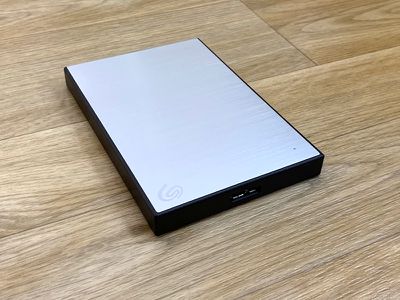
The Backup Plus Slim and the Backup Plus Portable are your average, run of the mill hard drives. The Backup Plus Slim is the thinner of the two models as it has less storage space, measuring in at 4.5 inches by 3 inches with a thickness of just about half an inch.
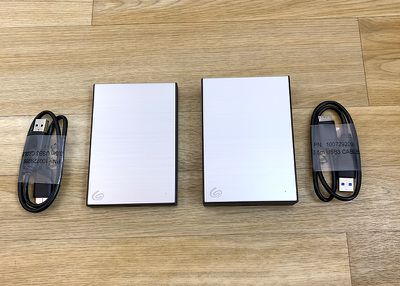
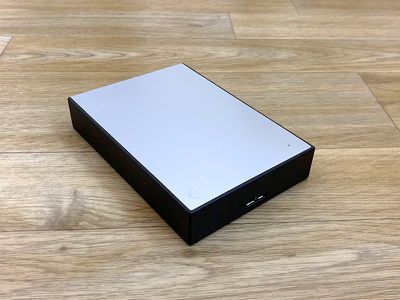
The Backup Plus Portable is about the same size but it's close to an inch thick and about twice as heavy (eight ounces vs. four). Neither one of these drives takes up much space, so they're ideal for backup or other purposes and can be tucked away in a drawer afterwards.
Design wise, the two hard drives are made from a black plastic material with a brushed aluminum front plate. The test models I have are in silver, but these also come in black, a light blue color, and red.
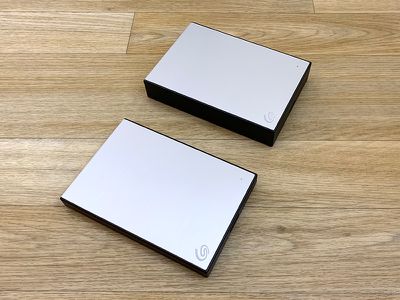
The Backup Plus Slim offers 1TB or 2TB of storage, and the Backup Plus Portable is available with either 4TB or 5TB of storage space. Both are formatted to work with either Mac or Windows.
These hard drives are using standard USB-A cables to plug into a computer, which means that you're going to need a USB-A to USB-C adapter if you want to use them with one of Apple's modern Macs.
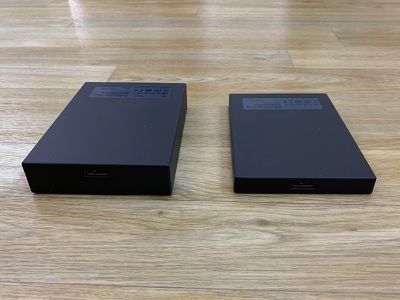
USB-C hard drives aren't much more expensive than these Seagate Backup hard drives, so it's maybe not even worth picking one of these up if you have a USB-C machine unless you're swapping files between computers and continue to have a Mac or Windows machine that uses USB-A. For older machines that still have USB-A ports, these hard drives will work well, and functionally, they're fine with an adapter on a USB-C machine.
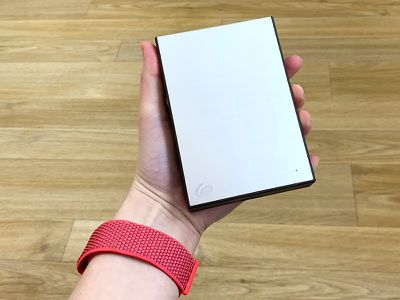
There's nothing special about the transfer speeds of the Backup Plus Slim and Backup Plus Portable. Seagate says they can reach transfer speeds of 120MB/s, and in my tests on a 2016 MacBook Pro with USB-C, I even saw transfer speeds a little bit higher at about 130MB/s.
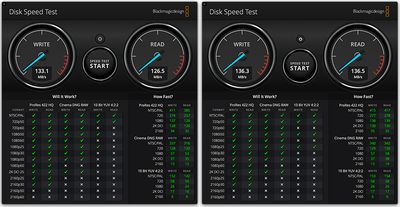
You're not going to want to use standard hard drives in situations where you need fast file transfer capabilities, but for things like backups where you have hours to let a backup take place, these drives work well.
Both hard drives come equipped with links to register them on Seagate's website, as well as options to download Seagate's Toolkit software for automatically syncing files between mirrored folders on the drive and on your Mac. You can use these with Windows and Mac machines right out of the box without the need to reformat.
Seagate sells these hard drives with a one-year Create plan for Mylio, photo organizing software that lets you upload photos to the cloud and access them on multiple devices, but after that year, it costs $50/year to use.
There's also free two month access to Adobe's Creative Cloud Photography plan, which costs $9.99/month to use after the trial period. Both Mylio and Creative Cloud are optional, so you don't need to sign up for them if you're not interested in those services.
Bottom Line
If you've made the swap over to USB-C and only have USB-C machines, Seagate's Backup Plus Portable and Backup Plus Slim probably aren't the best option for you, because you'll need a dongle.
If you still use USB-A machines or a mix of USB-C and USB-A, however, these hard drives are an affordable way to get a lot of storage for things like Time Machine backups, offloading photos, and more.
How to Buy
Seagate's Backup Plus Slim is available from Amazon, with 1TB of storage priced at $55 and 2TB of storage priced at $70. The Backup Plus Portable is also available from Amazon with 4TB of storage priced at $110 and 5TB of storage priced at $125.
Note: Seagate provided MacRumors with a Backup Plus Portable and Backup Plus Slim for the purpose of this review. No other compensation was received.






















Top Rated Comments
I think it's a damn shame that Seagate is selling "Mac edition" external disks with USB-A cable. These editions should minimally include Micro-B to USB-C cable.
WD includes both on their "Mac" edition products.
Even for backups, I would avoid SMR drives if I had any choice in the matter, especially if your backups result in rewriting lots of small files (e.g. syncing incremental changes). The best usage scenario for SMR drives is for writing data that is read much more often than written, e.g. for media storage (not editing) or for archival.