

In iOS 14 and watchOS 7, Apple introduced a new Sleep Tracking feature that lets you monitor how much sleep you're getting each night and improve your sleep habits with the help of bedtime reminders and a winding down process.
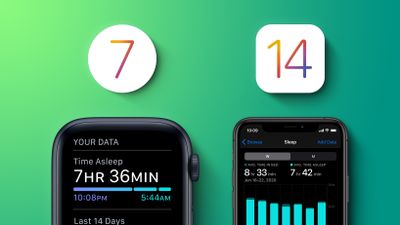
In the Health app on iPhone or using an Apple Watch, you can set up a Sleep Schedule with the amount of sleep you want to get each night and your standard sleep and wake up goals.
You can also enable something called Sleep Mode, which automatically simplifies your iPhone's Lock screen at your scheduled Wind Down time. If you have an Apple Watch with Sleep Mode active, it replaces your normal watch face and any complications with a simplified time display.
Sleep Mode also turns on Do Not Disturb to silence notifications and prevent your phone from ringing (although you can give certain callers permission to break through Do Not Disturb in Settings). If you've already set a Sleep Schedule and set a Wind Down time, you can enable Sleep Mode by following these steps.
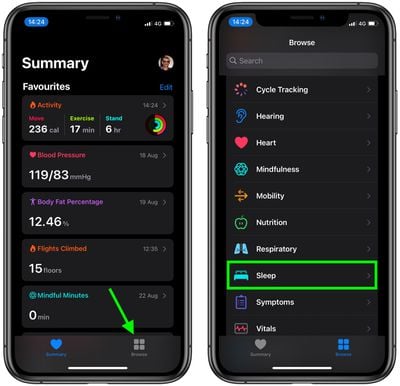
- Launch Apple's Health app on your iPhone.
- Tap the Browse tab in the bottom-right corner of the screen.
- Scroll down and select Sleep.

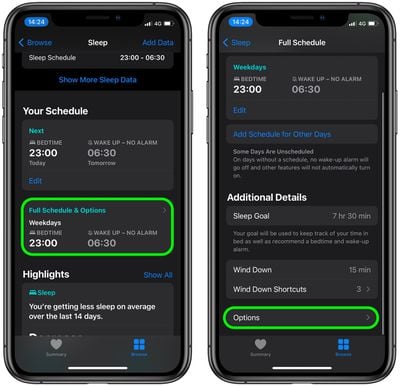
- Under "Your Schedule," tap Full Schedule & Options.
- Under "Additional Details," tap Options.
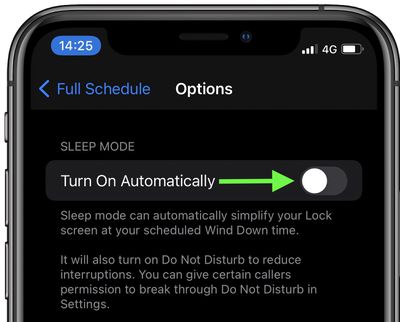
- Under "Sleep Mode," toggle the switch next to Turn On Automatically to the green ON position.
How to Manually Control Sleep Mode on iPhone
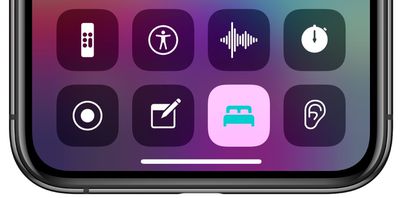
Once enabled, Sleep Mode will turn on and off automatically to match your Sleep Schedule, but it can also be toggled on or off manually in your iPhone's Control Center, like so.
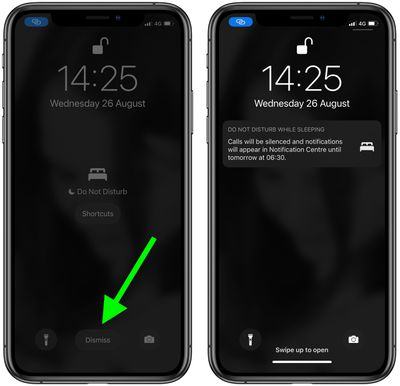
If Sleep Mode is active on your iPhone, you can tap Dismiss to deactivate it and access your Lock screen normally.
How to Manually Control Sleep Mode on Apple Watch
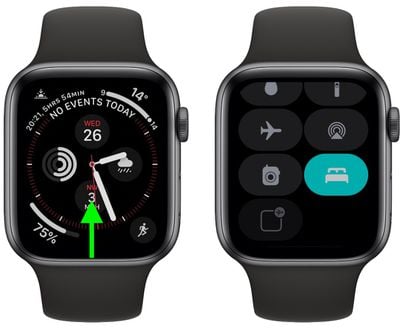
Like on iPhone, you can toggle Sleep Mode on and off on Apple Watch by bringing up the Control Center from the bottom of the screen.
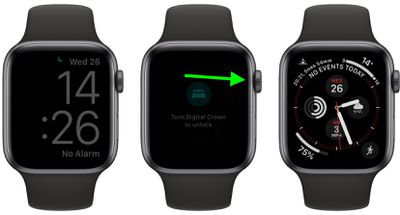
If Sleep Mode is active on your Apple Watch, turn the Digital Crown until your normal watch face appears on the screen.
For more details on the sleep features in iOS 14 and watchOS 7, check out our dedicated guide.





















