

How to Set a Timer on HomePod - MacRumorsOpen MenuShow RoundupsShow Forums menuVisit ForumsOpen Sidebar
Skip to Content

How to Set a Timer on HomePod

by

HomePod has built-in Siri functionality, which means it can be used to do a lot of the same things that can be done with an iPhone or an iPod, like setting an alarm or a timer.

If your HomePod is in the kitchen, setting a timer while cooking can be useful, and it's as simple as using a single Siri command.

All you need to say is "Hey Siri, set a timer for [x amount of time]."
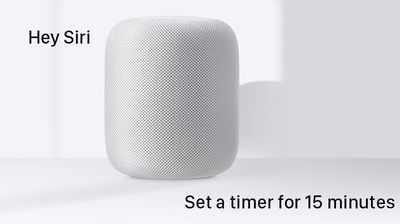
heysiritimer
You can set a timer for a select number of minutes or hours, with a maximum timer limit of 24 hours. If you ask Siri to set a timer for longer than 24 hours, Siri will suggest you use a Reminder instead.

If you need to know how much time is remaining on the timer, you can ask Siri a question like "Hey Siri, how much time is left on the timer?" and Siri will give you a time update.

When the time is up, the HomePod will play a sound. To stop the timer sound, you can either tap the top of the HomePod or ask Siri to stop it.

Turning Off the Timer

At any point while the timer is running, you can ask Siri to turn it off with a command like "Hey Siri, turn off the timer" or "Hey Siri, pause the timer."

You can also change the timer countdown with a command like "Hey Siri, change the timer to 10 minutes."

Timer Limitations

Unfortunately, you can only set one timer at a time. If you attempt to set a second timer while the first timer you set is still running, Siri will say "A timer is already running at [x minutes]. Would you like to replace it?"

There's also no way to view or manage your HomePod timers on an iOS device like there is with alarms -- timers on HomePod all handled via voice with Siri.


Related Roundup: HomePod
Buyer's Guide: HomePod (Neutral)

Top Rated Comments

106 months ago
Please stop churning out idiotic articles like these, just for the sake of it.
Score: 13 Votes (Like | Disagree)
maflynn Avatar
106 months ago
Seens kind of an easy task to do, not sure why we need directions on how to do that ¯\_(ツ)_/¯
Score: 12 Votes (Like | Disagree)
iChrila Avatar
106 months ago
How about a YouTube Video on how to plug your HomePod power cable into the wall outlet? I got stuck there and can't even get Siri to work /s
Score: 6 Votes (Like | Disagree)
106 months ago
I realize this how to is a little simpler than some that we've done, but there are less tech savvy people out there who read our forums and our articles and find them helpful.

Sometimes our how tos are also about highlighting available features on a product more so than the actual simple steps to use said feature, and this is one of those times. I think there are plenty of people out there with a new HomePod who may not often use Siri and may not even know that a feature to create a timer exists.
I appreciate these articles, it allows a comparison to the other home assistance devices. In my case, it highlights the limitations of HomePod when compared to the Echo.

It's also a reminder that Apple has done very little in the way of actually looking at how people use these devices. The Echo, for example, allows multiple timers - which is especially helpful in the kitchen when trying to time numerous things.

One more reason that I'll not be buying a HomePod for a while yet.
Score: 3 Votes (Like | Disagree)
jclo Avatar
106 months ago
Uh....is Macrumors really that desparatr for content and traffic?
I realize this how to is a little simpler than some that we've done, but there are less tech savvy people out there who read our forums and our articles and find them helpful.

Sometimes our how tos are also about highlighting available features on a product more so than the actual simple steps to use said feature, and this is one of those times. I think there are plenty of people out there with a new HomePod who may not often use Siri and may not even know that a feature to create a timer exists.
Score: 3 Votes (Like | Disagree)
106 months ago
Inexcusable you can’t set more than one timer. And this is coming from someone who loves apple.
Score: 3 Votes (Like | Disagree)

Popular Stories

iPhone 18 Pro Deep Red Feature

iPhone 18 Pro Launching Later This Year With These 12 New Features

Wednesday March 18, 2026 7:39 am PDT by
While the iPhone 18 Pro and iPhone 18 Pro Max are not expected to launch for another six months or so, there are already plenty of rumors about the devices. It was initially reported that the iPhone 18 Pro models would have fully under-screen Face ID, with only a front camera visible in the top-left corner of the screen. However, the latest rumors indicate that only one Face ID component...
ios 26 4 yellow

Here Are Apple's Release Notes for iOS 26.4

Wednesday March 18, 2026 11:56 am PDT by
Apple provided developers and public beta testers with the release candidate versions of iOS 26.4 and iPadOS 26.4, which means we're going to see a public launch as soon as next week. The RC versions of the software include Apple's official release notes, giving us final details on what's included in the update. Apple Music - Playlist Playground (beta) generates a playlist from your...
Apple Logo Sketch Feature

Apple Has Now Unveiled Eight New Products This Month

Tuesday March 17, 2026 9:25 am PDT by
Apple has unveiled a whopping eight new products so far this March, including an iPhone 17e, iPad Air models with the M4 chip, MacBook Air models with the M5 chip, MacBook Pro models with M5 Pro and M5 Max chips, the all-new MacBook Neo, an updated Studio Display, a higher-end Studio Display XDR, and now the AirPods Max 2 this week. iPhone 17e features the same overall design as the iPhone...
Related Apple News: Culture | Reviews | Iphone | Motoring | Travel














