

Apple's M2 MacBook Pro comes over a year and a half after its M1-based predecessor. The new device features the exact same design, but there are several important, under-the-hood differences between the two machines that could make it an upgrade worth considering for some users, even though it may not be worthwhile for many customers.
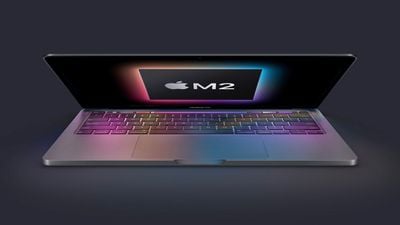
The 13-inch MacBook Pro is often chosen by those who require active cooling for better sustained performance, the best compact MacBook battery life, or simply like the Touch Bar, with the device offering more than the MacBook Air but a price well below the high-end MacBook Pro models. Apple outlines at least six key differences between the now-discontinued M1 MacBook Pro and the new M2 MacBook Pro:
M1 MacBook Pro
- M1 chip with 8-core GPU
- 8GB and 16GB unified memory configurations
- 68.25GB/s memory bandwidth
- 3.5mm headphone jack
- 61W USB‑C Power Adapter
M2 MacBook Pro
- M2 chip with 10-core GPU and dedicated media engine
- 8GB, 16GB, and 24GB unified memory configurations
- 100GB/s memory bandwidth
- 3.5mm headphone jack with support for high-impedance headphones
- 67W USB‑C Power Adapter
- Made with more recycled materials
M1 vs. M2
The main difference between the current and previous-generation 13-inch MacBook Pros is their Apple silicon chip. The M1 chip, introduced in November 2020, is based on Apple's A14 Bionic chip. On the other hand, the M2 is seemingly based on the A15 Bionic chip. While both chips feature an eight-core CPU with four performance cores and four efficiency cores, the M2's cores offer moderate performance and efficiency improvements. The M2 also adds two additional GPU cores.
According to Apple, the 13-inch MacBook Pro is nearly 40 percent faster than the previous generation when working with RAW images in apps like Affinity Photo or playing graphics-intense games like "Baldur's Gate 3."
Like the M1 Pro, the M2 features a media engine for hardware-accelerated H.264, HEVC, ProRes, and ProRes RAW video encode and decode. The M1 chip does not contain a dedicated media engine.
Apple says that this dramatically speeds up video workflows on the latest MacBook Pro, allowing users to play back up to 11 streams of 4K and up to two streams of 8K ProRes video. Users can convert their video projects to ProRes nearly three times faster than before.
Unified Memory
Both the M1 and M2 are configurable with 8GB or 16GB of unified memory, but the M2 offers an additional 24GB top-tier memory option. Multitasking and memory-hungry workflows, such as working with large assets, benefit from the M2 chip as a result. In addition, the M2 has a 100GB/s memory bandwidth, compared to 68.25GB/s with the M1, meaning that the latest MacBook Pro can access more memory faster.
Support for High-Impedance Headphones
The 13-inch MacBook Pro continues to offer better speakers and microphones than the MacBook Air, featuring high dynamic range and "studio-quality." The M2 MacBook Pro ups the device's audio credentials further with support for high-impedance headphones like the high-end 14- and 16-inch MacBook Pros, which could be a meaningful upgrade for some audio professionals.
Power Adapter
The M2 MacBook Pro comes with a 67W power adapter for slightly faster charging compared to the previous model's 61W power adapter.
Environmental Improvements
The previous 13-inch MacBook Pro was free of numerous harmful substances, met Apple's energy efficiency standards, and used wood fiber in the packaging from recycled sources or responsibly managed forests, but the M2 MacBook Pro further reduces the device's environmental impact by using 100 percent recycled rare earth elements in the enclosure magnets and 100 percent recycled tin in the solder of the main logic board.
Final Thoughts
The M2 MacBook Pro offers modest upgrades over the previous-generation model, with most aspects of the device remaining the same. Specific video and audio workflows stand to benefit from the 13-inch MacBook Pro's improvements, as will anyone who needs more than 16GB of memory or broader memory bandwidth, but everyday users are unlikely to notice substantial differences.
Given that it has only been 18 months since Apple launched the M1 MacBook Pro and the M1 chip continues to be offered in the iPad Air, iPad Pro, Mac mini, and iMac, the M2 MacBook Pro will likely not be worth it coming directly from the previous model and future-proofing is unlikely to be an important factor at this stage. Most 13-inch MacBook Pro customers may wish to wait longer in between upgrades for more meaningful improvements.
The M2 MacBook Pro is better suited to buyers who are upgrading from an older machine, rather than 2020's M1 model. Spearheaded by the M2 chip, the device's series of minor improvements offer a good overall package for these buyers, ensuring that they get a slightly more modern and capable machine.






















