

In November 2020, Apple updated its popular 13-inch MacBook Pro lineup with the first Apple silicon chip for the Mac, the M1.
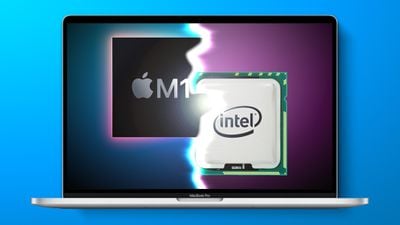
The base 13-inch MacBook Pro was refreshed with the Arm-based Apple chip, bringing significant speed and efficiency improvements, yet Apple continues to sell the higher-end 13-inch MacBook Pro with Intel inside for several hundred dollars more.
So is it still worth plunking down for the 13-inch Intel MacBook Pro, or does it make more sense to take the leap to Apple silicon now? Our guide helps answer the question of how to decide which of these two 13-inch MacBook Pro models is best for you.
Comparing the M1 MacBook Pro and the Intel MacBook Pro (13-inch)
The M1 MacBook Pro and the Intel MacBook Pro share some features such as the same 13.3-inch Retina display and are identical in terms and form factor, but the differences outweigh the similarities.
Similarities
- 13.3-inch LED-backlit display with IPS technology
- Wide Color (P3) and True Tone technology
- Touch Bar and Touch ID
- 720p FaceTime HD camera
- Wide stereo sound and support for Dolby Atmos playback
- 3.5 mm headphone jack
- Magic Keyboard
- Force Touch Trackpad
- Bluetooth 5.0
- Available in Silver and Space Gray
Apple's breakdown highlights the fact that the two machines share largely the same chassis design, but there are significant differences under the hood and in terms of the number of Thunderbolt ports on offer.
Differences
13-inch M1 MacBook Pro
- Eight-Core Apple M1 chip with eight-core GPU and 16-core Neural Engine
- Up to 16GB unified memory
- Up to 2TB storage
- Up to 20 hours battery life
- Studio-quality three-mic array with directional beamforming
- 802.11ax Wi-Fi 6
- Two Thunderbolt / USB 4 ports
- Integrated 58.2-watt-hour lithium-polymer battery
- One external display with up to 6K resolution at 60Hz
13-inch Intel MacBook Pro
- Up to four-core Intel Core i7 processor with Intel Iris Plus Graphics
- Up to 32GB memory
- Up to 4TB storage
- Up to 10 hours battery life
- Three-mic array with directional beamforming
- 802.11ac Wi-Fi
- Four Thunderbolt 3 (USB-C) ports
- Integrated 58.0-watt-hour lithium-polymer battery
- One external 6K display with 6016-by-3384 resolution at 60Hz, or Up to two external 4K displays with 4096-by-2304 resolution at 60Hz
Keep reading for a closer look at each of these specifications, and learn exactly how Apple's first MacBook Pro with Apple silicon processor stacks up against its more expensive Intel brother.
Design
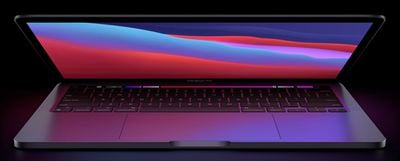
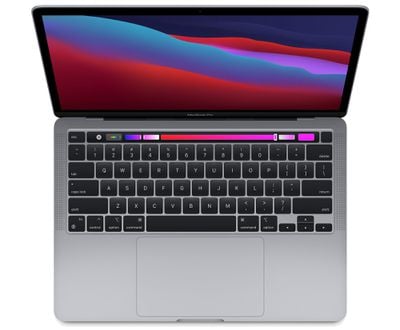
The 13-inch M1 MacBook Pro replaces Apple's entry-level Intel MacBook Pro and is virtually identical in all but the innards. That means the M1 MacBook Pro and the high-end Intel MacBook Pro that Apple still sells both share the same uniform, slab-like design, Magic Keyboard, and Touch Bar with Touch ID.
Otherwise, the only thing that externally differentiates the two models is the number of Thunderbolt 3 ports (more on that later). There's also a negligible weight difference between the two models: 3.0 pounds (1.4kg) for the M1 vs 3.1 pounds (1.4kg) for the Intel, so whichever model you go for, both are very similar in terms of portability.
Connectivity Options
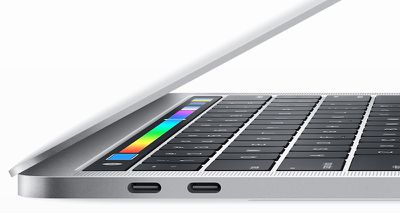
Like the entry-level Intel machine it replaces, the M1 MacBook Pro sports two Thunderbolt USB-C ports that share a single Thunderbolt 3 bus, both being on the left side of the machine, whereas the high-end Intel MacBook Pro boasts four Thunderbolt ports (two on each side).
If you are a power user who owns several Thunderbolt 3 accessories, having four ports may be very important to you, although this may be less of a dilemma given the availability of Thunderbolt 3 hubs on the market. Most users will probably get by fine with just two ports, especially if they plan to have their Mac docked on a work desk the majority of the time.
The M1 MacBook Pro can only connect to one external 6K display at 60Hz, including Apple's Pro Display XDR. By comparison, the Intel-based entry-level 13-inch MacBook Pro that it replaces only supports up to two 4K displays or up to one 5K display at 60Hz.
One other point of note is that in addition to the USB-C ports on the M1 MacBook Pro being Thunderbolt 3, they also meet the USB4 specification. The important thing to remember is that USB4 is less a technical advance over existing Thunderbolt 3 ports, and more an attempt to unify the confusing array of definitions related to USB3 and its generational variants, along with the profusion of other protocols that can connect via USB-C, including HDMI and DisplayPort.
It also represents Intel's transition from a paid licensing scheme for its proprietary Thunderbolt protocol to an openly licensed industry standard, which is why Apple has been able to develop its own custom Thunderbolt 3 controller for the M1. Like Thunderbolt 3, USB4 is able to allocate different levels of bandwidth to video and data transfers (up to 40Gb/s) when required simultaneously, but despite the name change, there is little practicable difference for the end-user.
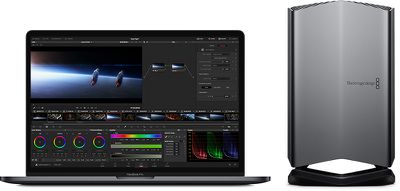
There is a caveat when it comes to connectivity on the M1 MacBook Pro, however. For whatever reason, the Apple silicon machine isn't compatible with external GPUs, including the Blackmagic eGPU that Apple has promoted alongside other Macs and that is available through the online store. That means the M1 MacBook has to rely on its own built-in GPU cores to supply graphics power, which could be a deal-breaker for some.
Performance
The two high-end 13-inch MacBook Pro models continue to use 10th-generation Intel Core chips: Both standard configurations use a 2.0GHz quad-core processor, which can be customized to a 2.3GHz quad-core Core i7 processor. Both Intel models feature Intel Iris Plus graphics.
Meanwhile, the 13-inch M1 MacBook Pro is one of the first Macs to be updated with an Apple-designed Arm-based chip rather than an Intel chip like prior MacBook Pro models. The M1 is Apple's first System on a Chip designed for the Mac, which means it has the processor, GPU, I/O, security features, and RAM all on one chip. By comparison, these components in the high-end Intel MacBook Pro are segregated on the logic board, which gives the M1 chip a number of performance advantages.
One of the features of the M1 is a unified memory architecture, or UMA, which unifies high-bandwidth, low-latency memory into a single pool. This means that the technologies in the M1 chip can access the same data without copying it between multiple memory pools, delivering dramatic performance improvement across the entire system.
The M1 also features an 8-core CPU and an integrated 8-core GPU. The CPU has four high-efficiency cores and four high-performance cores. When doing simple tasks like browsing the web or reading email the MacBook Pro engages the high-efficiency cores to preserve battery life, but for more system-intensive tasks like photo and video editing, the high-performance cores are used. Compared to the high-performance cores, the high-efficiency cores use a tenth of the power while still delivering the performance that Mac users need for everyday tasks.
Apple says the M1 chip's CPU is up to 2.8x faster than the Intel chip in the entry-level MacBook Pro it replaces, and GPU speeds are up to 5x faster than Intel's integrated graphics in the former model. That said, Apple hasn't provided any performance comparisons with the existing high-end Intel MacBook Pro models it still sells, but recent Geekbench benchmarks are telling: The M1 chip has a 3.2GHz frequency and earns single-core scores that exceed 1700, and multi-core scores around 7500, which makes it faster than even 2019's high-end 16-inch MacBook Pro models, which come with 10th-generation Intel Core i7 or i9 chips.
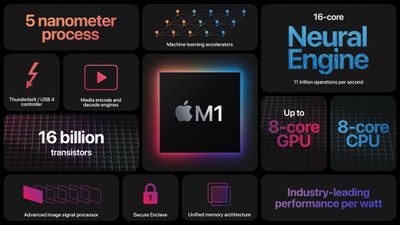
In summary, the M1 chip in the entry-level MacBook Pro offers single-core performance that is better than any other available Mac, and outperforms the Intel-based MacBook Pro models that it is sold alongside (although it may not exceed them all in GPU performance). Even when emulating x86 under Rosetta 2, the M1 MacBook Pro is still faster than all previously released Macs. Additionally, none of these scores take into account the new advanced Neural Engine in the M1 MacBook Pro that benefits apps that use machine learning for video, photo, and audio editing, such as Pixelmator, Logic Pro, and Final Cut Pro.
Microphones and Speakers
Both M1 and Intel 13-inch machines feature the same stereo speakers with high dynamic range, wide stereo sound, and support for Dolby Atmos playback. However, whereas the Intel model has a three-mic array with directional beamforming, Apple describes the mic array in the M1 model as "studio-quality" with a high signal-to-noise ratio, which could tip the balance for you if you make a lot of video calls.
Battery Life
The M1 MacBook Pro is advertised as having twice the battery life as the Intel model. (Yes, you read that right.) Apple breaks it down like this: The Intel machine offers up to 10 hours of web browsing or up to 10 hours of Apple TV movie playback, while the Apple silicon machine offers up to 17 hours of web browsing or up to 20 hours of Apple TV movie playback.
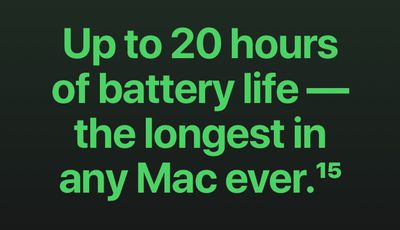
Thanks to the M1 chip's phenomenal computational efficiency, Apple has managed to eke out twice as much usage on a single charge from what is basically the same 58-watt-hour lithium-polymer battery.
Software Compatibility
Apps designed for the iPhone and the iPad will run on Apple silicon natively, so you'll be able to use a lot of your favorite iOS apps on the M1 MacBook Pro desktop, albeit with varying degrees of control compatibility. This will depend on the extent to which third-party developers work to furnish Mac input controls like keyboard and mouse in their iOS apps, but the going assumption is that most future Catalyst apps will accommodate both touch and Mac input.
None of the above goes for the Intel MacBook Pro, which only runs x86-64 code for Intel's architecture. The same can't be said for the M1 MacBook Pro, which can run both iOS and x86-64 software, thanks to Apple's Rosetta 2 translation layer. In some cases, apps built with x86-64 actually run faster in Rosetta 2 than they do on Intel Macs.

Still, it's worth noting that Apple considers Rosetta 2 to be a temporary solution for developers while they remake their existing Intel-based programs to run on Arm-based Macs, meaning they will eventually need to create native apps for Apple silicon machines. Notably, Apple ended support for OG Rosetta three years after its release to smooth the transition from PowerPC chips to Intel processors, so if a developer doesn't update their app eventually, it may become unusable on Apple's M1 machines in the future.
When it comes to software compatibility, the last thing to note is that Boot Camp is not compatible with Apple silicon, so you can't dual-boot natively into Microsoft Windows on an M1 MacBook Pro. Apple has been clear that macOS virtualization software will be the only way to run Windows and PC software on a machine powered by Apple silicon, and we're still waiting for the major virtualization programs to update their software to work with Apple's new chips and for Microsoft to allow Windows for Arm to be licensed for virtual machines.
Other Mac Options
The 13-inch M1 MacBook Pro is among the most powerful Apple computers with the M1 chip. Currently, the only other two M1-powered Macs are the 13-inch MacBook Air, the Mac mini, and 24-inch iMac.
The larger 16-inch MacBook Pro has not yet transitioned to Apple silicon – Apple continues to sell its Intel-based high-end 16-inch MacBook Pros. Meanwhile, the more expensive iMac, iMac Pro, and Mac Pro are also Intel-based machines, but offer their own distinct advantages and disadvantages with regards to connectivity and portability when compared to MacBook Pro.
Final Thoughts
For the vast majority of buyers, the M1 MacBook Pro is the one to get. If you want the best performance, battery life, and microphone quality in a Mac notebook – and you can live with two Thunderbolt 3 ports – then it's really no contest and the M1 MacBook Pro is certainly the better (and less expensive) option. Apple's latest macOS Big Sur may work on both Intel and M1-powered machines, but it's optimized for Apple silicon, so you're also future-proofing your system by buying into Apple's system architecture for many years to come. The 13-inch M1 MacBook Pro starts from $1,299.
That said, there may be a few customers who would be better off sticking with Intel for now. If you are a pro user that relies on legacy software or runs Windows via Boot Camp on your Mac or in virtual machines, it is better to buy an Intel-based MacBook Pro until there are more high-end Apple silicon options and the technology has had more time to gain software support.























