M5 iPad Pro vs. Samsung Galaxy Tab S11 Ultra

Just before Apple updated the iPad Pro with a next-generation M5 chip, Samsung refreshed its tablet lineup and debuted the Galaxy Tab S11 Ultra. We thought we'd pit Apple's latest ‌iPad Pro‌ against Samsung's newest tablet to see how they compare to one another.


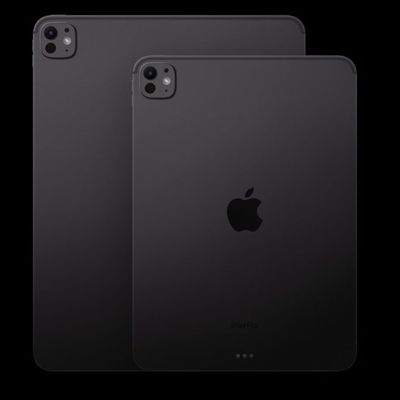
While the ‌iPad Pro‌ measures in at 13 inches, the S11 Ultra is much larger at 14.6 inches. They both have OLED displays, but the bigger screen makes an impact. Samsung's screen is bright, colorful, and has excellent contrast, plus you don't have to pay extra for a matte coating to cut down on glare.

The M5 ‌iPad Pro‌ and the S11 Ultra are both 5.1mm, so they're incredibly thin and light. That's especially apparent with the bigger screen.

Apple doesn't let you upgrade ‌iPad Pro‌ storage on your own, but the S11 Ultra has a microSD card slot that accommodates up to 2TB of storage. RAM is up to 16GB, the same as the ‌iPad Pro‌.

Both tablets have a stylus accessory, but Samsung includes its S Pen in the box while Apple sells the Apple Pencil Pro separately. This year's S Pen has a pencil like feel and a new tip that provides a better writing experience, but the ‌Apple Pencil‌ is still better.

Samsung's tablets have a DeX mode that allows them to connect to a display or a TV for a desktop-like usage experience. DeX transforms the UI and optimizes it for a larger screen so you can do more on your tablet with dual-screen support. You can connect a second display to your iPad, but the experience is nothing like DeX, and you're limited to the ‌iPad‌ multitasking features. Samsung's S11 Ultra is much better at transitioning from a tablet to something more closely resembling a computer.

Samsung devices run Android, which is an immediate dealbreaker for a lot of Apple users. Android has the benefit of deep AI integration that Apple currently can't match, so the S11 Ultra has features like Drawing Assist, Writing Assist, camera-supported Gemini Live, and full Gemini support.

The ‌iPad Pro‌ has no water resistance, but the S11 Ultra offers IP68 protection, which means it can hold up to submersion in water. The ‌iPad Pro‌ wins in sheer performance thanks to the M5 chip. Samsung has a 3nm MediaTek Dimensity 9400+ chip, but the ‌iPad‌ is almost twice as fast in most benchmarking tests.

Apple's App Store is still more robust with a better selection of apps optimized for a tablet-sized screen, and there are many pro-level apps that aren't available on Samsung's platform. Both Apple and Samsung make keyboard cases for their tablets, but Samsung's S11 Ultra keyboard doesn't have a trackpad, which is a major downgrade compared to the ‌iPad Pro‌'s Magic Keyboard.

Would you get a Samsung tablet? Let us know in the comments below.
Tag: Samsung

Popular Stories

iOS 26

iOS 26.4 and iOS 27 Features Revealed in New Leak

Friday December 12, 2025 10:56 am PST by
Macworld's Filipe Espósito today revealed a handful of features that Apple is allegedly planning for iOS 26.4, iOS 27, and even iOS 28. The report said the features are referenced within the code for a leaked internal build of iOS 26 that is not meant to be seen by the public. However, it appears that Espósito and/or his sources managed to gain access to it, providing us with a sneak peek...
iOS 26

iOS 26.2 Coming Soon With These 8 New Features on Your iPhone

Thursday December 11, 2025 8:49 am PST by
Apple seeded the second iOS 26.2 Release Candidate to developers earlier this week, meaning the update will be released to the general public very soon. Apple confirmed iOS 26.2 would be released in December, but it did not provide a specific date. We expect the update to be released by early next week. iOS 26.2 includes a handful of new features and changes on the iPhone, such as a new...
iOS 26

Apple Releases iOS 26.2 With Alarms for Reminders, Lock Screen Changes, Enhanced Safety Alerts and More

Friday December 12, 2025 10:10 am PST by
Apple today released iOS 26.2, the second major update to the iOS 26 operating system that came out in September, iOS 26.2 comes a little over a month after iOS 26.1 launched. ‌iOS 26‌.2 is compatible with the ‌iPhone‌ 11 series and later, as well as the second-generation ‌iPhone‌ SE. The new software can be downloaded on eligible iPhones over-the-air by going to Settings >...
AirPods Pro Firmware Feature

Apple Releases New Firmware for AirPods Pro 2 and AirPods Pro 3

Thursday December 11, 2025 11:28 am PST by
Apple today released new firmware designed for the AirPods Pro 3 and the prior-generation AirPods Pro 2. The AirPods Pro 3 firmware is 8B30, up from 8B25, while the AirPods Pro 2 firmware is 8B28, up from 8B21. There's no word on what's include in the updated firmware, but the AirPods Pro 2 and AirPods Pro 3 are getting expanded support for Live Translation in the European Union in iOS...
macOS Tahoe 26 Thumb

Apple Releases macOS Tahoe 26.2 With Edge Light

Friday December 12, 2025 10:08 am PST by
Apple today released macOS Tahoe 26.2, the second major update to the macOS Tahoe operating system that came out in September. macOS Tahoe 26.2 comes five weeks after Apple released macOS Tahoe 26.1. Mac users can download the macOS Tahoe update by using the Software Update section of System Settings. macOS Tahoe 26.2 includes Edge Light, a feature that illuminates your face with soft...
AirTag 2 Mock Feature

Apple AirTag 2: Four New Features Found in iOS 26 Code

Thursday December 11, 2025 10:31 am PST by
The AirTag 2 will include a handful of new features that will improve tracking capabilities, according to a new report from Macworld. The site says that it was able to access an internal build of iOS 26, which includes references to multiple unreleased products. Here's what's supposedly coming: An improved pairing process, though no details were provided. AirTag pairing is already...
ipados 26 1 slide over

Apple Releases iPadOS 26.2 With Multitasking Improvements

Friday December 12, 2025 10:09 am PST by
Apple today released iPadOS 26.2, the second major update to the iPadOS 26 operating system released in September. iPadOS 26.2 comes a month after iPadOS 26.1. The new software can be downloaded on eligible iPads over-the-air by going to Settings > General > Software Update. iPadOS 26.2 continues with the multitasking improvements that were added with iPadOS 26.1. You can now drag and...
bug security vulnerability issue fix larry

Update Now: iOS 26.2 Fixes 20+ Security Vulnerabilities

Friday December 12, 2025 11:11 am PST by
Apple today released iOS 26.2, iPadOS 26.2, and macOS 26.2, all of which introduce new features, bug fixes, and security improvements. Apple says that the updates address over 20 vulnerabilities, including two bugs that are known to have been actively exploited. There are a pair of WebKit vulnerabilities that could allow maliciously crafted web content to execute code or cause memory...

Top Rated Comments

rappr Avatar
2 weeks ago

For me, personally, that widescreen form factor is just so damn sexy. It's time Apple lose the extremely dated ratio of the current iPad and just go wide already!! Should have made the change years ago. Let's go ahead and shave those bezels down as well....
Widescreen is great for video, not so great when working in portrait orientation.
Score: 23 Votes (Like | Disagree)
rappr Avatar
2 weeks ago

Majority of iPad users still use the device for consuming media. And those that "produce" on it, well, majority are also doing that in landscape, just as their desktops, laptops, etc., are all landscape. "Working in portrait" sounds like an incredibly niche workflow. Let's get the widescreens rolling!!
Working on a Pages document or marking up a PDF are both great in portrait orientation.
Score: 18 Votes (Like | Disagree)
Ursadorable Avatar
2 weeks ago
[HEADING=2]M5 iPad Pro vs. Samsung Galaxy Tab S11 Ultra[/HEADING]

One runs iOS and the other Android.
Score: 7 Votes (Like | Disagree)
justanotherdave Avatar
2 weeks ago

Majority of iPad users still use the device for consuming media. And those that "produce" on it, well, majority are also doing that in landscape, just as their desktops, laptops, etc., are all landscape. "Working in portrait" sounds like an incredibly niche workflow. Let's get the widescreens rolling!!
Nobody buys an iPad Pro for content consumption.

The S11 is a non-starter for many reasons. The main one is a processor that gets trounced by the M5 and the other is lazy developers who can’t be bothered to make any high-end Apps for Android tablets.

No Photoshop, DaVinci Resolve, Pixelmator, Procreate and so on.

Hardware is useless without software therefore Android tablets like the S11 Ultra are useless.
Score: 7 Votes (Like | Disagree)
AlexESP Avatar
2 weeks ago

So keep your current pro for that, a lot of the rest of us are ready for a change. BTW, you don't need a pro model to mark up a PDF....
I guess "a lot of the rest of us" is way less than the amount of people currently happy with an iPad Pro, given the success of Apple in this market compared to others. Also, no one "needs" an iPad Pro to mark up a PDF, but I will gladly pay for it, in the same way I pay for a more expensive phone even if I don't "need" it. The iPad is by far my favorite Apple device, it helps me with creativity tasks, so I'm thankful that the iPad Pro exists, and it's not (yet) a touch laptop wannabe.
Score: 5 Votes (Like | Disagree)
tobybrut Avatar
2 weeks ago
As an owner of an S9 Ultra and S11 Ultra, there are two things that make it inferior to the iPad Pro, which I also have. The Ultras are too big and heavy. They are completely useless without a case, and as a warning the S11 Ultra’s case is a lot worse than the S9 Ultra’s case with an inferior design. Samsung’s keyboards are terrible, having low sensitivity, which causes a lot of missed typed characters. I’m constantly having to correct typing errors that never occur on a Magic Keyboard.

The second is screen brightness. You just cannot beat 1000 nits sustained SDR and 1600 nits HDR on the iPad Pros. The S11 Ultra’s screen is only slightly higher than 400 nits for SDR and less than 1000 nits for HDR content,

The one advantage the S11 Ultra has, of course, is that it can show more stuff on screen due to a larger screen. But that comes with a loss of real portability. It’s a pain to lug around due to its size and weight. There is such a thing as too big of a tablet.

Android apps are also inferior with very little optimized for tablets. People seem to push DeX but to me, it’s a way to get around unoptimized apps to make phone apps look less ugly. I leave it off finding the regular multitasking to be better.
Score: 5 Votes (Like | Disagree)