

All the New AI Features Coming to Google's Pixel 10 Smartphones - MacRumorsOpen MenuShow RoundupsShow Forums menuVisit ForumsOpen Sidebar
Skip to Content

All the New AI Features Coming to Google's Pixel 10 Smartphones

Google introduced its next-generation Pixel 10 smartphones today, and while there are multiple hardware improvements, Google focused heavily on new AI features. The Pixel 10 devices offer quite a few new AI-powered capabilities, in addition to prior AI features that have come out over the last couple of years.
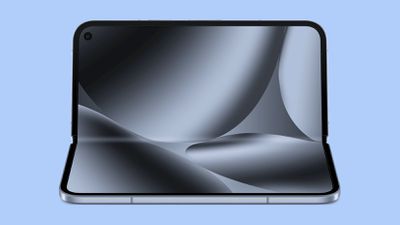
google pixel 10 fold 1
We've rounded up the new features, some of which the iPhone already supports, and some of which the iPhone can't do yet.

  • Magic Cue - Magic Cue proactively surfaces relevant info and suggests actions, similar to how Apple's personalized Siri features were supposed to work. It can display flight information when you call an airline, or cue up a photo if a friend asks for an image.
  • Daily Hub - Daily Hub uses Magic Cue to surface a personalized daily digest of upcoming calendar events, topics to explore, recommended playlists, and more.
  • Call Transcripts - The Take a Message feature in the Phone app provides real-time transcripts for missed or declined calls. Apple already provides real-time transcripts for incoming voicemails.
  • Pixel Journal - Pixel Journal provides AI writing prompts to help users process their thoughts, and it provides insights into patterns and progress over time. Apple has a similar Journal app that offers journaling suggestions.
  • Voice Translate - Voice Translate translates calls in real-time in what sounds like each speaker's voice. It's similar to Apple's Live Translation features, but that doesn't mimic user voices. Voice Translate also supports more languages when translating to or from English, including Spanish, German, French, Japanese, Hindi, Italian, Portuguese, Swedish, Russian, and Indonesian.
  • Camera Coach - Camera Coach can provide real-time guidance to help users capture better images. It suggests tips on lighting, composition, and more.
  • Auto Best Take - Analyzes up to 150 frames in seconds to get the perfect group shot where everyone is looking at the camera.
  • Add Me - The image feature that can add the photographer to a group shot using AI has been improved. It works with bigger groups and offers more creative composition options.
  • AI Videos - The Pixel devices can generate a video based on short text descriptions.
  • Visual Guidance for Gemini Live - Gemini Live allows for real-time conversations with Gemini AI. It's already able to converse and get context from the camera or screen sharing, but it now highlights things on the display to provide better visual guidance when responding to questions.
  • More natural speech - Gemini Live is getting more human-like speech, with improvements to intonation, rhythm, and pitch for more expressive conversations. It will be able to speaker slower or faster when asked, and it can do accents.
  • Gboard - The Google keyboard supports Writing Tools for spellchecking, plus it can rewrite in specific styles. Apple has a similar Writing Tools feature that supports grammar and spelling correction and rewrites in a specified style.
  • Google Photos - Google Photos is getting conversation-based photo editing.
  • NotebookLM - Google's AI research assistant integrates with Pixel Screenshots and Recorder. If Screenshots detects a picture that's useful for a notebook, it will suggest adding it for simpler tracking. Transcripts from Recorder can also be added.
  • Gemini Nano - The Tensor G5 chip in the Pixel 10 smartphones runs the newest Gemini Nano model on-device.

Apple will be able to match some of these features when the updated version of ‌Siri‌ rolls out in 2026, but it is behind on image editing features and live AI capabilities since there is no dedicated Apple-designed LLM as of now.

Google's updated Pixel 10 devices are available for pre-order now, and will be launching later this month. Apple's iPhone 17 models will debut in September.


Popular Stories

google chrome vertical tabs

Google Brings Vertical Tabs and Improved Reading Mode to Chrome

Tuesday April 7, 2026 1:27 pm PDT by
Google today updated its Chrome browser with support for vertical tabs, which are displayed in a sidebar instead of at the top of the browser. The tab layout can be changed by right clicking on any Chrome window and choosing the "Show Tabs Vertically" option. Sidebar tabs feature full page titles and make it simple to organize tab groups. Google has also added a new full-page interface...
Chrome Feature 22

Gemini in Google Chrome Gets a Skills Library for Saving Custom AI Prompts

Tuesday April 14, 2026 10:00 am PDT by
Chrome has been updated today with a Skills library that's designed to let Chrome users turn AI tasks into repeatable skills that can be used on any website. Useful prompts you create for Gemini in Chrome can be saved as a Skill that can be accessed later with a single click. If you're shopping for skincare and ask Gemini about the ingredients in a product, for example, you can save the...
gemini for mac app google

Google Launches Native Gemini AI App for Mac

Wednesday April 15, 2026 10:46 am PDT by
Google is bringing Gemini to the Mac with a new native macOS app that's available starting today. Gemini for Mac can be activated with a keyboard shortcut, and it has built-in tools for generating images, analyzing what's on your screen, reviewing files, and more. Gemini is the last of the three major AI services to have a dedicated Mac app, because OpenAI and Anthropic have had Mac apps for ...

Top Rated Comments

9 months ago
Apple couldn’t even ship half of these features by 2026, yet some of you miserable people here are already complaining that nobody cares about any of these truly life changing features.

My wife’s family does not speak English and my whole life I’ve always had a very difficult time connecting with them because of this. I am beyond excited to have better ways to communicate, stay in touch, and build the relationship I’ve always wanted to have with them.
Score: 45 Votes (Like | Disagree)
9 months ago

I watched some of the announcement… it was hard to watch, and quite frankly, very cringe… im not sure what they were thinking with the style of the announcement.
It’s better than apple’s keynotes all kids emoji stuff now. Steve Jobs presentations was for adults as Apple should be doing now and when Apple had vision.
Score: 23 Votes (Like | Disagree)
tbayrgs Avatar
9 months ago

Why are you even here if I have to explain that half this stuff already exists on iPhone or has been announced?

Magic cue, call transcripts, journaling, video generation using photos, etc.

The story even points out where this stuff already exists.

Edit: oh, and by the by, Google hasn’t shipped any of these features. And they have a history of hyping features that either come out half baked or get canned soon after delivery because they don’t work.

And yes, Apple lied on contextual Siri, I know.
Half this stuff? I count 4 of these features that Apple has some analog to; Call Transcripts, Journal, Voice Translate (though not as feature rich) and Writing Tools.

I use both an iPhone capable of Apple Intelligence and a Pixel 9 Pro Fold (and generally use Apple hardware for just about everything else). The useful functionality from Google far outweighs what Apple has rolled out and these new feature just pile on that difference. The best part of Apple Intelligence---is the part that's made available from ChatGPT. The limited photos features, like Clean Up are laughably terrible compared to Google or Samsung's offerings. Image Playgrounds is awful compared to any of the competition. Visual Intelligence is OK because it uses Google for its functionality. 😂 Genmoji is a fun but it's also just a simple, silly gimmick. Writing tools are available from any current AI agent...I've had Apple, ChatGPT and Gemini complete the same writing exercises and Apple's is usually the worst of the bunch.

If people don't care about AI on their phone, that's fine. But FWIW, if you do, you're not using Apple's version.
Score: 17 Votes (Like | Disagree)
turbineseaplane Avatar
9 months ago

I watched some of the announcement… it was hard to watch, and quite frankly, very cringe… im not sure what they were thinking with the style of the announcement.
You didn't accidentally load up the Apple WWDC [S]keynote[/S] ... err... "pre-produced AD", did you?
Score: 17 Votes (Like | Disagree)
turbineseaplane Avatar
9 months ago

It’s kinda funny that the one feature you’ve praised after saying Apple can’t ship this stuff is one that Apple is shipping in weeks and is already being used by beta users.

Maybe just ease off on the hyperbole.
Ok - what about the 14 other features where Apple is nowhere to be found?

Sure hope we get some updates to "genmoji" though.
🥴
Score: 14 Votes (Like | Disagree)
9 months ago
Auto Best Take - Analyzes up to 150 frames in seconds to get the perfect group shot where everyone is looking at the camera.

guaranteed no one is going to trust this and take multiple shots anyways.
Score: 14 Votes (Like | Disagree)
Related Apple News: App Store | Ipad Air | Fixed Focus Digital | Enable Smoother 120hz Browsing In Safari | Foldable Iphone















