

iFixit Shares iPad Mini 7 Teardown, Adds Mystery to 'Jelly Scrolling' Fix

Electronics repair website iFixit this weekend shared an iPad mini 7 teardown video, and it adds some mystery to the device's "jelly scrolling" improvements.
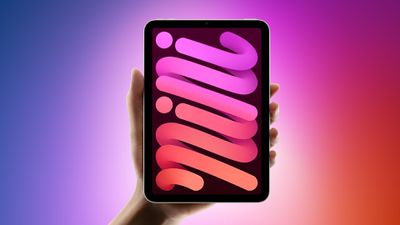
ipad mini 7 feature red and blue
"Jelly scrolling" refers to screen tearing, which can cause text or images on one side of the screen to appear to be tilted downwards because of a mismatch in refresh rates. It can cause one side of the display to look as if it is responding faster than the other side, resulting in a visual disturbance that is hard to ignore once noticed. Some customers noticed the effect on the iPad mini 6 when the device was used in portrait orientation, leading to complaints over the past three years, but not everyone noticed it or was bothered by the effect.

Despite an Apple spokesperson once stating that "jelly scrolling" was "normal" behavior for iPads with LCD displays, it appears the company still felt inclined to reduce the effect on the iPad mini 7. Many reviewers said that "jelly scrolling" was less noticeable or not noticeable at all on the latest iPad mini, and it seems that Apple vaguely told some of these reviewers that it made display-related changes to address the matter.

It was speculated that Apple might have rotated the display controller inside the iPad mini 7 to make "jelly scrolling" less visible in portrait orientation, but interestingly, iFixit said that the display controller's position has not changed compared to the iPad mini 6. The website concluded that Apple has done some unknown "trickery" to reduce "jelly scrolling," so it still remains unclear exactly what Apple has done to mitigate the issue.


The teardown video also revealed that the iPad mini 7's rear Apple logo can be removed, but otherwise the device's internal design is similar to the iPad mini 6.

Apple released the iPad mini 7 last week, with key features including the A17 Pro chip, Apple Intelligence support, Apple Pencil Pro support, and more.


Related Roundups: Apple Studio Display, iPad mini
Buyer's Guide: iPad Mini (Neutral)
Related Forum: iPad

Popular Stories

iOS 26

iOS 26.4 and iOS 27 Features Revealed in New Leak

Friday December 12, 2025 10:56 am PST by
Macworld's Filipe Espósito today revealed a handful of features that Apple is allegedly planning for iOS 26.4, iOS 27, and even iOS 28. The report said the features are referenced within the code for a leaked internal build of iOS 26 that is not meant to be seen by the public. However, it appears that Espósito and/or his sources managed to gain access to it, providing us with a sneak peek...
Apple Foldable Thumb

Leak Reveals Foldable iPhone Details

Monday December 15, 2025 9:09 am PST by
The first foldable iPhone will feature a series of design and hardware firsts for Apple, according to details shared by the Weibo leaker known as Digital Chat Station. According to a new post, via machine translation, Apple is developing what the leaker describes as a "wide foldable" device, a term used to refer to a horizontally oriented, book-style foldable with a large internal display....
iOS 26

Apple Releases iOS 26.2 With Alarms for Reminders, Lock Screen Changes, Enhanced Safety Alerts and More

Friday December 12, 2025 10:10 am PST by
Apple today released iOS 26.2, the second major update to the iOS 26 operating system that came out in September, iOS 26.2 comes a little over a month after iOS 26.1 launched. ‌iOS 26‌.2 is compatible with the ‌iPhone‌ 11 series and later, as well as the second-generation ‌iPhone‌ SE. The new software can be downloaded on eligible iPhones over-the-air by going to Settings >...
apple beta 26 lineup

Apple Leak Confirms Work on Foldable iPhone, AirTag 2, and Dozens More Devices

Monday December 15, 2025 2:05 pm PST by
Last week, details about unreleased Apple devices and future iOS features were shared by Macworld. This week, we learned where the information came from, plus we have more findings from the leak. As it turns out, an Apple prototype device running an early build of iOS 26 was sold, and the person who bought it shared the software. The OS has a version number of 23A5234w, and the first...
iOS 26

iOS 26.2 Coming Soon With These 8 New Features on Your iPhone

Thursday December 11, 2025 8:49 am PST by
Apple seeded the second iOS 26.2 Release Candidate to developers earlier this week, meaning the update will be released to the general public very soon. Apple confirmed iOS 26.2 would be released in December, but it did not provide a specific date. We expect the update to be released by early next week. iOS 26.2 includes a handful of new features and changes on the iPhone, such as a new...
macOS Tahoe 26 Thumb

Apple Releases macOS Tahoe 26.2 With Edge Light

Friday December 12, 2025 10:08 am PST by
Apple today released macOS Tahoe 26.2, the second major update to the macOS Tahoe operating system that came out in September. macOS Tahoe 26.2 comes five weeks after Apple released macOS Tahoe 26.1. Mac users can download the macOS Tahoe update by using the Software Update section of System Settings. macOS Tahoe 26.2 includes Edge Light, a feature that illuminates your face with soft...
AirPods Pro Firmware Feature

Apple Releases New Firmware for AirPods Pro 2 and AirPods Pro 3

Thursday December 11, 2025 11:28 am PST by
Apple today released new firmware designed for the AirPods Pro 3 and the prior-generation AirPods Pro 2. The AirPods Pro 3 firmware is 8B30, up from 8B25, while the AirPods Pro 2 firmware is 8B28, up from 8B21. There's no word on what's include in the updated firmware, but the AirPods Pro 2 and AirPods Pro 3 are getting expanded support for Live Translation in the European Union in iOS...
Apple Logo Top Half

Early iOS 26 Software Leak Uncovers Dozens of Upcoming Apple Features

Monday December 15, 2025 3:05 pm PST by
Software from an iPhone prototype running an early build of iOS 26 leaked last week, giving us a glimpse at future Apple devices and iOS features. We recapped device codenames in our prior article, and now we have a list of some of the most notable feature flags that were found in the software code. In some cases, it's obvious what the feature flags are referring to, while some are more...

Top Rated Comments

klasma Avatar
15 months ago

Is there a technical reason why the iPad mini 5 either has no jelly scroll, or it wasn't a big enough issue like the mini 6? And if the mini 5 didn't have this, what caused the regression moving forward with the mini 6 and 7?
The pixels within an LCD panel (i.e. the actual “liquid crystals”) are not refreshed all at once for each new picture frame, but instead are refreshed line by line. This means that if you take a snapshot of the panel while it refreshes from one frame to the next, some of the pixels will show the new frame while others will still show the previous frame.

In addition, each pixel doesn’t change its state instantaneously, but needs a number of milliseconds to transition from the previous state to the new state. This means that in the snapshot, pixels will be in various degrees of blending between the old state and the new state. When comparing the first line with the last line, the first line may already have fully transitioned to the new frame, whereas the last line is still completely on the old frame. And the lines in between will be in some intermediate state.

Now, when you scroll perpendicular to those refresh lines, this means that one edge of the screen will already show the next scroll position while the other edge still shows the old scroll position. Due to the continuous state change of the pixels between those two edges, it looks as if the contents is slanted between the old and new scroll position.

This effect is stronger the narrower the display is in the problematic direction, and also the longer the pixel response time (the longer they take to change their state). If the response time is especially slow, it may even “smear” across multiple successive frames or scroll positions.

From the mini 5 to the mini 6, Apple (a) changed the refresh direction from the long side to the short side, and in addition (b) made the aspect ratio of the screen much narrower than before (from 4:3 to less than 3:2), and (c) (this is just my suspicion from comparing both side by side) the new panels have a worse pixel response time.

From what has been reported about the mini 7, my guess is that the response time (c) has been improved, but obviously (a) and (b) hasn’t changed.

Since the frame contents is transferred line by line from RAM to the panel, the lines are physically driven along either the long side or the short side of the display panel, and that’s where the display controller sits along the edge of the panel. Presumably, because the bezel widths changed from the mini 5 to the mini 6, it was more convenient to place the display controller along the long edge than the short edge, however with the side effect of switching to the refresh direction where the slanting effect is more pronounced.

Apple would have to switch that positioning back to the short side in order to completely eliminate the issue in portrait orientation. Apparently they didn’t want to invest the engineering effort to change the internal component layout of the mini again.

@Joe Rossignol IMO there isn’t much of a mystery here.
Score: 21 Votes (Like | Disagree)
goodcow Avatar
15 months ago
Is there a technical reason why the iPad mini 5 either has no jelly scroll, or it wasn't a big enough issue like the mini 6? And if the mini 5 didn't have this, what caused the regression moving forward with the mini 6 and 7?
Score: 15 Votes (Like | Disagree)
firstcitazen Avatar
15 months ago

I cannot believe we are discussing such minutia. I use my iPad mini 6 in the hospital almost every day, for 10-12 hours a day (for almost 2 years). This is not even on my mind.
Perhaps people should use it for real work, rather than just pure entertainment devices?
I use it for real work and notice the jelly scrolling. What is real work? I work at a hospital too....
Score: 15 Votes (Like | Disagree)
Crow_Servo Avatar
15 months ago

I have absolutely no trust in Apple when it comes to their displays.

They use PWM (pulse-width modulation) aka flickering in almost all of their products. They have zero credibility.

I'm sure their "fix" for this iPad mini 7 is not without some compromise. Hopefully not, but we'll see. I'm picking up one of these next week.
lol. Okay. Enjoy?
Score: 14 Votes (Like | Disagree)
Apple_Robert Avatar
15 months ago

Saw it in Best Buy - it’s still a terrible screen because of the refresh rate. Maybe the jelly scrolling is better but that low refresh rate stutter is a show stopper.
I find it curious that so many people used the iPhone before Promotion was ever uttered by Apple and it wasn’t the unusable device so many here and elsewhere want to claim devices to be now.
Score: 14 Votes (Like | Disagree)
0828557 Avatar
15 months ago

The redesign of the mini with 6th gen caused it.
You answered a "what" question with a "when" answer.
Score: 13 Votes (Like | Disagree)














