Wallet App Support for Apple Account Cards Now Live in Australia and Canada
Support for Apple Account Cards in the Wallet app has gone live in Canada and Australia, over two years since it first launched in the United States.
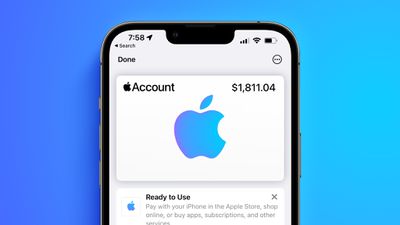
The change means users can use the Wallet app to add an Apple Account Card, which displays the Apple credit balance associated with an Apple ID. If you receive an App Store or Apple Store gift card, for example, it is added to an Apple Account that was previously visible in the App Store and Apple Store apps.
Support for the feature in Canada and Australia requires iPhone users updating to iOS 17.6, as spotted by Nicolás Álvarez. Prior to today, support for the feature was thought to be limited to Japan and the US.
To add an Apple Account Card, open up the Wallet app and under "Available Cards," tap on "Add Apple Account." As long as you have an Apple Account balance, you'll be able to add the card.
Once added, you can view your Apple Account balance right from the Wallet app and use it to purchase Apple products, apps, games, and music. It works in the same way as any other card in the Wallet app when at an Apple Store. The Apple Account Card replaces the iTunes Pass that used to be available a long time ago.
Popular Stories
Apple is expected to unveil iOS 27 during its WWDC 2026 keynote on June 8, and there are already many rumored features and changes for iPhones.
The first developer beta of iOS 27 will likely be available immediately following the keynote, and a public beta typically follows in July. Following beta testing, the software update should be released to all users with a compatible iPhone in...
Apple today released a new Pride Edition Sport Loop for the Apple Watch. The band features a rainbow design with 11 colors of woven nylon yarns.
The new Pride Edition Sport Loop is available to order now on Apple.com and in the Apple Store app in 40mm, 42mm, and 46mm sizes, and it will be available at Apple Store locations starting later this week. In the U.S., the band costs $49.
There...
iOS 26.5 is expected to be released next week, following more than a month of beta testing. The update is relatively minor, but there are a couple of new features and changes across the operating system that we have recapped below.
iOS 26.5 lays the groundwork for end-to-end encryption for RCS in the Messages app and ads in the Apple Maps app, and it will include a new Pride wallpaper and a...

























