

Apple Seeds macOS Sonoma 14.4 Release Candidate

Apple today seeded the release candidate version of an upcoming macOS Sonoma 14.4 update to developers for testing purposes, with the software coming a week after the release of the fifth beta. The release candidate marks the final version of the macOS Sonoma 14.4 update that will be provided to the public.
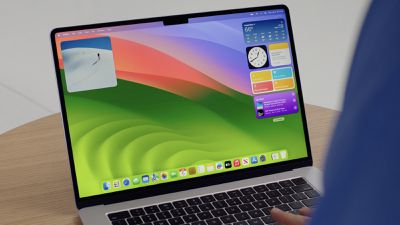
sonoma desktop wwdc
Registered developers can opt-in to the beta through the Software Update section of the System Settings app. Note that an Apple ID associated with an Apple Developer account is required to get the beta.

macOS Sonoma 14.4 introduces new emoji characters, podcast episode text, and an option to only show icons for websites in the Safari Favorites Bar. The update also supports the new MacBook Air models that were introduced today.

macOS Sonoma 14.4 introduces new emoji as well as other features, bug fixes, and security updates for your Mac.

Emoji
- New mushroom, phoenix, lime, broken chain, and shaking heads emoji are now available in emoji keyboard
- 18 people and body emoji support facing the opposite direction

This update also includes the following improvements and bug fixes:
- Podcasts Episode text can be read in full, searched for a word or phrase, clicked to play from a specific point and used with accessibility features such as Text Size, Increase Contrast, and VoiceOver
- Business Updates in Messages for Business let you get updates that you've opted into, like order status, flight notifications, fraud alerts or other transactions from trusted businesses
- Safari Favorites Bar adds an option to show only icons for websites

Some features may not be available for all regions, or on all Apple devices.

For detailed information about the security content of this update, please visit: https://support.apple.com/kb/HT201222

macOS Sonoma 14.4 could see a public release as soon as this week.

Related Forum: macOS Sonoma

Popular Stories

iOS 26

iOS 26.4 and iOS 27 Features Revealed in New Leak

Friday December 12, 2025 10:56 am PST by
Macworld's Filipe Espósito today revealed a handful of features that Apple is allegedly planning for iOS 26.4, iOS 27, and even iOS 28. The report said the features are referenced within the code for a leaked internal build of iOS 26 that is not meant to be seen by the public. However, it appears that Espósito and/or his sources managed to gain access to it, providing us with a sneak peek...
iOS 26

iOS 26.2 Coming Soon With These 8 New Features on Your iPhone

Thursday December 11, 2025 8:49 am PST by
Apple seeded the second iOS 26.2 Release Candidate to developers earlier this week, meaning the update will be released to the general public very soon. Apple confirmed iOS 26.2 would be released in December, but it did not provide a specific date. We expect the update to be released by early next week. iOS 26.2 includes a handful of new features and changes on the iPhone, such as a new...
iOS 26

Apple Releases iOS 26.2 With Alarms for Reminders, Lock Screen Changes, Enhanced Safety Alerts and More

Friday December 12, 2025 10:10 am PST by
Apple today released iOS 26.2, the second major update to the iOS 26 operating system that came out in September, iOS 26.2 comes a little over a month after iOS 26.1 launched. ‌iOS 26‌.2 is compatible with the ‌iPhone‌ 11 series and later, as well as the second-generation ‌iPhone‌ SE. The new software can be downloaded on eligible iPhones over-the-air by going to Settings >...
AirPods Pro Firmware Feature

Apple Releases New Firmware for AirPods Pro 2 and AirPods Pro 3

Thursday December 11, 2025 11:28 am PST by
Apple today released new firmware designed for the AirPods Pro 3 and the prior-generation AirPods Pro 2. The AirPods Pro 3 firmware is 8B30, up from 8B25, while the AirPods Pro 2 firmware is 8B28, up from 8B21. There's no word on what's include in the updated firmware, but the AirPods Pro 2 and AirPods Pro 3 are getting expanded support for Live Translation in the European Union in iOS...
macOS Tahoe 26 Thumb

Apple Releases macOS Tahoe 26.2 With Edge Light

Friday December 12, 2025 10:08 am PST by
Apple today released macOS Tahoe 26.2, the second major update to the macOS Tahoe operating system that came out in September. macOS Tahoe 26.2 comes five weeks after Apple released macOS Tahoe 26.1. Mac users can download the macOS Tahoe update by using the Software Update section of System Settings. macOS Tahoe 26.2 includes Edge Light, a feature that illuminates your face with soft...
AirTag 2 Mock Feature

Apple AirTag 2: Four New Features Found in iOS 26 Code

Thursday December 11, 2025 10:31 am PST by
The AirTag 2 will include a handful of new features that will improve tracking capabilities, according to a new report from Macworld. The site says that it was able to access an internal build of iOS 26, which includes references to multiple unreleased products. Here's what's supposedly coming: An improved pairing process, though no details were provided. AirTag pairing is already...
ipados 26 1 slide over

Apple Releases iPadOS 26.2 With Multitasking Improvements

Friday December 12, 2025 10:09 am PST by
Apple today released iPadOS 26.2, the second major update to the iPadOS 26 operating system released in September. iPadOS 26.2 comes a month after iPadOS 26.1. The new software can be downloaded on eligible iPads over-the-air by going to Settings > General > Software Update. iPadOS 26.2 continues with the multitasking improvements that were added with iPadOS 26.1. You can now drag and...
bug security vulnerability issue fix larry

Update Now: iOS 26.2 Fixes 20+ Security Vulnerabilities

Friday December 12, 2025 11:11 am PST by
Apple today released iOS 26.2, iPadOS 26.2, and macOS 26.2, all of which introduce new features, bug fixes, and security improvements. Apple says that the updates address over 20 vulnerabilities, including two bugs that are known to have been actively exploited. There are a pair of WebKit vulnerabilities that could allow maliciously crafted web content to execute code or cause memory...

Top Rated Comments

zorinlynx Avatar
23 months ago

more dumb features, meanwhile bug fixes and stability remains ignored

no competition to macOS either so this will never change

im so checked out
MacOS has been rock solid for me for the past couple years. I'm really wondering what y'all complaining about stability are doing.
Score: 17 Votes (Like | Disagree)
poematik13 Avatar
23 months ago
more dumb features, meanwhile bug fixes and stability remains ignored

no competition to macOS either so this will never change

im so checked out
Score: 9 Votes (Like | Disagree)
roncron Avatar
23 months ago

Nothing is better than a new macOS RC. Nothing.
Sex, a vacation, your jerk boss getting fired, a new car, winning the lottery, your best friend getting engaged (unless it's to the person that just dumped you). A new Mac to replace the one you've been using for 6 years.
Score: 6 Votes (Like | Disagree)
duncandb Avatar
23 months ago
I find it ridiculous how emojis are repeatedly highlighted as update features, when that's like one of the least important or useful things and should just be footnotes.
Score: 6 Votes (Like | Disagree)
poematik13 Avatar
23 months ago

Try amphetamine
We do, and it works, but it sucks having to use a 3rd party workaround on a $3000 laptop.
Score: 6 Votes (Like | Disagree)
Edgecrusherr Avatar
23 months ago

MacOS has been rock solid for me for the past couple years. I'm really wondering what y'all complaining about stability are doing.
Tends to be a use case. I have a stack of RAIDs, and do everything from IT work, graphics design, video editing, files sharing, screen sharing, using my Mac as a media server, virtualization, emulation, gaming, scripting,and some minor coding. I throw a lot at it, in a lot of different areas, so you may just be lucky. My sample size includes myself and about 200 users.

Starting around 10.14, there's been major issues with icnonserivcesagent, that was only partially fixed in 10.15, and become pretty bad again in 13 (Ventura). Apple Music Home Sharing started having issues in 10.15, and has not ever been fixed. Screen sharing and file sharing became very unreliable in 13. Early 14 (current Sonoma) had some crazy GPU system crashes when using large amounts of memory, that was eventually resolved around the .2 release. 14 also introduced major issues with IO, including external storage, typically seen in larger volumes. 14 also has login Window and Dock crashes when using an external display on a desktop (Mac mini, Mac Pro, and Mac Studio). There's really a lot of graphics related issues with external display. Waking from sleep and properly connecting to an external display has been rough for a few years. Apple still doesn't support / promptly communicate EDID data that's been industry standard for years. Don't get me started on ultra-wide support.

Apple's hardware reliability has gotten a lot better since moving from intel. Though, Bluetooth on the Mac mini and Mac Studio is shockingly terrible with ambient noise and range, especially compared to their other products.
Score: 5 Votes (Like | Disagree)

















