Apple Seeds First Beta of macOS Sonoma 14.4 to Developers - MacRumorsOpen MenuShow RoundupsShow Forums menuVisit ForumsOpen Sidebar
Skip to Content

Apple Seeds First Beta of macOS Sonoma 14.4 to Developers

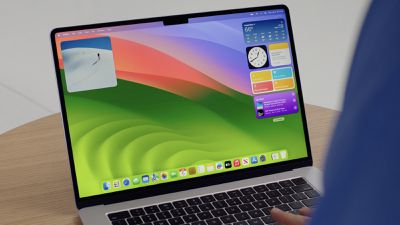
Apple today seeded the first beta of an upcoming macOS Sonoma 14.4 update to developers for testing purposes, with the software coming a week after the release of macOS Sonoma 14.3.
sonoma desktop wwdc
Registered developers can opt-in to the beta through the Software Update section of the System Settings app. Note that an Apple ID associated with an Apple Developer account is required to get the beta.

macOS Sonoma 14.4 introduces some of the features in the iOS 17.4 beta, such as new emoji characters. We don't know what Mac-specific features are included, but if we find anything new in the beta, we'll update this article.

Related Forum: macOS Sonoma

Popular Stories

iPhone 18 Pro Deep Red Feature

iPhone 18 Pro Launching Later This Year With These 12 New Features

Wednesday March 18, 2026 7:39 am PDT by
While the iPhone 18 Pro and iPhone 18 Pro Max are not expected to launch for another six months or so, there are already plenty of rumors about the devices. It was initially reported that the iPhone 18 Pro models would have fully under-screen Face ID, with only a front camera visible in the top-left corner of the screen. However, the latest rumors indicate that only one Face ID component...
ios 26 4 yellow

Here Are Apple's Release Notes for iOS 26.4

Wednesday March 18, 2026 11:56 am PDT by
Apple provided developers and public beta testers with the release candidate versions of iOS 26.4 and iPadOS 26.4, which means we're going to see a public launch as soon as next week. The RC versions of the software include Apple's official release notes, giving us final details on what's included in the update. Apple Music - Playlist Playground (beta) generates a playlist from your...
Apple Logo Sketch Feature

Apple Has Now Unveiled Eight New Products This Month

Tuesday March 17, 2026 9:25 am PDT by
Apple has unveiled a whopping eight new products so far this March, including an iPhone 17e, iPad Air models with the M4 chip, MacBook Air models with the M5 chip, MacBook Pro models with M5 Pro and M5 Max chips, the all-new MacBook Neo, an updated Studio Display, a higher-end Studio Display XDR, and now the AirPods Max 2 this week. iPhone 17e features the same overall design as the iPhone...

Top Rated Comments

Realityck Avatar
28 months ago
Comparison of 14.4 beta to previous 14.3 RC

macOS 14.4 beta (23E5180j)

* Safari Version 17.4 (19618.1.11.11.3)
* System Firmware Version: 10151.100.738.0.1 (M1 based Macs)
* Darwin Kernel Version 23.4.0: Fri Jan 12 22:41:06 PST 2024; root:xnu-10063.100.610.0.2~19/RELEASE_ARM64_T8103 arm64

macOS 14.3 RC (23D56)

* Safari Version 17.3 (19617.2.4.11.8)
* System Firmware Version: 10151.81.1 (M1 based Macs)
* Darwin Kernel Version 23.3.0: Wed Dec 20 21:30:27 PST 2023; root:xnu-10002.81.5~7/RELEASE_ARM64_T8103 arm64

* Apple Music/TV now 1.4.4.29 was 1.4.3.27

Note the higher build letter to start "j"
Score: 3 Votes (Like | Disagree)
Realityck Avatar
28 months ago
SDK notes say:

* Updates to macOS 14.4 starting from macOS 11.0–12.3.1 will not work. (120548971)
Workaround: Update to macOS 12.4 or later, and then update to macOS 14.4.

I wonder if that is why some Big Sur users got pushed to Sonoma MacOS 14.3 accidentally, instead of with admin permissions.

[SPOILER="macOS Sonoma 14.4 Beta Release Notes"]
[HEADING=2]CreateML ('https://developer.apple.com/documentation/macos-release-notes/macos-14_4-release-notes#CreateML')[/HEADING]
[HEADING=3]Resolved Issues ('https://developer.apple.com/documentation/macos-release-notes/macos-14_4-release-notes#Resolved-Issues')[/HEADING]

* Fixed: When using the transfer learning algorithm option, the CreateML app and framework object detection template might fail to converge and cause poor model quality and produce more than expected false positives. (114480994)

[HEADING=2]Finder ('https://developer.apple.com/documentation/macos-release-notes/macos-14_4-release-notes#Finder')[/HEADING]
[HEADING=3]Resolved Issues ('https://developer.apple.com/documentation/macos-release-notes/macos-14_4-release-notes#Resolved-Issues')[/HEADING]

* Fixed: Resolves an issue where tiling a window causes the desktop picture to turn black. (118044617)

[HEADING=2]Messages ('https://developer.apple.com/documentation/macos-release-notes/macos-14_4-release-notes#Messages')[/HEADING]
[HEADING=3]Known Issues ('https://developer.apple.com/documentation/macos-release-notes/macos-14_4-release-notes#Known-Issues')[/HEADING]

* Memoji and 3rd party Stickers do not display in the tray. (120994483)

[HEADING=2]Software Updates ('https://developer.apple.com/documentation/macos-release-notes/macos-14_4-release-notes#Software-Updates')[/HEADING]
[HEADING=3]Known Issues ('https://developer.apple.com/documentation/macos-release-notes/macos-14_4-release-notes#Known-Issues')[/HEADING]

* Updates to macOS 14.4 starting from macOS 11.0–12.3.1 will not work. (120548971)
Workaround: Update to macOS 12.4 or later, and then update to macOS 14.4.

[HEADING=2]StoreKit ('https://developer.apple.com/documentation/macos-release-notes/macos-14_4-release-notes#StoreKit')[/HEADING]
[HEADING=3]New Features ('https://developer.apple.com/documentation/macos-release-notes/macos-14_4-release-notes#New-Features')[/HEADING]

* You can use the productDescriptionHidden(_:) API to configure the visibility of product descriptions in ProductView, StoreView and SubscriptionStoreView instances within a view hierarchy. When building with Xcode 15.3, you can use this view modifier even if your app is running on iOS 17.0, iPadOS 17.0, macOS 14.0, tvOS 17.0, watchOS 10.0, visionOS 1.0, or later.
If you implement your own product view style, you can support this new view modifier by checking the descriptionVisibility property on the configuration value. (110414819) (FB12261973)
* You can use SubscriptionStoreView ('https://developer.apple.com/documentation/storekit/subscriptionstoreview') to present promotional offers by adding the subscriptionPromotionalOffer(offer:signature:) modifier.
If you’re already using inAppPurchaseOptions(_:) ('https://developer.apple.com/documentation/swiftui/view/inapppurchaseoptions(_:)') modifier to support promotional offers for StoreKit views, you should adopt the new API instead when your app is running on iOS 17.4, iPadOS 17.4, macOS 14.4, tvOS 17.4, watchOS 10.4, visionOS 1.1 or later. Do not use both APIs to apply a promotional offer for the same view. (115358806)

[HEADING=3]Resolved Issues ('https://developer.apple.com/documentation/macos-release-notes/macos-14_4-release-notes#Resolved-Issues')[/HEADING]

* Fixed: The isEligibleForIntroOffer ('https://developer.apple.com/documentation/storekit/product/subscriptioninfo/3803203-iseligibleforintrooffer') property and isEligibleForIntroOffer(for:) ('https://developer.apple.com/documentation/storekit/product/subscriptioninfo/3791958-iseligibleforintrooffer')method now reflect ineligibility in cases where a customer would otherwise be eligible for the offer if they weren’t actively subscribed. This means a customer which is not currently eligible for an introductory offer may become eligible in the future.
Customers who redeem an introductory offer for a given subscription group will continue to never be eligible for another introductory offer in that subscription group. You can detect this case this by checking if any one transaction with a matching subscriptionGroupID ('https://developer.apple.com/documentation/storekit/transaction/3749718-subscriptiongroupid') has the type ('https://developer.apple.com/documentation/storekit/transaction/offer/4307073-type') property on offer ('https://developer.apple.com/documentation/storekit/transaction/4307076-offer') set to introductory ('https://developer.apple.com/documentation/storekit/transaction/offertype/3822309-introductory'). (103604770) (FB11889732)

[HEADING=2]SwiftUI ('https://developer.apple.com/documentation/macos-release-notes/macos-14_4-release-notes#SwiftUI')[/HEADING]
[HEADING=3]New Features ('https://developer.apple.com/documentation/macos-release-notes/macos-14_4-release-notes#New-Features')[/HEADING]

* Table now supports dynamic numbers of columns with the new TableColumnForEach. (79492167) (FB9189673)

[HEADING=3]Resolved Issues ('https://developer.apple.com/documentation/macos-release-notes/macos-14_4-release-notes#Resolved-Issues')[/HEADING]

* Fixed: DatePicker in macOS reset focus to the first date component when its bound date changes and timeZone is overriden in the environment. (97376561)

[HEADING=2]Weather ('https://developer.apple.com/documentation/macos-release-notes/macos-14_4-release-notes#Weather')[/HEADING]
[HEADING=3]Known Issues ('https://developer.apple.com/documentation/macos-release-notes/macos-14_4-release-notes#Known-Issues')[/HEADING]

* Weather might crash on launch on Intel macOS hardware. (121294923)

[/SPOILER]
Score: 2 Votes (Like | Disagree)
Realityck Avatar
28 months ago

Yes! Exciting! Let's see if this finally brings the Music widget!
You do have an Apple Music player also under control center. (at bottom)
No Music widget yet under Notification Center -> edit widgets
Score: 2 Votes (Like | Disagree)
28 months ago
Apple disabled custom fan control in the new firmware shipped with Sonoma 14.4.
Checked at least on M1 Pro/Max 16" MacBook Pro models
Score: 1 Votes (Like | Disagree)
28 months ago
Build number is 23E5180j

There is also

macOS Ventura 13.6.5 RC 1 build 22G605

macOS Monterey 12.7.4 RC 1 build 21H1105
Score: 1 Votes (Like | Disagree)
Related Apple News: Politics | Sport | Reviews | South Africa | Travel




















