Apple Seeds Release Candidate Version of macOS Ventura 13.4 to Developers

Apple today seeded the release candidate (RC) version of macOS Ventura 13.4 to developers for testing purposes, with the software coming a week after the launch of the fourth beta. The RC represents the final version of macOS Ventura 13.4 that will be provided to the public.
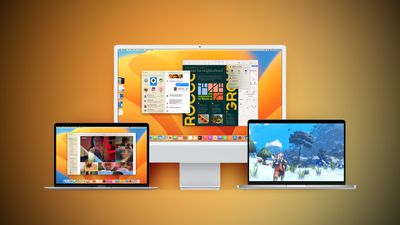
Ventura Macs Feature Yellow
Registered developers can download the beta through the Apple Developer Center and after the appropriate profile is installed, with the betas available through the Software Update mechanism in System Settings.

According to Apple's release notes, the update adds a Sports feed in the sidebar of Apple News and it addresses several bugs, including one that would prevent the Mac Auto Unlock feature from working with the Apple Watch.

macOS Ventura 13.4 includes the following enhancements and bug fixes:
- Sports feed in the sidebar of Apple News gives easy access to stories, scores, standings, and more, for the teams and leagues you follow
- My Sports score and schedule cards in Apple News take you directly to game pages where you can find additional details about specific games
- Resolves an issue where Auto Unlock with Apple Watch does not log you into your Mac
- Fixes a Bluetooth issue where keyboards connect slowly to Mac after restarting
- Addresses a VoiceOver issue with navigating to landmarks on webpages
- Fixes an issue where Screen Time settings may reset or not sync across all devices

Some features may not be available for all regions, or on all Apple devices.
For detailed information about the security content of this update, please visit: https://support.apple.com/kb/HT201222

macOS 13.4 also adds the simplified beta installation method that was first introduced in iOS 16.4. With the update, developers and public beta testers enrolled in Apple's respective programs can toggle on beta updates from System Settings on the Mac, without the need to install a profile.

An Apple ID associated with either a public beta account or a developer account is required to turn on beta updates, which means that it is no longer possible to use a developer profile not associated with a developer account to install the developer betas.


Related Forum: macOS Ventura

Popular Stories

Aston Martin CarPlay Ultra Screen

Apple's CarPlay Ultra to Expand to These Vehicle Brands Later This Year

Sunday February 1, 2026 10:08 am PST by
Last year, Apple launched CarPlay Ultra, the long-awaited next-generation version of its CarPlay software system for vehicles. Nearly nine months later, CarPlay Ultra is still limited to Aston Martin's latest luxury vehicles, but that should change fairly soon. In May 2025, Apple said many other vehicle brands planned to offer CarPlay Ultra, including Hyundai, Kia, and Genesis. In his Powe...
Apple Logo Black

Apple Just Made Its Second-Biggest Acquisition Ever After Beats

Thursday January 29, 2026 10:07 am PST by
Apple today confirmed to Reuters that it has acquired Q.ai, an Israeli startup that is working on artificial intelligence technology for audio. Apple paid close to $2 billion for Q.ai, according to sources cited by the Financial Times. That would make this Apple's second-biggest acquisition ever, after it paid $3 billion for the popular headphone and audio brand Beats in 2014. Q.ai has...
Apple Logo Black

Apple's Next Launch is 'Imminent'

Sunday February 1, 2026 12:31 pm PST by
The calendar has turned to February, and a new report indicates that Apple's next product launch is "imminent," in the form of new MacBook Pro models. "All signs point to an imminent launch of next-generation MacBook Pros that retain the current form factor but deliver faster chips," Bloomberg's Mark Gurman said on Sunday. "I'm told the new models — code-named J714 and J716 — are slated...
14 inch MacBook Pro Keyboard

Apple Changes How You Order a Mac

Saturday January 31, 2026 10:51 am PST by
Apple recently updated its online store with a new ordering process for Macs, including the MacBook Air, MacBook Pro, iMac, Mac mini, Mac Studio, and Mac Pro. There used to be a handful of standard configurations available for each Mac, but now you must configure a Mac entirely from scratch on a feature-by-feature basis. In other words, ordering a new Mac now works much like ordering an...
Apple MacBook Pro M4 hero

New MacBook Pros Reportedly Launching Alongside macOS 26.3

Sunday February 1, 2026 5:42 am PST by
Apple is planning to launch new MacBook Pro models with M5 Pro and M5 Max chips alongside macOS 26.3, according to Bloomberg's Mark Gurman. "Apple's faster MacBook Pros are planned for the macOS 26.3 release cycle," wrote Gurman, in his Power On newsletter today. "I'm told the new models — code-named J714 and J716 — are slated for the macOS 26.3 software cycle, which runs from...

Top Rated Comments

patearrings Avatar
36 months ago

Not showing yet but will report on internet filters bug as soon as i have it installed.
Installed. Little snitch is working again! It did need an uninstall and reinstall of the app though. But all is well now. Knew it had to be a bug and not intentional.
Score: 7 Votes (Like | Disagree)
Realityck Avatar
36 months ago
Yeah takes time for this to always show.

* iOS 16.5 RC (20F65) - May 9, 2023
* iPadOS 16.5 RC (20F65) - May 9, 2023
* macOS 13.4 RC (22F62) - May 9, 2023
* watchOS 9.5 RC (20T562) - May 9, 2023
* tvOS 16.5 RC (20L562) - May 9, 2023
* iOS 15.7.6 RC (19H349) - May 9, 2023
* iPadOS 15.7.6 RC (19H349) - May 9, 2023

[SPOILER="macOS Ventura 13.4 RC Release Notes"]
[HEADING=2]Apple Studio Display ('https://developer.apple.com/documentation/macos-release-notes/macos-13_4-release-notes#Apple-Studio-Display')[/HEADING]
[HEADING=3]Known Issues ('https://developer.apple.com/documentation/macos-release-notes/macos-13_4-release-notes#Known-Issues')[/HEADING]

* Apple Studio Display firmware update starts showing progress but never completes. (107287354)
Workaround: To install other updates including future macOS Beta Updates, click “More info…” in Software Update Settings, uncheck Apple Studio Display firmware update, and click “Install Now.”

[HEADING=2]CSS ('https://developer.apple.com/documentation/macos-release-notes/macos-13_4-release-notes#CSS')[/HEADING]
[HEADING=3]Resolved Issues ('https://developer.apple.com/documentation/macos-release-notes/macos-13_4-release-notes#Resolved-Issues')[/HEADING]

* Fixed increasing column-count above 2 not updating the layout. (71808738)

[HEADING=2]File Bookmark ('https://developer.apple.com/documentation/macos-release-notes/macos-13_4-release-notes#File-Bookmark')[/HEADING]
[HEADING=3]Resolved Issues ('https://developer.apple.com/documentation/macos-release-notes/macos-13_4-release-notes#Resolved-Issues')[/HEADING]

* Fixed a regression in macOS Ventura 13.3 where a security check causes bookmark resolution to fail when the path contains Unicode characters stored with composed normalization. As an example, this prevented files in Finder from opening when double-clicked. (107550080)

[HEADING=2]SwiftUI ('https://developer.apple.com/documentation/macos-release-notes/macos-13_4-release-notes#SwiftUI')[/HEADING]
[HEADING=3]Resolved Issues ('https://developer.apple.com/documentation/macos-release-notes/macos-13_4-release-notes#Resolved-Issues')[/HEADING]

* Fixed: Using ImageRenderer within a ShareLink’s preview closure crashed the running application. (107763234)


[/SPOILER]
Score: 3 Votes (Like | Disagree)
Realityck Avatar
36 months ago
MacOS 13.4 RC. (22F62)

* Safari Version 16.5 (18615.2.9.11.4)
* System Firmware Version: 8422.121.3 (M1 based Macs)
* Darwin Kernel Version 22.5.0: Mon Apr 24 20:53:44 PDT 2023; root:xnu-8796.121.2~5/RELEASE_ARM64_T8103 arm64


MacOS 13.4 beta 4

* Safari Version 16.5 (18615.2.9.11.3)
* System Firmware Version: 8422.121.1 (M1 based Macs)
* Darwin Kernel Version 22.5.0: Tue Apr 25 04:06:41 PDT 2023; root:xnu-8796.121.2~8/RELEASE_ARM64_T6000 arm64
Score: 2 Votes (Like | Disagree)
GrantGochnauer Avatar
36 months ago
Just showed up for me - installing now. We'll see about these content filters :)
Score: 2 Votes (Like | Disagree)
patearrings Avatar
36 months ago
Not showing yet but will report on internet filters bug as soon as i have it installed.
Score: 1 Votes (Like | Disagree)
tywebb13 Avatar
36 months ago

Look at https://developer.apple.com/news/releases/?id=12132017a
Yes. That's better.

But on the actual portal it looks like this, which is very misleading:


Attachment Image

Attachment Image
Score: 1 Votes (Like | Disagree)