Google Chrome for Mac Gains New Memory Saver and Energy Saver Modes
The Google Chrome app for Mac was today updated with new Memory Saver and Energy Saver modes, which are designed to give users more control over memory usage and battery life.
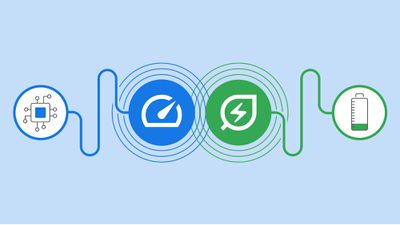
Memory Saver mode frees up memory from tabs that are not being actively used, allowing for a smoother experience for tabs that are in use. Google says that this mode is particularly useful when doing other system intensive tasks like editing videos or playing games. Tabs that are inactive are reloaded when needed.
With Energy Saver mode, Chrome will automatically limit battery draining tasks when the battery hits 20 percent. Background activity will be limited, as will visual effects for websites with animations and videos.
Energy Saver and Memory Saver can be toggled on or off using the three-dot menu in Chrome, and important websites can be marked as exempt from Memory Saver.
The new modes are rolling out with the latest release of the Chrome app for Mac (version 108), and will be available to all users around the world in the coming weeks.
Popular Stories
Google today updated its Chrome browser with support for vertical tabs, which are displayed in a sidebar instead of at the top of the browser.
The tab layout can be changed by right clicking on any Chrome window and choosing the "Show Tabs Vertically" option. Sidebar tabs feature full page titles and make it simple to organize tab groups.
Google has also added a new full-page interface...
Chrome has been updated today with a Skills library that's designed to let Chrome users turn AI tasks into repeatable skills that can be used on any website.
Useful prompts you create for Gemini in Chrome can be saved as a Skill that can be accessed later with a single click. If you're shopping for skincare and ask Gemini about the ingredients in a product, for example, you can save the...
Google is bringing Gemini to the Mac with a new native macOS app that's available starting today. Gemini for Mac can be activated with a keyboard shortcut, and it has built-in tools for generating images, analyzing what's on your screen, reviewing files, and more.
Gemini is the last of the three major AI services to have a dedicated Mac app, because OpenAI and Anthropic have had Mac apps for ...

























