Though iOS 16 was just released on Monday, Apple is already moving on to testing the next update to the operating system. iOS 16.1 was seeded to developers today, and it introduces a handful of new features that are worth noting.
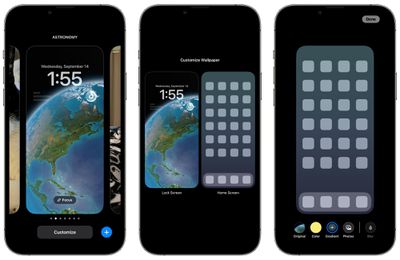
Lock Screen/Home Screen Customization
When tapping on the "Customize" interface on the Lock Screen, there's now an option to choose between customizing either the Lock Screen or the Home Screen, rather than just the Lock Screen. This makes it easier to customize the look of the iPhone from one spot without having to go through multiple steps.
Apple Fitness+ on iPhone Without an Apple Watch
Apple Fitness+ is available even if you do not have an Apple Watch to use with both iOS 16.1 and tvOS 16.1. You can start a workout if you are an Apple Fitness+ subscriber, though you will be missing the Apple Watch metrics on the display.
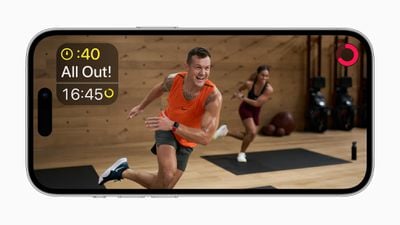
You can subscribe to Apple Fitness+ without a watch after the updates have been installed.
Matter Support
iOS 16.1 introduces a new "Matter Accessories" section to the Settings app, suggesting that Apple is preparing for the fall launch of the Matter smart home standard.
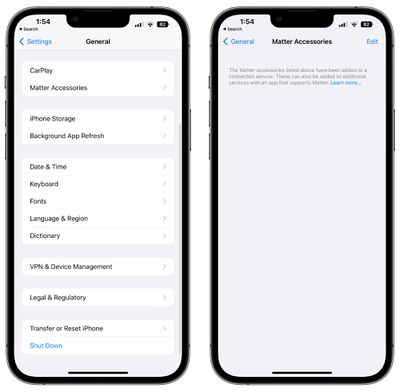
Tapping into the Matter Accessories section suggests that it will display all Matter accessories that have been added to a connected service. "These can also be added to additional services with an app that supports Matter," reads the text. Matter will allow interoperability between smart devices from different companies, so HomeKit, Alexa, and Google Assistant devices, for example, can work together.
In the release notes for the update, Apple says that pairing Matter accessories first requires a profile installed on your device. There are also several other known issues with the Matter standard at the current time, with workarounds available on Apple's site.
- Removing Apple Home from the Matter accessory Connected Services menu in Home doesn't remove the accessory tile.
- You might receive an alert to turn on Wi-Fi when pairing a Matter accessory.
- Accessory details might not open if a Matter accessory is unreachable.
- You might be unable to pair using a Matter ECM code via the Matter Support Framework pairing API.
- Uncertified accessory notifications might appear when pairing Matter accessories.
- You might be unable to pair a Matter accessory if the accessory is already paired to a third-party ecosystem.
- The device that initiates the pairing needs to use the same iCloud account as the home hub. Only the owner of a home, not an invited user, can pair Matter accessories.
This section was removed in the third beta of iOS 16.1.
Clean Energy Charging
iOS 16.1 adds a toggle to enable "Clean Energy Charging" in the Battery section of the Settings app. Clean Energy Charging will try to reduce your carbon footprint by selectively charging when lower carbon emission electricity is available.
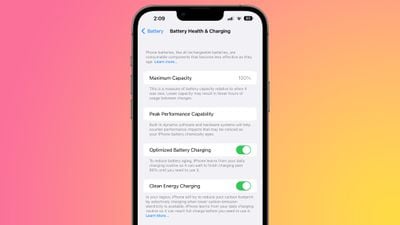
Apple says that the iPhone will still reach full charge before you need to use it based on your daily charging routine, and the feature can be toggled off if desired. It appears to be enabled by default when updating to iOS 16.1.
Live Activities API
iOS 16.1 re-adds the Live Activities API that was available for developers for testing purposes during the iOS 16 beta. iPhone users cannot access Live Activities at the current time as there are no apps that support it, but developers can begin implementing support.
Delete Wallet App
iOS 16.1 adds the option to remove the Wallet app from the iPhone entirely. In iOS 16 and earlier versions of iOS, the app could be removed from the Home Screen, but not deleted. It is now able to be deleted entirely for those who do not want to use Apple Pay or other Wallet features.
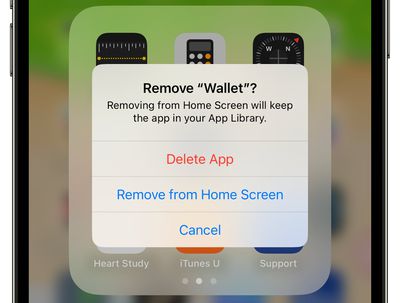
The option comes as Apple is facing a lawsuit accusing it of violating antitrust law by making Apple Pay the only available mobile wallet for tap-to-pay payments on iPhone.
Battery Percentage in Status Bar
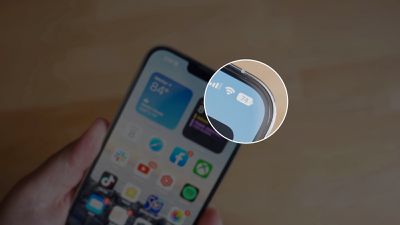
iOS 16.1 adds battery percentage to the battery icon in the status bar on the iPhone XR, iPhone 11, iPhone 12 mini, and iPhone 13 mini, all iPhones that did not support the feature in iOS 16.
Screenshot UI
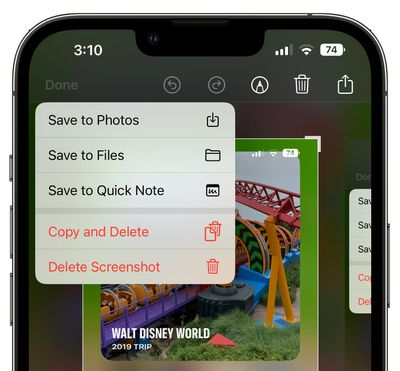
When you close the Screenshot editing tool, there is an updated interface in the upper right corner that gives the options to delete a screenshot, copy and delete, or save it. This menu used to be at the bottom of the iPhone, so this new implementation is sleeker and less in your face as it does not take over the bottom of the display.
Battery Status Bar Visual Charge Indicator
Apple in iOS 16 added battery percentage to the battery icon in the status bar on Face ID iPhones, and in iOS 16.1 beta 2, improved the feature to show a visual indication of the charge level.
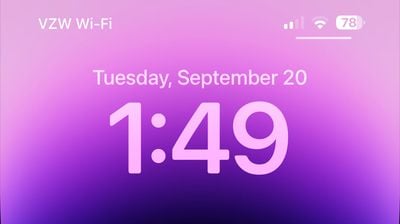
The battery icon shifts throughout the day as the battery depletes or is charged, making it easier to see charge level at a glance. Prior to the beta, the battery indicator in the status bar showed percent, but the battery level was static and always full, making it sometimes confusing to determine the iPhone's charge with a quick look.
Battery Font
Apple has updated the font that's used for the battery icon, slightly increasing the size.
Lock Screen Charging Indicator
When charging an iPhone, the battery percentage is now displayed above the time both when the iPhone first starts charging and each time that it is woken from sleep during the charging process.
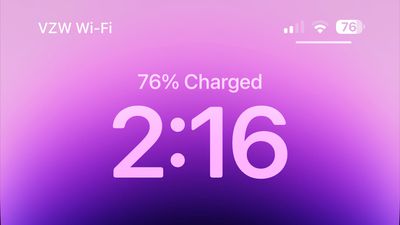
This allows for a clear indication of the charge level when tapping on the iPhone's display without unlocking the device. The always-on display does not show charge level and waking the screen on an iPhone 14 Pro model is required to get the battery level to show up.
Copy and Paste Fix
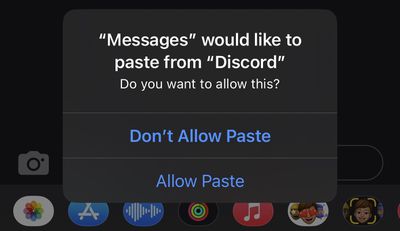
The incessant copy and paste prompts that iOS 16 users are seeing have been addressed in iOS 16.1, and you no longer need to explicitly approve each and every copy and paste attempt. While this is fixed in iOS 16.1, we are expecting Apple to address it prior to the iOS 16.1 launch with an iOS 16 bug fix update that is planned for next week.
No Camera Shake Fix
Reports suggest that the bug causing the iPhone 14 Pro rear camera to shake and vibrate has not been addressed in iOS 16.1 beta 2. Apple has said that the issue will be fixed in an iOS 16 update coming next week, and we are expecting an iOS 16.0.2 release.
Wallpaper Updates
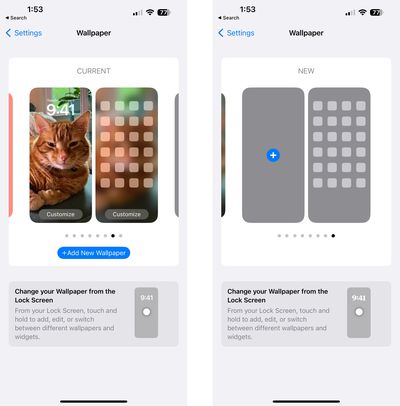
Apple has updated the Wallpaper section of the Settings app to allow users to swap between wallpapers from this interface. The design has also been tweaked, making the options to add new wallpaper more obvious.
Stage Manager
In the latest beta of iPadOS 16.1, Apple has expanded Stage Manager availability to the 2018 and 2020 iPad Pro models equipped with A12Z and A12X chips. Previously, Stage Manager was limited to the M1 iPad Pro and M1 iPad Air models.
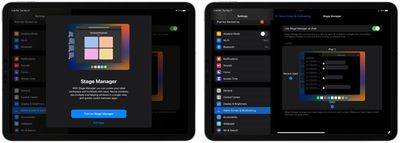
Apple has also removed external display support from Stage Manager in this beta, with the feature to return in a future update to iPadOS 16. When reintroduced, external display support will be limited to M1 iPad models. .
Emergency SOS via Satellite
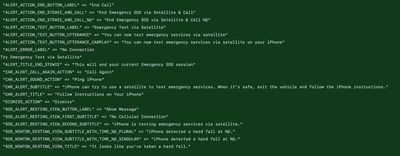
Apple is beginning to lay the groundwork for Emergency SOS via Satellite and Find My satellite integration, functionality that is coming to iPhone 14 models starting in November. Code in the update reveals some of the text we can expect to see.
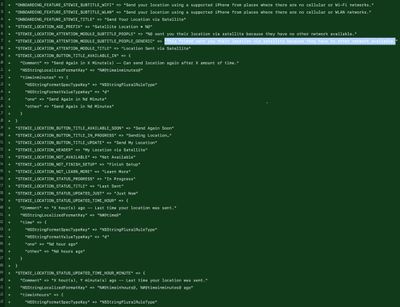
- Send your location using a supported iPhone from places where there are no cellular or Wi-Fo networks.
- Send your Location via Satellite.
- This friend sent you their location via satellite because they have no other network available.
- Can send location again after X amount of time.
- X hours ago - Last time your location was sent.
- You can now text emergency services via satellite on your iPhone.
- iPhone can try to use a satellite to text emergency services. When it's safe, exit the vehicle and follow the iPhone instructions.
- iPhone is texting emergency services via satellite.
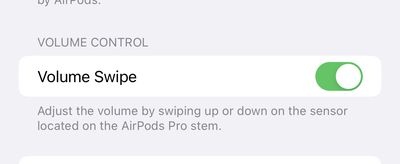
AirPods Pro 2 Volume Touch Control Toggle
The iOS 16.1 beta adds a new feature that allows the touch-based volume control of the AirPods Pro 2 to be disabled.
Preload In-App Content
After you've downloaded an app from the App Store, there is sometimes extra content to download the first time you open it, especially if it's an app that has a large size. With iOS 16.1, there is a toggle to automatically run newly downloaded apps in the background to download content before you first launch them.
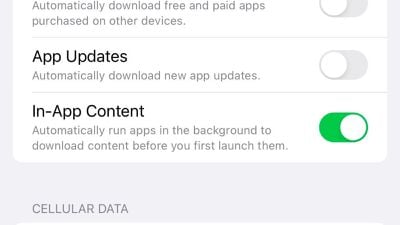
The setting is enabled by default and can be found in the Settings app under App Store > In-App Content.
Other New Features
Know of a new feature in iOS 16.1 that we left out? Let us know in the comments below.