

AirPlay 2 and HomeKit Available on 2020 Toshiba and Insignia Fire TVs - MacRumorsOpen MenuShow RoundupsShow Forums menuVisit ForumsOpen Sidebar
Skip to Content

AirPlay 2 and HomeKit Available on 2020 Toshiba and Insignia Fire TVs

Apple's AirPlay 2 and HomeKit features have been rolling out to a number of smart TVs, and as of today, the functionality is available on 2020 Toshiba and Insignia 4K UHD Smart Fire TVs.
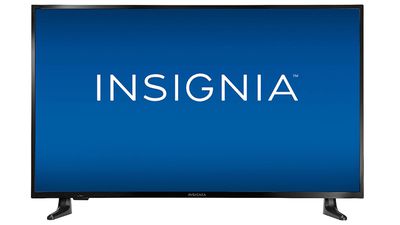
insignia fire tv
‌AirPlay‌ 2 is designed to allow iPhone, iPad, and Mac users to stream content to an AirPlay-compatible device, and with built-in support in Toshiba and Insignia TVs, an Apple TV is not required to use ‌AirPlay‌ 2.

‌AirPlay‌ 2 also works across multiple devices for a whole home audio experience, and can be used for streaming TV shows, music, photos, and more to the television set.

With ‌HomeKit‌, smart TV owners can control their television through Siri voice commands or through the Home app on iPhone, ‌iPad‌, or Mac. ‌Siri‌ and the Home app can be used to turn the TV on or off, adjust the volume, and switch the TV input to another device.

To use ‌HomeKit‌, the TV needs to be added as a ‌HomeKit‌ accessory, which can be done by going to the Settings menu on the TV, selecting Display and Sounds, and choosing the ‌AirPlay‌ and ‌HomeKit‌ option. From there, instructions are available on the setup process.

‌AirPlay‌ and ‌HomeKit‌ are available on the Toshiba 4K UHD Smart Fire TV with Dolby Vision (2020 model) and the Insignia 4K UHD Smart Fire TV (2020 model).

Popular Stories

imac video apple feature

Apple Released Yet Another New Product Today

Friday March 20, 2026 2:39 pm PDT by
Apple has unveiled a whopping nine new products so far this March, including an iPhone 17e, iPad Air models with the M4 chip, MacBook Air models with the M5 chip, MacBook Pro models with M5 Pro and M5 Max chips, the all-new MacBook Neo, an updated Studio Display, a higher-end Studio Display XDR, AirPods Max 2, and now the Nike Powerbeats Pro 2. iPhone 17e features the same overall design as...
iPhone 18 Pro Deep Red Feature

iPhone 18 Pro Launching Later This Year With These 12 New Features

Wednesday March 18, 2026 7:39 am PDT by
While the iPhone 18 Pro and iPhone 18 Pro Max are not expected to launch for another six months or so, there are already plenty of rumors about the devices. It was initially reported that the iPhone 18 Pro models would have fully under-screen Face ID, with only a front camera visible in the top-left corner of the screen. However, the latest rumors indicate that only one Face ID component...
ios 26 4 pastel

iOS 26.4: Top 10 New Features Coming to Your iPhone

Friday March 20, 2026 2:44 pm PDT by
iOS 26.4 isn't the major update with new Siri features that we hoped for, but there are some useful quality of life improvements, and a little bit of fun with an AI playlist generator and new emoji characters. Playlist Playground - Apple Music has a Playlist Playground option that lets you generate playlists from text-based descriptions. You can include moods, feelings, activities, or...

Top Rated Comments

61 months ago

I suspect you'll be much happier, overall, if you get the TV you want based on picture/sound quality and run it 100% with Apple TV attached on HDMI1 (meaning the AirPlay 2 feature is irrelevant; just AirPlay to the aTV)
As an experiment I tried using apps like Prime on my LG and the whole experience was just awful compared to sticking with aTV all the time.

The HomePlay is mildly useful insofar as you can hook it up (at least I do) to auto power down the TV when I leave home, then restart it when I return; but even that can be done just as well using a SmartPlug, which was what I used to do before the LG.
This. Don’t pick a telly on it’s smart features. Buy the TV with the best PQ you can afford.
Score: 3 Votes (Like | Disagree)
61 months ago

This is real differentiation. I am shopping now and Airplay 2 was a requirement. I hope the implementation is easy.
I suspect you'll be much happier, overall, if you get the TV you want based on picture/sound quality and run it 100% with Apple TV attached on HDMI1 (meaning the AirPlay 2 feature is irrelevant; just AirPlay to the aTV)
As an experiment I tried using apps like Prime on my LG and the whole experience was just awful compared to sticking with aTV all the time.

The HomeKit is mildly useful insofar as you can hook it up (at least I do) to auto power down the TV when I leave home, then restart it when I return; but even that can be done just as well using a SmartPlug, which was what I used to do before the LG.
Score: 3 Votes (Like | Disagree)
61 months ago

I don't have an Apple TV myself, only asking because I am considering buying one for Airplay and potentially a bit of gaming, and hoping to get my moneys worth! But thanks for getting back to me.
Ah, OK.

My experience with AirPlaying to the aTV is
- it's not something I have done often
- only with video, never had a reason to do it for music
- the "technical" side has always been fine. Video has been at the quality level I expected, no dropouts I consider unreasonable.

BUT

- at the "protocol" level AirPlay sucks. Specifically it won't hold onto a connection for a long time. The way I watch content is very sporadic -- while I am eating, while I am doing chores like ironing, while I am exercising. This means I watch 5 minutes, pause, and start watching again a day later. This is a horror story for AirPlay, which forgets the connection after, I don't know, 15 minutes? And the sorts of sites where you are forced to use AirPlay because theyd on't offer a decent app are the same sites that lose your place when that AirPlay connection ends.

So, FOR MY USE CASES, AirPlay is something I only resort to under the most dire situations.
If YOUR use is something more like "start the movie, watch for 90 minutes till it is finished, end the movie; maybe with one 2 minute pee break" it might be fine.

Overall I am REALLY happy with aTV. I bought my first one as an experiment a few years ago, and somewhat expected I might be returning it to the Apple store (remember you get two weeks return, no questions asked). But it was an experiment that turned out really well!
But I neither game nor use AirPlay. For me, I use it as the UI for my TV, the way to watch
- Prime and aTV+ (TV+ free for now based on recent Apple purchases :-))
- Hoopla and Kanopy (free video services from my library)
- Tubi (IMHO the best by far of the free ad-supported streaming services)
- Peacock (free version)
- Channels DVR (Live TV if you care, and Live TV recording which is what I use, to my mac mini)
- Infuse (local content stored on the mac mini)

Point is, I can get all the content I want (local, live, streaming) via a single UI that I've found far more satisfactory than alternatives. But if you are happy with alternative UI's (built into your TV? Roku box?) aTV may not offer anything much beyond that? I can say that the aTV UI is ridiculously fluid and performant, whereas the alternatives I've tried seem slow and occasionally stuttery, and that's part of the package of "this just feels nicer" than I'm happy to pay for.
Score: 1 Votes (Like | Disagree)
61 months ago
This is real differentiation. I am shopping now and Airplay 2 was a requirement. I hope the implementation is easy.
Score: 1 Votes (Like | Disagree)
Related Apple News: Mac | Health | South Africa | Education | Politics
















