

Apple Releases iOS and iPadOS 13.6.1 With Fix for Storage Issue and Green Tinted Displays

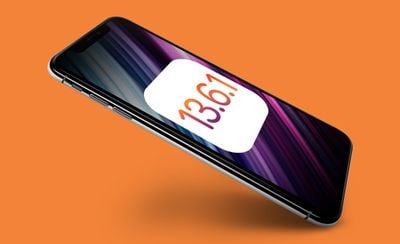
Apple today released iOS and iPadOS 13.6.1, minor updates that come a month after the release of the iOS 13.6 update with Car Keys and Audio Apple News+ stories.
iOS 13
The iOS and ‌iPadOS‌ 13.6.1 updates are available on all eligible devices over-the-air in the Settings app. To access the updates, go to Settings > General > Software Update.

iOS 13.6.1 addresses an issue that could cause unneeded system data files to not be automatically deleted when storage is low, and it addresses a thermal management issue that caused some iPhone displays to exhibit a green tint. It also has a fix for a bug that could cause Exposure Notifications to be disabled for some users.

Apple's full release notes for the update are below:

iOS 13.6.1 includes bug fixes for your iPhone.

- Addresses an issue where unneeded system data files might not be automatically deleted when available storage is low
- Fixes a thermal management issue that caused some displays to exhibit a green tint
- Fixes an issue where Exposure Notifications could be disabled for some users

Some features may not be available for all regions or on all Apple devices. For information on the security content of Apple software updates, please visit this website: https://support.apple.com/kb/HT201222

iOS 13.6.1 is likely to be one of the last updates to the iOS 13 operating system as Apple has transitioned to working on iOS 14, an update that is set to be released this fall.


Related Forum: iOS 13

Popular Stories

Aston Martin CarPlay Ultra Screen

Apple's CarPlay Ultra to Expand to These Vehicle Brands Later This Year

Sunday February 1, 2026 10:08 am PST by
Last year, Apple launched CarPlay Ultra, the long-awaited next-generation version of its CarPlay software system for vehicles. Nearly nine months later, CarPlay Ultra is still limited to Aston Martin's latest luxury vehicles, but that should change fairly soon. In May 2025, Apple said many other vehicle brands planned to offer CarPlay Ultra, including Hyundai, Kia, and Genesis. In his Powe...
Apple Logo Black

Apple's Next Launch is 'Imminent'

Sunday February 1, 2026 12:31 pm PST by
The calendar has turned to February, and a new report indicates that Apple's next product launch is "imminent," in the form of new MacBook Pro models. "All signs point to an imminent launch of next-generation MacBook Pros that retain the current form factor but deliver faster chips," Bloomberg's Mark Gurman said on Sunday. "I'm told the new models — code-named J714 and J716 — are slated...
Apple MacBook Pro M4 hero

New MacBook Pros Reportedly Launching Alongside macOS 26.3

Sunday February 1, 2026 5:42 am PST by
Apple is planning to launch new MacBook Pro models with M5 Pro and M5 Max chips alongside macOS 26.3, according to Bloomberg's Mark Gurman. "Apple's faster MacBook Pros are planned for the macOS 26.3 release cycle," wrote Gurman, in his Power On newsletter today. "I'm told the new models — code-named J714 and J716 — are slated for the macOS 26.3 software cycle, which runs from...
iOS 26

iOS 26.3 and iOS 26.4 Will Add These New Features to Your iPhone

Tuesday February 3, 2026 7:47 am PST by
We are still waiting for the iOS 26.3 Release Candidate to come out, so the first iOS 26.4 beta is likely still at least a week or two away. Following beta testing, iOS 26.4 will likely be released to the general public in March or April. Below, we have recapped known or rumored iOS 26.3 and iOS 26.4 features so far. iOS 26.3 iPhone to Android Transfer Tool iOS 26.3 makes it easier...
14 inch MacBook Pro Keyboard

Apple Changes How You Order a Mac

Saturday January 31, 2026 10:51 am PST by
Apple recently updated its online store with a new ordering process for Macs, including the MacBook Air, MacBook Pro, iMac, Mac mini, Mac Studio, and Mac Pro. There used to be a handful of standard configurations available for each Mac, but now you must configure a Mac entirely from scratch on a feature-by-feature basis. In other words, ordering a new Mac now works much like ordering an...

Top Rated Comments

zorinlynx Avatar
72 months ago
"iOS 13.6.1 is likely to be one of the last updates to the iOS 13 ('https://www.macrumors.com/roundup/ios-13/') operating system as Apple has transitioned to working on iOS 14 ('https://www.macrumors.com/roundup/ios-14/'), an update that is set to be released this fall."

I wonder if somewhere, in some dingy bar in the bad part of town, there's a betting pool for this. :)
Score: 18 Votes (Like | Disagree)
Stromos Avatar
72 months ago
I just literally spent days last week helping a friend who had 40gb of other data on her iPhone 11. We tried everything and opened a dialog with Apple who was like sucks restore the iPhone. Ended up doing a full backup and restore to clear it.

Yes it happens but I am annoyed. iOS 13 somehow is still a dumpster fire nearing the end of its life.
Score: 9 Votes (Like | Disagree)
Populus Avatar
72 months ago
I’m eager to know if this update fixes the battery drain some people complain about
Score: 7 Votes (Like | Disagree)
zorinlynx Avatar
72 months ago

The green tint issue is related to thermal management? Every time I've had a green display on my 11 Pro Max was upon first wakeup usually in a dark environment with the brightness almost to 0 (only lasting a few seconds). Interesting.
It's funny, I wake up my phone a lot in pitch darkness and I've never once seen this issue, but other people report seeing it all the time.

Makes me wonder if there was some revision of the hardware that exhibits the problem and not all of us have it.

I have a release day iPhone 11 Pro Max here.
Score: 6 Votes (Like | Disagree)
BigMcGuire Avatar
72 months ago
The green tint issue is related to thermal management? Every time I've had a green display on my 11 Pro Max was upon first wakeup usually in a dark environment with the brightness almost to 0 (only lasting a few seconds). Interesting.
Score: 5 Votes (Like | Disagree)
fbr$ Avatar
72 months ago
A few days ago I fully deleted the Files app and shortly thereafter reinstalled it from the App Store on my iPad Pro, I got more than 10GB back only doing this.

I make huge file transfers from my Mac to my iPad via AirDrop, and for some reason I don't get all the storage back when I delete the files from my iPad, the only way to get back all the storage used by the deleted files is deleting the Files app.

For those wondering if it's safe to delete the Files app and then reinstall it from the App Store: yes, when you reinstall the Files app back, all your iCloud and local files are there untouched!

I guess it's an AirDrop bug.
Score: 5 Votes (Like | Disagree)















