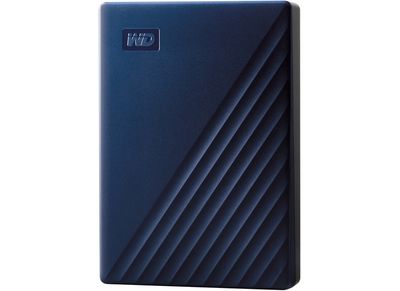
Western Digital today introduced new My Passport and My Passport for Mac hard drives, which are equipped with up to 5TB of storage.

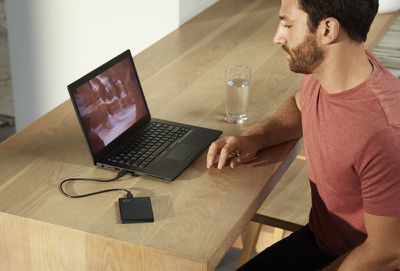
The drives are the slimmest 5TB options in the WD brand portfolio, measuring in at 0.75 inches thick, and Western Digital says they're about palm sized.
westerndigitalmypassport
Western Digital refreshes its My Passport lineup each year, and this year's models have a new look in Black, Blue, and Red color options. My Passport hard drives are formatted for Windows 10 and feature a USB 3.0 connector.

The My Passport for Mac option, which is formatted for macOS Mojave and features a USB-C connector, comes in a Midnight Blue color option. Mac users who have a USB-C machine and are looking at WD hard drives will want the Mac version so it will work out of the box without an adapter.
westerndigitalmypassport2
The new drives are available starting now from the Western Digital Store and Best Buy in the United States. Prices start at $79.99 for 1TB of storage and go up from there.


Top Rated Comments

BrettArchibald Avatar
84 months ago
Great! Now I can have 5TBs of data get lost forever when the drive invariably dies on me after a month, instead of just 2TBs!
Score: 9 Votes (Like | Disagree)
Marx55 Avatar
84 months ago
Bring larger external portable SSD with 4, 8 & 16 TB (no RAID 0 inside!). Once you try SSD, you do not want mechanical rotational disks, even for free!
Score: 7 Votes (Like | Disagree)
Mike Haas Avatar
84 months ago
Great! Now I have 5TBs of data get lost forever when the drive invariably dies on me after a month, instead of just 2TBs!
I went back to strictly 5.25 drives for safety. The USB bus on my 13" MBP cannot handle the power requirements of these little boogers. I've tried to work with the small 3.5s and the Mac just surreptitiously ejects them and 3rd party software like Amphetamine will not prevent it from happening. I noticed this behavior in Sierra (I had a 27" iMac at the time) and every OS that followed up to and including Catalina. Using strictly 5.25s for Time Machine, data, movies, and TV shows and my drives don't eject when I plug in my phone or simply because the Mac tosses them. I can use ONE 3.5 for files on-the-go and that's it. I can safely back-up my drives now. I never lost any data thanks to my back-up plan but I've lost at least 8 of the 3.5s over time (half were back-ups) and I realized it was because of power draw on the bus. 5.25s just use data. I bet this doesn't happen on PC hardware with Windows. Did I write that out loud?
[doublepost=1567590298][/doublepost]...and when I can afford to go that route, I'm definitely going to hop aboard the SSD train for externals. I know Apple wants me to use iCloud. Oh sure...in 20 years maybe, when the Cloud is available on-demand and it doesn't take 2 weeks for my photos to upload...
Score: 3 Votes (Like | Disagree)
max2 Avatar
84 months ago
I actually had TWO WD Drives for backing up my Mac – one 1TB Pocket Drive to back up the Mac and another 2TB Desktop Drive to back up the Pocket Drive, just in case – and they both failed within about a week of each other! Luckily my Mac has been running fine, so no data lost. I've now taken to backing up everything online instead. Bit more expensive, slightly more hassle, but so much more worth it.
I disagree.
Score: 2 Votes (Like | Disagree)
nutmac Avatar
84 months ago
It has a USB-C connector, just on one side of the cable. It's just not a pure USB-C cable.
USB Micro-B is a horrible connector. I would've much preferred USB-C connector on the drive itself. WD could've bundled USB-C to USB-A cable for PCs.
Score: 2 Votes (Like | Disagree)
Doctor Q Avatar
84 months ago
I see some negative comments above about the WD My Passport line.

I'll add my 2 cents. I've had nothing but bad luck with their reliability. Now I know to stay away from them.
Score: 2 Votes (Like | Disagree)

Popular Stories

Aston Martin CarPlay Ultra Screen

Apple's CarPlay Ultra to Expand to These Vehicle Brands Later This Year

Sunday February 1, 2026 10:08 am PST by
Last year, Apple launched CarPlay Ultra, the long-awaited next-generation version of its CarPlay software system for vehicles. Nearly nine months later, CarPlay Ultra is still limited to Aston Martin's latest luxury vehicles, but that should change fairly soon. In May 2025, Apple said many other vehicle brands planned to offer CarPlay Ultra, including Hyundai, Kia, and Genesis. In his Powe...
Apple Logo Black

Apple's Next Launch is 'Imminent'

Sunday February 1, 2026 12:31 pm PST by
The calendar has turned to February, and a new report indicates that Apple's next product launch is "imminent," in the form of new MacBook Pro models. "All signs point to an imminent launch of next-generation MacBook Pros that retain the current form factor but deliver faster chips," Bloomberg's Mark Gurman said on Sunday. "I'm told the new models — code-named J714 and J716 — are slated...
Apple MacBook Pro M4 hero

New MacBook Pros Reportedly Launching Alongside macOS 26.3

Sunday February 1, 2026 5:42 am PST by
Apple is planning to launch new MacBook Pro models with M5 Pro and M5 Max chips alongside macOS 26.3, according to Bloomberg's Mark Gurman. "Apple's faster MacBook Pros are planned for the macOS 26.3 release cycle," wrote Gurman, in his Power On newsletter today. "I'm told the new models — code-named J714 and J716 — are slated for the macOS 26.3 software cycle, which runs from...
iOS 26

iOS 26.3 and iOS 26.4 Will Add These New Features to Your iPhone

Tuesday February 3, 2026 7:47 am PST by
We are still waiting for the iOS 26.3 Release Candidate to come out, so the first iOS 26.4 beta is likely still at least a week or two away. Following beta testing, iOS 26.4 will likely be released to the general public in March or April. Below, we have recapped known or rumored iOS 26.3 and iOS 26.4 features so far. iOS 26.3 iPhone to Android Transfer Tool iOS 26.3 makes it easier...
14 inch MacBook Pro Keyboard

Apple Changes How You Order a Mac

Saturday January 31, 2026 10:51 am PST by
Apple recently updated its online store with a new ordering process for Macs, including the MacBook Air, MacBook Pro, iMac, Mac mini, Mac Studio, and Mac Pro. There used to be a handful of standard configurations available for each Mac, but now you must configure a Mac entirely from scratch on a feature-by-feature basis. In other words, ordering a new Mac now works much like ordering an...