Apple Shares New Videos Highlighting What iPad Pro Can Do

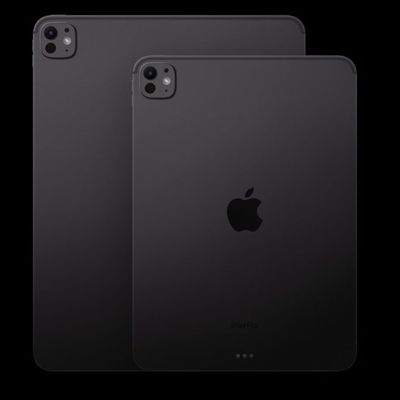
Apple today uploaded six new videos focused on showing off iPad Pro features, continuing on with its "What You Can Do With iPad" series promoting the new 11 and 12.9-inch tablets.

Most of the videos are over a minute long and feature different ‌iPad Pro‌ apps, features, and capabilities, ranging from handwriting a note with Apple Pencil to creating music.


Multitasking with multiple windows, making notes with ‌Apple Pencil‌, browsing the web, using Maps, watching videos, reading with the Books app, annotating photos, using drag and drop, video editing, typing with both the on-screen keyboard and the Smart Keyboard Folio, and making music with GarageBand are all shown off in the video.

Apple also highlights charging the iPhone with the ‌iPad Pro‌, shooting in 4K, plugging in USB-C accessories, and Group FaceTime.

Several third-party apps are shown off in the videos, such as LumaFusion, Animation Desk, NBA 2K, Felt, Notability, Trello, Calm, Procreate, Affinity Designer, Impress, Universe, and more.

All of Apple's videos link to a "Look what you can do with iPad Pro" website that first launched in January. Apple says that all of the videos were filmed with the ‌iPad Pro‌, as were the previous videos in the series.

Related Roundup: iPad Pro
Buyer's Guide: iPad Pro (Buy Now)

Popular Stories

iOS 26

iOS 26.4 and iOS 27 Features Revealed in New Leak

Friday December 12, 2025 10:56 am PST by
Macworld's Filipe Espósito today revealed a handful of features that Apple is allegedly planning for iOS 26.4, iOS 27, and even iOS 28. The report said the features are referenced within the code for a leaked internal build of iOS 26 that is not meant to be seen by the public. However, it appears that Espósito and/or his sources managed to gain access to it, providing us with a sneak peek...
apple beta 26 lineup

Apple Leak Confirms Work on Foldable iPhone, AirTag 2, and Dozens More Devices

Monday December 15, 2025 2:05 pm PST by
Last week, details about unreleased Apple devices and future iOS features were shared by Macworld. This week, we learned where the information came from, plus we have more findings from the leak. As it turns out, an Apple prototype device running an early build of iOS 26 was sold, and the person who bought it shared the software. The OS has a version number of 23A5234w, and the first...
Apple Logo Top Half

Early iOS 26 Software Leak Uncovers Dozens of Upcoming Apple Features

Monday December 15, 2025 3:05 pm PST by
Software from an iPhone prototype running an early build of iOS 26 leaked last week, giving us a glimpse at future Apple devices and iOS features. We recapped device codenames in our prior article, and now we have a list of some of the most notable feature flags that were found in the software code. In some cases, it's obvious what the feature flags are referring to, while some are more...
Apple Foldable Thumb

Leak Reveals Foldable iPhone Details

Monday December 15, 2025 9:09 am PST by
The first foldable iPhone will feature a series of design and hardware firsts for Apple, according to details shared by the Weibo leaker known as Digital Chat Station. According to a new post, via machine translation, Apple is developing what the leaker describes as a "wide foldable" device, a term used to refer to a horizontally oriented, book-style foldable with a large internal display....
iOS 26

Apple Releases iOS 26.2 With Alarms for Reminders, Lock Screen Changes, Enhanced Safety Alerts and More

Friday December 12, 2025 10:10 am PST by
Apple today released iOS 26.2, the second major update to the iOS 26 operating system that came out in September, iOS 26.2 comes a little over a month after iOS 26.1 launched. ‌iOS 26‌.2 is compatible with the ‌iPhone‌ 11 series and later, as well as the second-generation ‌iPhone‌ SE. The new software can be downloaded on eligible iPhones over-the-air by going to Settings >...
iOS 26

iOS 26.2 Coming Soon With These 8 New Features on Your iPhone

Thursday December 11, 2025 8:49 am PST by
Apple seeded the second iOS 26.2 Release Candidate to developers earlier this week, meaning the update will be released to the general public very soon. Apple confirmed iOS 26.2 would be released in December, but it did not provide a specific date. We expect the update to be released by early next week. iOS 26.2 includes a handful of new features and changes on the iPhone, such as a new...
macOS Tahoe 26 Thumb

Apple Releases macOS Tahoe 26.2 With Edge Light

Friday December 12, 2025 10:08 am PST by
Apple today released macOS Tahoe 26.2, the second major update to the macOS Tahoe operating system that came out in September. macOS Tahoe 26.2 comes five weeks after Apple released macOS Tahoe 26.1. Mac users can download the macOS Tahoe update by using the Software Update section of System Settings. macOS Tahoe 26.2 includes Edge Light, a feature that illuminates your face with soft...
airpods max 2024 colors

AirPods Max 2 Likely to Offer These 10 New Features

Monday December 15, 2025 7:41 am PST by
Apple released the AirPods Max on December 15, 2020, meaning the over-ear headphones launched five years ago today. While the AirPods Max were updated with a USB-C port and new color options last year, followed by support for lossless audio and ultra-low latency audio this year, the headphones lack some of the features that have been introduced for newer generations of the regular AirPods and the ...

Top Rated Comments

Enclavean Avatar
87 months ago
Where is the video showing how i get my files off my external hard disk?
Score: 49 Votes (Like | Disagree)
GeoStructural Avatar
87 months ago
Now I will tell you what it cannot do:

- Replace a computer/Mac.
- Lower the volume without occupying a good portion of the screen.
- Transfer files with a drive.
- Open several documents at the same time.
- Work on more than one spreadsheet at the same time.
- Connect freaking headphones.
- Run professional software for anything other than drawing.
- Run full on Matlab, X-code and many engineering applications a pro really uses to get work done.
- Browse webpages that rely on horizontal and vertical scrolling (there is a website I have to use daily that my iPad doesn’t support, so even for browsing it cannot replace my computer).
- Play all sorts of video and audio files natively.
- And many more.
Score: 38 Votes (Like | Disagree)
falainber Avatar
87 months ago
Or just get a Mac. Not sure why you want the iPad in the first place if those are your requirements.
Maybe because Apple is trying to push iPad as a PC replacement? If Apple were "sharing" videos of iPad playing Netflix, perhaps, people would have few questions.
Score: 18 Votes (Like | Disagree)
magicschoolbus Avatar
87 months ago
Pro owner here - I can't get half of the work done that I would on my Mac on my iPad.. and tasks take twice as long.

iOS needs to mirror the Mac more... It also really could benefit from floating windows. The full-screen stuff and only some apps working side by side really makes it even worse to try and be productive on.

The iPad Pro feels like what "Could Be"... imagine the standard Macbook that everyone loves to hate, with the iPad Processor, in the iPad Pro form factor... Running iOS when no keyboards are connected, and Mac when you connect accessories.
Score: 13 Votes (Like | Disagree)
alexandr Avatar
87 months ago
very nice vids, but somehow it never works quite the same in "real life" :)
Score: 12 Votes (Like | Disagree)
EEzycade Avatar
87 months ago
Get a Mac instead?
I mean I can complain that the iPad cannot toast my bread. :shrug:
Most of the people who make this type of comment forget one thing. Apple positions the iPad Pro as a viable alternative to standard computers whether they be laptop or desktop. So if it is positioned as a computer, it should be able to do things a normal computer can so. For example, have mouse support, have support for external storage, etc.
Score: 11 Votes (Like | Disagree)