Apple Releases tvOS 12.1.1 for Fourth and Fifth-Generation Apple TV
Apple today released tvOS 12.1.1, the third update to the tvOS 12 operating system designed for the fourth and fifth-generation Apple TV models. tvOS 12.1.1 comes three weeks after the launch of tvOS 12.1 and two months after the September launch of tvOS 12.
tvOS 12.1.1 can be downloaded over the air through the Settings app on the Apple TV by going to System -> Software Update. Apple TV owners who have automatic software updates turned on will be upgraded to tvOS 12.1.1 automatically.
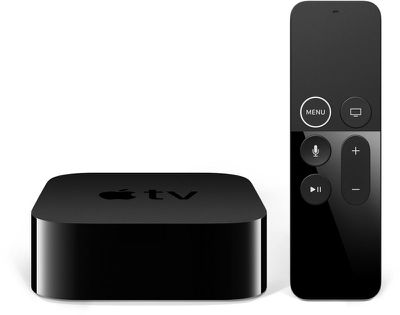
As a minor 12.x.x update, tvOS 12.1.1 focuses on bug fixes and under-the-hood performance improvements. No major features were found during the tvOS 12.1.1 beta testing period, and Apple does not provide release notes for tvOS updates, so it's not known what specific bug fixes and improvements are included in the new software.
If any additional information on the content of the tvOS 12.1.1 update becomes available, we'll update this post.
tvOS 12.1.1 follows the tvOS 12 update, which introduced support for higher-quality Dolby Atmos sound, zero sign-on, and new aerial screensavers created in collaboration with the International Space Station.
Popular Stories
Apple today provided developers with the second betas of upcoming watchOS 26.5, tvOS 26.5, and visionOS 26.5 betas for testing purposes. The software comes two weeks after Apple released the first betas for each platform.
The software updates are available through the Settings app on each device, and because these are developer betas, a free developer account is required.
There's no word ...
Apple today provided developers with the third betas of upcoming watchOS 26.5, tvOS 26.5, and visionOS 26.5 betas for testing purposes. The software comes a week after Apple released the second betas for each platform.
The software updates are available through the Settings app on each device, and because these are developer betas, a free developer account is required.
There's no word on ...
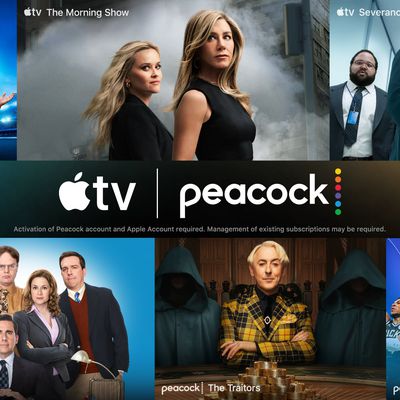
Apple and Amazon are partnering up for a $19.99/month streaming TV bundle that includes access to Apple TV and Peacock Premium Plus.
Available to customers in the U.S. for a limited time, the streaming bundle offers access to both services at a 30% discount, similar to the bundle that launched in October 2025.
Apple TV is normally $12.99 per month, while Peacock starts at $16.99 for ...