Apple Releases tvOS 10.2.1 for Fourth-Generation Apple TV - MacRumorsOpen MenuShow RoundupsShow Forums menuVisit ForumsOpen Sidebar
Skip to Content

Apple Releases tvOS 10.2.1 for Fourth-Generation Apple TV

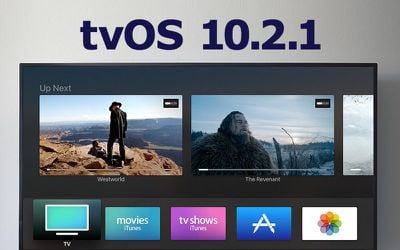
Apple today released a new update for tvOS, the operating system designed to run on the fourth-generation Apple TV. tvOS 10.2.1 over one month after the release of tvOS 10.2, an update that introduced scrolling improvements.

The tvOS 10.2.1 update can be downloaded on the fourth-generation Apple TV using the Settings app. Go to System --> Software Update to install. For those who have automatic software updates turned on, the Apple TV will be upgraded to tvOS 10.2.1 automatically.
10
No new features or design changes were discovered during the tvOS 10.2.1 beta testing period, but as a 10.2.x update, it's likely to focus on bug fixes and other under-the-hood performance improvements.

Related Roundup: Apple TV
Buyer's Guide: Apple TV (Don't Buy)

Popular Stories

General visionOS watchOS and tvOS Betas Feature Redux

Apple Releases Second watchOS 26.5, tvOS 26.5 and visionOS 26.5 Betas

Monday April 13, 2026 10:06 am PDT by
Apple today provided developers with the second betas of upcoming watchOS 26.5, tvOS 26.5, and visionOS 26.5 betas for testing purposes. The software comes two weeks after Apple released the first betas for each platform. The software updates are available through the Settings app on each device, and because these are developer betas, a free developer account is required. There's no word ...
General visionOS watchOS and tvOS Betas Feature Redux

Apple Releases Third watchOS 26.5, tvOS 26.5 and visionOS 26.5 Betas

Monday April 20, 2026 10:03 am PDT by
Apple today provided developers with the third betas of upcoming watchOS 26.5, tvOS 26.5, and visionOS 26.5 betas for testing purposes. The software comes a week after Apple released the second betas for each platform. The software updates are available through the Settings app on each device, and because these are developer betas, a free developer account is required. There's no word on ...
apple tv peacock bundle

Apple TV and Peacock $20 Monthly Bundle Available on Amazon Prime Video, Offering a 30% Discount

Wednesday April 15, 2026 2:14 am PDT by
Apple and Amazon are partnering up for a $19.99/month streaming TV bundle that includes access to Apple TV and Peacock Premium Plus. Available to customers in the U.S. for a limited time, the streaming bundle offers access to both services at a 30% discount, similar to the bundle that launched in October 2025. ‌Apple TV‌ is normally $12.99 per month, while Peacock starts at $16.99 for ...

Top Rated Comments

Corrode Avatar
117 months ago
Hopefully this fixes the ghosted app icons that requires a restart to resolve.
Score: 10 Votes (Like | Disagree)
larrylaffer Avatar
117 months ago
Hopefully this fixes the ghosted app icons that requires a restart to resolve.
Ahhh, nice to know I'm not the only person that saw this. I assumed it happened whenever an app was updated.
Score: 5 Votes (Like | Disagree)
HobeSoundDarryl Avatar
117 months ago
Hopefully this fixes the ghosted app icons that requires a restart to resolve.
It appears to fix that. What was a ghosted Netflix app icon is no longer ghosted on mine.

Of course, I think every :apple:TV reboots after a software update, and some have said restarts fixed the problem (for a while). So this is really a "time will tell" observation instead of a conclusive (it's definitely fixed) one.

Update: many hours later and icons are all still good (no ghosting).
Score: 2 Votes (Like | Disagree)
ecr80 Avatar
117 months ago
hopefully fixes the TV app that sometimes it doesn't refresh the things already watched.
Score: 2 Votes (Like | Disagree)
117 months ago
Did this fix the airplay bug?
seems to be fixed, no more pop up messages when enabling airplay
Score: 1 Votes (Like | Disagree)
thogin Avatar
117 months ago
I have an issue where the entire screen goes shades of green at infrequent, random intervals. Correcting this requires a restart. Is this the same issue?
I had a similar issue once and replacing the HDMI cable fixed it.
Score: 1 Votes (Like | Disagree)
Related Apple News: Ipad | Reviews | Iphone | Iphone | World News