Apple Seeds Fifth WatchOS 2 Beta to Developers - MacRumorsOpen MenuShow RoundupsShow Forums menuVisit ForumsOpen Sidebar
Skip to Content

Apple Seeds Fifth WatchOS 2 Beta to Developers

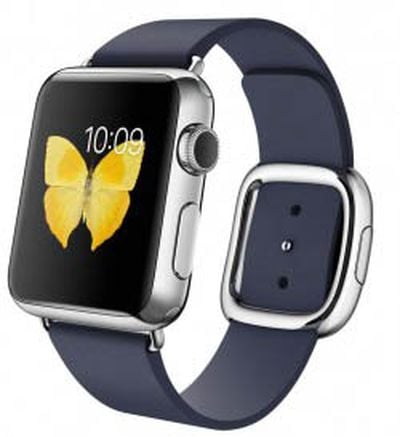
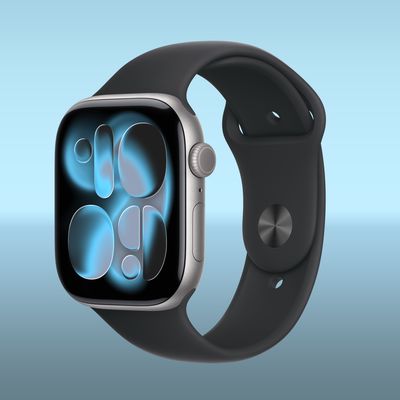
Apple-Watch-Midnight-Blue-250x299Apple today seeded the fifth watchOS 2 beta to developers for testing purposes, more than two weeks after seeding the fourth watchOS 2 beta and nearly two months after announcing the new operating system update at its 2015 Worldwide Developers Conference.

watchOS 2 requires the iOS 9 beta to be installed and can be downloaded over-the-air using the Apple Watch app on the iPhone by going to General --> Software Update. Caution should be used when installing this beta, as downgrading the software on the Apple Watch is not possible without help from Apple [PDF].

watchOS 2 is the first major update to watchOS, the software that runs on the Apple Watch. watchOS 2 introduces several new features that developers can use to improve their Apple Watch apps, including native apps that run on the watch itself instead of the iPhone. The software also allows developers to access the Taptic Engine and other sensors like the heart rate monitor, the microphone, and the accelerometer for the first time.

With the new tools for developers, Apple Watch apps will be more complex and full-featured. Other features in watchOS 2 include new watch faces (photo albums and time-lapse), third-party Complications, Time Travel, and a Nightstand mode that's activated when the watch is charging, displaying the time.

watchOS 2 is currently only available to registered developers who have also installed iOS 9 on their iPhones. Apple plans to release the software to the public in the fall.

What's new in beta 5:

Previous watchOS 2 betas haven't added many new features, but there are several new additions in watchOS 2 beta 5, as listed below.

Timelapse - There's a new Timelapse watch face that displays the Eiffel Tower in Paris, France.

Sleep settings - There's a Settings option that will keep the Apple Watch's screen active and turned on for 70 seconds. Currently the watch face only stays on for 15 seconds.
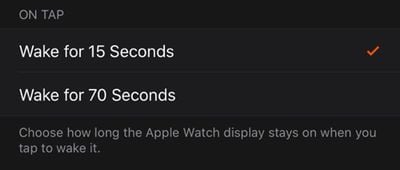
watchos270seconds
Music - In the Music app, there's a new "Quick Play" button to access music on the iPhone more quickly. The Music app interface has also been tweaked and will display the app that's playing music.

Related Roundup: Apple Watch 11
Buyer's Guide: Apple Watch (Neutral)

Popular Stories

imac video apple feature

Apple Released Yet Another New Product Today

Friday March 20, 2026 2:39 pm PDT by
Apple has unveiled a whopping nine new products so far this March, including an iPhone 17e, iPad Air models with the M4 chip, MacBook Air models with the M5 chip, MacBook Pro models with M5 Pro and M5 Max chips, the all-new MacBook Neo, an updated Studio Display, a higher-end Studio Display XDR, AirPods Max 2, and now the Nike Powerbeats Pro 2. iPhone 17e features the same overall design as...
iPhone 18 Pro Deep Red Feature

iPhone 18 Pro Launching Later This Year With These 12 New Features

Wednesday March 18, 2026 7:39 am PDT by
While the iPhone 18 Pro and iPhone 18 Pro Max are not expected to launch for another six months or so, there are already plenty of rumors about the devices. It was initially reported that the iPhone 18 Pro models would have fully under-screen Face ID, with only a front camera visible in the top-left corner of the screen. However, the latest rumors indicate that only one Face ID component...
ios 26 4 pastel

iOS 26.4: Top 10 New Features Coming to Your iPhone

Friday March 20, 2026 2:44 pm PDT by
iOS 26.4 isn't the major update with new Siri features that we hoped for, but there are some useful quality of life improvements, and a little bit of fun with an AI playlist generator and new emoji characters. Playlist Playground - Apple Music has a Playlist Playground option that lets you generate playlists from text-based descriptions. You can include moods, feelings, activities, or...

Top Rated Comments

fzfpff Avatar
139 months ago
please send the watch profile
here you go:
Score: 45 Votes (Like | Disagree)
139 months ago
I don't get it, Why is it called "complication" instead of "compilation"? I think we can distinguish between a Watch compilation and a Music compilation; not only is "compilation" more precise, "complication" has a negative connotation.
"Complication" is the term used in horology to describe a secondary function on a watch face. It has a long history that Apple is just continuing.
Score: 7 Votes (Like | Disagree)
139 months ago
Keep the screen active for 15 seconds or.... 70 seconds? What an odd second option.

15, 30 and 60 would be a better set of choices, IMHO.
Score: 6 Votes (Like | Disagree)
JeffyTheQuik Avatar
139 months ago
Oh, thank ye gods!!!!
The last beta DESTROYED my battery life & I'd get random occasional reboots.
Thank you for beta testing this. I know a lot of people that don't appreciate beta testers, but I do. Without your testing, one could only imagine the bugs that'd get into the wild...
Score: 6 Votes (Like | Disagree)
139 months ago
Keep the screen active for 15 seconds or.... 70 seconds? What an odd second option.

15, 30 and 60 would be a better set of choices, IMHO.
No, they've been pretty smart about this. The nurses and paramedics who have asked for this need to be able to watch the second hand for 60 seconds. But they still need a few seconds after they have tapped the screen to get their hand on their patient's wrist for the pulse. 60 seconds wouldn't have been enough.
Score: 4 Votes (Like | Disagree)
andybno1 Avatar
139 months ago
Is multi-color modular face new in watchOS? As far as I can tell, my watchOS 1 Watch's modular face is all the same color, except the large center module, which is grey. So, I have it set to white, so it all pretty much looks white, to match the white Sport band. Don't know how I feel about the battery module being colored. Kind of ruins the white motif for me. More options would be nice.
this is how the multi-colour looks

Attachment Image
Score: 3 Votes (Like | Disagree)
Related Apple News: Sport | Technology | Business | News | Lifestyle