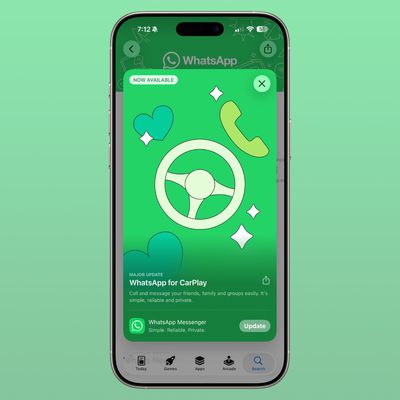
Following a lengthy beta testing period, Apple today released iOS 7.1 to the public, marking the first major update to iOS 7 since its September release. The update includes much-needed improvements to the Touch ID fingerprint recognition system built-in to the iPhone 5s, an update for a home screen crashing issue, and it brings CarPlay support, which was first unveiled by Apple last week.
Apple has launched a new website page that shows off some of the additions to iOS 7.1.
The update also includes multiple visual tweaks, such as revamped shift and caps locks keys on the keyboard, refined icons for the Phone, FaceTime, and Messages apps, and a redesign for several aspects of the Phone dialer and shutdown screen.
Accessibility has been improved with a new "Button Shapes" option that indicates where tappable areas are located, a "Darken Colors" option, and an enhancement to Contrast allowing users to reduce iOS 7’s white point.
A multitude of minor improvements to enhance the performance of the operating system have also been bundled into the update, such as new bounce animations in Control Center, more prominent buttons in the Music app, and a new event list view within the Calendar app. Full release notes are as follows:
CarPlay
- iOS experience designed for the car
- Simply connect your iPhone to a CarPlay enabled vehicle
- Supports Phone, Music, Maps, Messages, and 3rd-party audio apps
- Control with Siri and the car's touchscreen, knobs, and buttonsSiri
- Manually control when Siri listens by holding down the home button while you speak and releasing it when you're done as an alternative to letting Siri automatically notice when you stop talking
- New, more natural sounding male and female voices for Mandarin Chinese, UK English, Australian English, and JapaneseiTunes Radio
- Search field above Featured Stations to easily create stations based on your favorite artist or song
- Buy albums with the tap of a button from Now Playing
- Subscribe to iTunes Match on your iPhone, iPad, or iPod touch to enjoy iTunes Radio ad-freeCalendar
- Option to display events in month view
- Country specific holidays automatically added for many countriesAccessibility
- Bold font option now includes the keyboard, calculator, and many icon glyphs
- Reduce Motion option now includes Weather, Messages, and multitasking UI animations
- New options to display button shapes, darken app colors, and reduce white pointOther
- New Camera setting to automatically enable HDR for iPhone 5s
- iCloud Keychain support in additional countries
- FaceTime call notifications are automatically cleared when you answer a call on another device
- Fixes a bug that could occasionally cause a home screen crash
- Improves Touch ID fingerprint recognition
- Improved performance for iPhone 4
- Fixes display of Mail unread badge for numbers greater than 10,000
- Continued user interface refinements
The update officially disables the evasi0n iOS 7 jailbreak, patching key kernel exploits.
iOS 7.1 was first seeded to developers back in mid-November, following the launch of iOS 7.0.4. iOS 7.1 saw five developer betas, with the last beta coming on February 4.
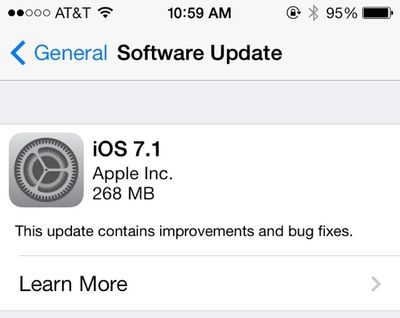
iOS 7.1 can be downloaded via the software update tool in the settings menu on iOS devices. Users on devices upgrading from iOS 7.0.6 are seeing file sizes of approximately 268 MB, while those upgrading from a beta are seeing larger downloads of 1.3-1.4 GB. Users who are still on iOS 7.1 beta 5 should upgrade to the full version of iOS 7.1 as the betas do not include features like the SSL fix released in February and a finalized version of CarPlay.
Apple has also launched a new update for the Apple TV and Xcode 5.1, with bug fixes, improvements, and new Auto Layout constraint inspector, and Quick Look support in the debugger for custom object types. [Direct Link]
The following Apple apps have also received minor updates alongside iOS 7:
- Remote [Direct Link]
- GarageBand [Direct Link]
- Logic Remote [Direct Link]
- Podcasts [Direct Link]
- Apple Configurator [Direct Link]