Resetting Network Settings May Fix iMessages Not Working in iOS 7 - MacRumorsOpen MenuShow RoundupsShow Forums menuVisit ForumsOpen Sidebar
Skip to Content

Resetting Network Settings May Fix iMessages Not Working in iOS 7

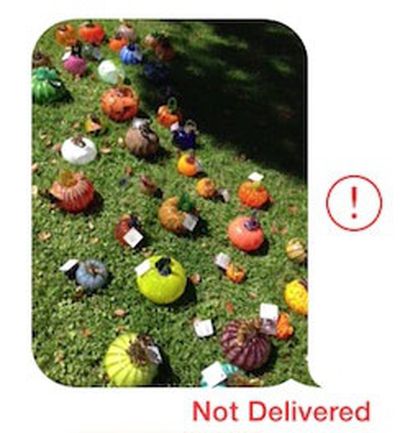
imessage_not_delivered_cropSince the release of iOS 7 earlier this month, a number of users have been complaining about issues with iMessages failing to be sent or received from their iOS devices.

While Apple's iMessage service has suffered from occasional outages, including a minor one documented on the company's System Status page earlier today, some users have been complaining of multi-day outages on their devices, suggesting that something more than a simple service problem may be occurring. Anecdotal reports have indicated that the issue may have worsened with last week's release of iOS 7.0.2, but reports of problems do date further back than that.

Some users have reported that turning their iOS devices off and back on fixes the problem, while others indicate that the solution has not worked for them. In our own testing with a device experiencing difficulties, the following steps appear to have fixed the issue (Note: this will cause your device to forget previously entered Wi-fi passwords)

1. Turn off iMessage in Settings > Messages
2. Reset networking settings in Settings > General > Reset
3. Reenable iMessage in Settings > Messages

Many users are reporting that these failed iMessages are also not falling back to traditional text messages as should occur when iMessage is unavailable. Instead, the iMessages simply hang during the sending process and eventually show as undelivered.


Related Forum: iOS 7

Popular Stories

Apple Event Logo

Apple Just Released a New Accessory

Monday May 4, 2026 8:13 am PDT by
Apple today released a new Pride Edition Sport Loop for the Apple Watch. The band features a rainbow design with 11 colors of woven nylon yarns. The new Pride Edition Sport Loop is available to order now on Apple.com and in the Apple Store app in 40mm, 42mm, and 46mm sizes, and it will be available at Apple Store locations starting later this week. In the U.S., the band costs $49. There...
iOS 27 on iPhone 17 1

iOS 27 Will Add These New Features to Your iPhone

Saturday May 2, 2026 8:43 am PDT by
Apple is expected to unveil iOS 27 during its WWDC 2026 keynote on June 8, and there are already many rumored features and changes for iPhones. The first developer beta of iOS 27 will likely be available immediately following the keynote, and a public beta typically follows in July. Following beta testing, the software update should be released to all users with a compatible iPhone in...
Apple Announces 2026 Pride Band Watch Face and iPhone Wallpaper Article 2

iOS 26.5 Coming Soon With These New Features

Monday May 4, 2026 8:40 am PDT by
iOS 26.5 is expected to be released next week, following more than a month of beta testing. The update is relatively minor, but there are a couple of new features and changes across the operating system that we have recapped below. iOS 26.5 lays the groundwork for end-to-end encryption for RCS in the Messages app and ads in the Apple Maps app, and it will include a new Pride wallpaper and a...

Top Rated Comments

.Andy Avatar
164 months ago
1. Turn off iMessage in Settings > Messages
2. Reset networking settings in Settings > General > Reset
3. Reenable iMessage in Settings > Messages
Score: 24 Votes (Like | Disagree)
trainwrecka Avatar
164 months ago
Another thing to check is your service provider. If it says "Sprint" please put iMessage in the "OFF" position.
Score: 18 Votes (Like | Disagree)
BC2009 Avatar
164 months ago

But some iMessages never got thru to me. I know, they were from my wife.

Some might consider that a feature. Built-in excuse for failure to respond.
Score: 11 Votes (Like | Disagree)
164 months ago
Too glad I'm still on iOS 6
Score: 7 Votes (Like | Disagree)
ThunderSkunk Avatar
164 months ago
Dammit, iOS Vista...
Score: 4 Votes (Like | Disagree)
164 months ago
I just had to restart my iphone. Then it worked again.

But some iMessages never got thru to me. I know, they were from my wife.
Score: 4 Votes (Like | Disagree)
Related Apple News: Lifestyle | Iphone | Technology | Culture | Health