Running the Retina MacBook Pro at Full 2880x1800 Resolution - MacRumorsOpen MenuShow RoundupsShow Forums menuVisit ForumsOpen Sidebar
Skip to Content

Running the Retina MacBook Pro at Full 2880x1800 Resolution

While Apple's new Retina MacBook Pro includes a display measuring 2880x1800 pixels, the default display options do not allow users to run their systems at that raw resolution. Instead, the extra pixels are used to display a higher level of detail on a canvas representing the previous 1440x900 resolution. As a result, windows and user interface elements appear to be the same relative size as on a 1440x900 15" display, but with four times the detail. Users who wish to use a desktop with apparent resolution higher than 1440x900 can still do so, as System Preferences offers several different options ranging up to 1920x1200.

Those users who want even more screen real estate by tapping into the full 2880x1800 resolution mode of the display can also do so, but the option involves a workaround that is not authorized by Apple. Macworld has more details on the process, which involves using either a third-party app like the paid SwitchResX (as noted in our forums) or one of a number of free options that have sprung up such as Change Resolution.
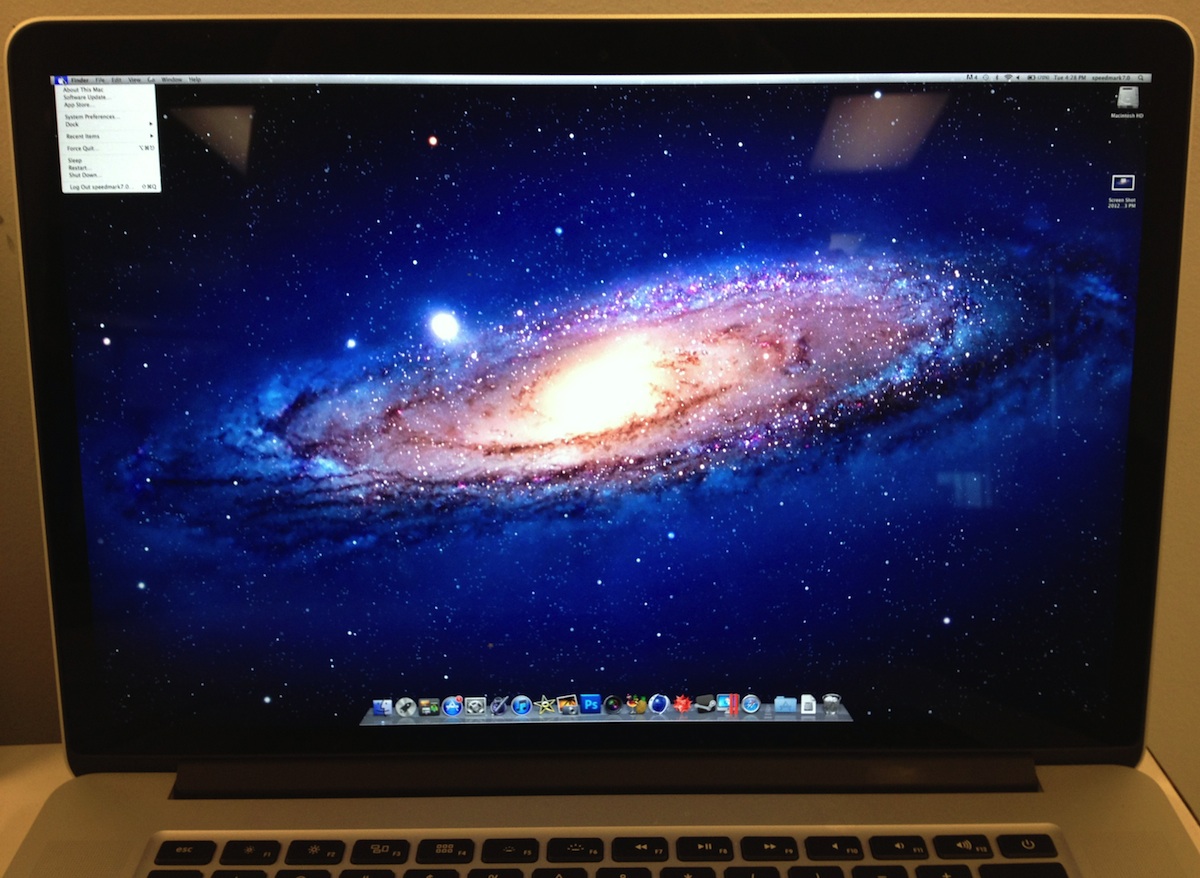
retina macbook pro 2880
Retina MacBook Pro running at 2880x1800
(Click for larger)

Running a 2880x1800 desktop on a screen measuring only 15.4 inches diagonally obviously results in very small text and user interface elements, but for those willing to sit close enough to their screens to make the onscreen content readable, it may be an interesting option.

As noted by developer Steven Troughton-Smith, users running Windows on the new Retina MacBook Pro can also take advantage of the full display resolution, simply setting the resolution in preferences within Windows.


Related Roundup: MacBook Pro

Popular Stories

iOS 27 on iPhone 17 1

iOS 27 Will Add These New Features to Your iPhone

Saturday May 2, 2026 8:43 am PDT by
Apple is expected to unveil iOS 27 during its WWDC 2026 keynote on June 8, and there are already many rumored features and changes for iPhones. The first developer beta of iOS 27 will likely be available immediately following the keynote, and a public beta typically follows in July. Following beta testing, the software update should be released to all users with a compatible iPhone in...
Apple Event Logo

Apple Just Released a New Accessory

Monday May 4, 2026 8:13 am PDT by
Apple today released a new Pride Edition Sport Loop for the Apple Watch. The band features a rainbow design with 11 colors of woven nylon yarns. The new Pride Edition Sport Loop is available to order now on Apple.com and in the Apple Store app in 40mm, 42mm, and 46mm sizes, and it will be available at Apple Store locations starting later this week. In the U.S., the band costs $49. There...
Apple MacBook Pro M4 hero

Why You Might Want to Wait to Buy a MacBook Pro

Friday May 1, 2026 3:43 pm PDT by
Apple refreshed the 14-inch and 16-inch MacBook Pro with M5 Pro and M5 Max models in March 2026, but depending on your needs and interests, you might want to skip this generation because there's something better in the works. The M5 Pro and M5 Max MacBook Pro models have faster chips, but the same design that Apple has used since 2021. An updated design with new display technology and faster ...

Top Rated Comments

181 months ago
I smell a lawsuit.

Seriously? I don't think so somehow.
Score: 43 Votes (Like | Disagree)
181 months ago
- "not authorized by Apple"?

If I buy the hardware I will do with it as I please. :mad:
Score: 40 Votes (Like | Disagree)
jayhawk11 Avatar
181 months ago
Seems like this would be barely usable, but cool trick nonetheless.
Score: 34 Votes (Like | Disagree)
Dr McKay Avatar
181 months ago
This is what I wanted to see :D

laggy pos i heard
You heard wrong.
Score: 32 Votes (Like | Disagree)
GFLPraxis Avatar
181 months ago
Actually surprised this requires a hack.

I have great eyesight so I would actually love this.
Score: 28 Votes (Like | Disagree)
QCassidy352 Avatar
181 months ago
Actually surprised this requires a hack.

I have great eyesight so I would actually love this.

I'm surprised too. I figured this was a native option.
Score: 27 Votes (Like | Disagree)
Related Apple News: Education | Motoring | Health | Buyers Guide | News