

With the release of iOS 4.2 earlier today, users have been putting the new operating system through its paces to test out the new features and improvements. Here are a few notes of interest:
- AirPlay: Users who have updated both their iPad/iPhone/iPod touch to and new Apple TV to iOS 4.2 can take advantage of the new feature to stream audio and video content to their Apple TV. Apple has posted a video overview of how the functionality works.
AirPlay functionality is permitted through a number of Apple's own applications, as well as third-pary applications configured to use the service. Netflix is reportedly not permitting content to be pushed via AirPlay to the new Apple TV, but the Apple TV already offers its own access to Netflix streaming.
- Find My iPhone: While there had been initial confusion about which devices are compatible with the new free Find My iPhone service, Apple's setup page does appear to have offered correct information: A current-generation iPad, iPhone, or iPod touch is required for initial setup of the free Find My iPhone service, but once that it accomplished, and iOS 4.2-compatible device can access it. All users must update to the just-released version of the Find My iPhone iOS application in order to access the service through their devices.
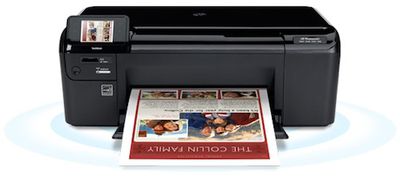
- AirPrint: While Apple significantly scaled back the AirPrint functionality in iOS 4.2 ahead of its launch, the feature does allow for wireless printing directly to certain HP printers. Those looking to print to other shared or networked printers may be interested in looking into third-party solutions unless Apple quickly finds a way to meet its original goals for the service.
- Safari "Find in Page": Typing in the search box in Safari now offers users the ability to search for text within the currently-open page, displaying a toolbar to allow for navigation among instances of the term.
- Multitasking for iPad: iOS 4.2 bring multitasking to the iPad for the first time. In landscape mode, swiping left-to-right on the tray brings up the quick-access control panel, complete with access to music player controls, brightness and volume sliders, and an orientation lock switch. iOS 4.2 modifies the side hardware switch on the iPad, turning it from an orientation lock switch into an iPhone-like mute switch while making orientation lock a software setting.
- Folders, Universal Inbox, and Game Center for iPad: The iPad finally gains a trio of other features that iPhone and iPod touch features have already grown accustomed to: home screen folders, a universal inbox and Game Center. Folders allow users to drag app icons on top of each other on the home screen to create folders of related applications, offering easier navigation and a larger number of applications to be installed on the device. The universal inbox allows users to easily see email messages from all of their accounts rather than need to manually navigate between each account to check for new messages. Game Center is Apple's social network and achievements platform for iOS gaming, allowing users to challenge their friends and track scores on compatible titles.
- iWork for iPad: As we previously noted, Apple is updating its three iWork applications for the iPad to support new iOS 4.2 features. Those updates are now live in the App Store.





















