

Twelve South today unveiled an all new design for its popular BookArc, introducing a revamped version that's compatible with all current Apple MacBook models, including the 12-inch Retina MacBook, the Retina MacBook Pro, the non-Retina MacBook, and the MacBook Air.
The BookArc, for those unfamiliar with the product, is designed to hold a MacBook while it's being used in clamshell mode when connected to an external display, keyboard, and mouse for an organized desktop setup. A vertical docking station like the BookArc can keep a MacBook in clamshell mode out of the way and cooler than it would be when flat on a desk.
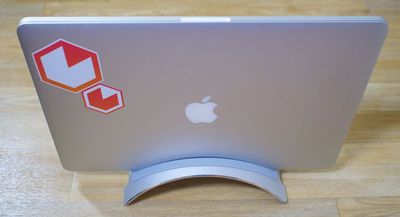
Twelve South's new BookArc has the same general arc shape as previous BookArcs, but it ships with several silicone inserts that can be swapped out to fit different MacBooks. Taking out a silicone insert takes just a few seconds, and while putting one in is a bit tricker, it's a painless process that should allow people with multiple MacBooks to switch between inserts with ease.
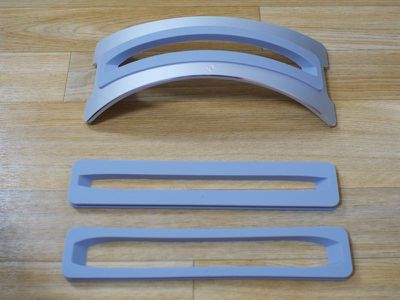
An insert that fits both the Retina MacBook Pro and the MacBook Air ships with the BookArc, and inside the packaging, there are additional inserts sized for the thicker non-Retina MacBook Pro and the thinner 12-inch Retina MacBook. Customers who previously owned a BookArc for the Retina MacBook Pro will be familiar with the different inserts, as that model also came with inserts to fit different MacBooks.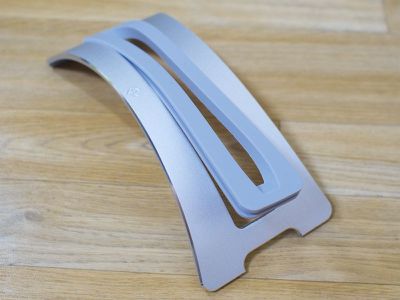
With the insert for the MacBook Air and the Retina MacBook Pro, my Retina MacBook Pro fit snugly inside the BookArc. For MacBooks that are used with a case, Twelve South says sizing up to a larger insert, such as the one for the non-Retina MacBook, is a solution if the standard insert doesn't fit.
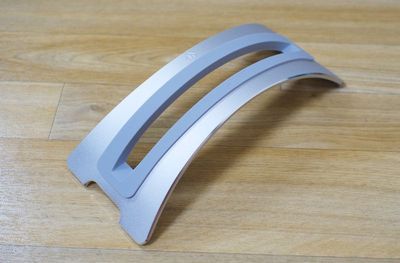
The BookArc is milled from an aluminum that will match the Retina MacBook Pro, the MacBook Air, and the Silver MacBook. There aren't, unfortunately, models available in Space Gray and Gold to match other 12-inch MacBooks. It has a slightly different finish than the first BookArc, and it has a shiny chamfered edge that Twelve South says was put in place to match the new mirrored Apple logo on the 12-inch MacBook.
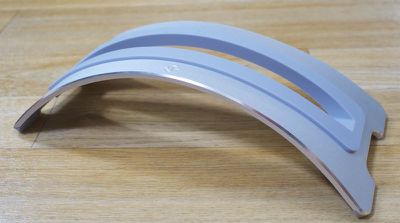
Compared to the original BookArc, the new BookArc is shorter and more compact, so it's going to take up less room on a desk. It's also got square feet instead of rounded feet, and the rectangular cutout between the two feet is designed to hold cords in place and keep them from slipping off of a desk. Prior versions of the BookArc had a silicone hook for this purpose, but the new model does away with that with this simpler solution that can corral more cords. At the bottom of the BookArc, there are silicone pads to keep it secure on a flat surface.
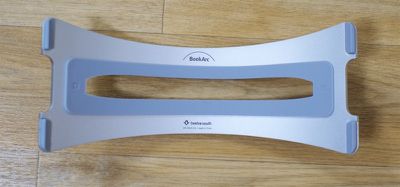
Overall, the new BookArc has a much cleaner, sleeker look than the original BookArc models. I tested the new BookArc with a Retina MacBook Pro and I was impressed with how little space it took up on my desk while still getting my MacBook out of the way. In fact, I was surprised at the small box it came in - the BookArc is quite light, weighing in at only 0.35 pounds. Size wise, it measures in at 2.2 inches high, 3.6 inches wide, and 8.74 inches long.
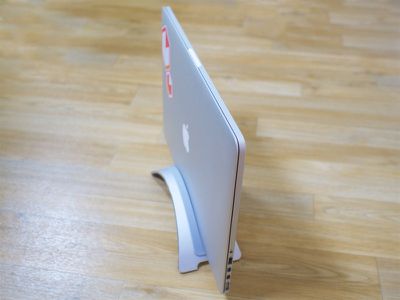
While the BookArc is designed to hold MacBooks, it can also be used as a stand for any rectangular object. It holds the iPad mini, the iPad Air 2, the Apple Wireless Keyboard, journals, books, and more, so it can still serve a purpose on a desk even when it's not being used with a MacBook.
Bottom Line
If you use a MacBook in clamshell mode, the Twelve South BookArc is well worth checking out. Its simple, unobtrusive design allows it to blend in to any office or room, and it frees up a lot of space on a desk by letting a MacBook sit vertically.
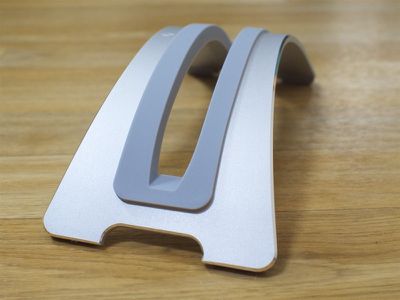
For people who already own a BookArc, there's no real need to upgrade unless you have multiple MacBooks, but going forward, the new BookArc is a fantastic change because it'll be compatible with more Apple products for a longer period of time.
A BookArc purchased today will likely work with MacBook models for several years to come, as Twelve South will be able to simply provide new inserts if there are significant design changes.
How to Buy
The BookArc for MacBook is available from the Twelve South website for $49.99.


















Top Rated Comments
Multi-monitor computing is great! Surely you can use the 2nd monitor for something:
:mad:
Nice setup!
:D