

ElevationLab has a range of useful accessories for Apple products, and in June, launched a new accessory that's designed to turn the Mac's power adapter into a hub.
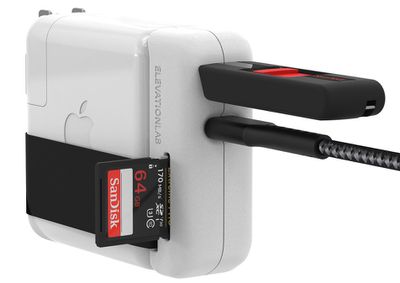
There are many USB-C hubs available on the market, but the ElevationHub is unique because it works directly with the power adapter rather than plugging into the Mac itself. The USB-C accessory attaches to the USB-C port on one of Apple's official chargers for the MacBook Pro, providing additional ports.
Design wise, it's made from the same white plastic as Apple's power adapter for a sleek, clean look when attached, and it is sized to fit the 61W, 87W, and 96W power adapters Apple offers. For those with a MacBook Air, it unfortunately isn't recommended with the 30W power adapters.
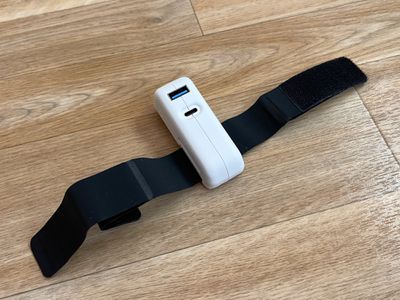
The best fit is with the 61W power adapter Apple provides with the 13-inch MacBook Pro, but it also works fine with the larger power adapters supplied with the 15 and 16-inch MacBook Pro models. Though able to fit those chargers, the ElevationHub is limited to passthrough charging up to 61W, so it may not be able to supply enough power to charge the larger MacBook Pro models when they're under a heavy load.
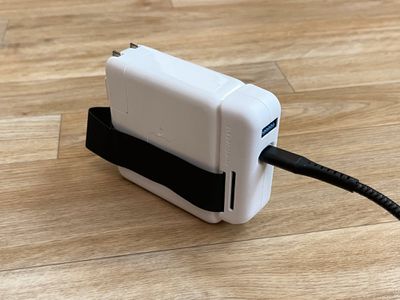
For that reason, it's an ideal product for the 13-inch MacBook Pro models, though if you don't often do system intensive tasks on a larger MacBook Pro, it should also work fine. If used with larger MacBook Pro models, be aware that they will charge slower than with a standard USB-C cable.
In addition to 61W passthrough charging, the ElevationHub includes a USB-A 3.0 port and an SD card slot, useful for attaching USB-A accessories or getting photos from an SD card pulled from a camera or drone.
You can purchase the ElevationHub with an optional 6-foot USB-C cable that supports transfer speeds up to 5Gb/s, or use it with the standard USB-C cable that Apple provides. It comes with a built-in cable wrap for cable management, and I do recommend the add-on cable even though it's $10 more because it's high quality and features a nice braided design that will hold up to heavy use.
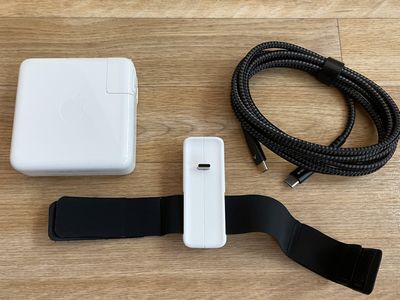
Depending on your particular desk setup, the ElevationHub might be of limited use. I charge my MacBook Pro using a power adapter that's plugged in behind my table and in a cable management box, which means that USB-A port and SD card slot are not easy to get to. I don't find this to be a convenient solution in that situation, but for those who have a setup where the charging is done in a way that keeps the power adapter on a desk, it's useful.
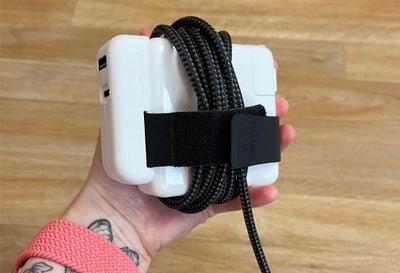
If you plan to use those ports in a plug something in and forget about it kind of way, there are more possibilities. You could plug an SSD or hard drive into the USB-A port and tuck it away with the power adapter under a desk for a convenient Time Machine or add-on storage solution, and the same goes for the SD card slot. All of the ports worked as expected during my testing.
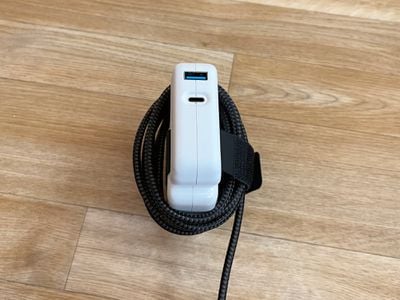
ElevationHub is also useful for travel. Airports, libraries, and schools often have desktop outlets, and that's the kind of situation where the ElevationHub comes in handy. It adds ports you might need for charging an iPhone or connecting an SSD, plus the cable wrangling feature is useful when you need to toss your power adapter in your bag or backpack.
Bottom Line
The ElevationHub is a bit of a niche product. It works well with the 13-inch MacBook Pro, but it's not compatible with the 13-inch MacBook Air and it isn't ideal for the larger MacBook Pro models in all situations giving the charging limitations.
That said, there are some useful perks depending on your desk setup or how you plan to use the ElevationHub, so it's worth checking out for those who are looking for something for travel or those who want a way to add a MacBook accessory or two that's permanently tucked away.
How to Buy
The ElevationHub is priced at $39.95 for the Hub alone, or $49.95 for the Hub plus 6-foot USB-C cable. It can be purchased from the ElevationLab website.
Note: ElevationLab provided MacRumors with an ElevationHub set for the purpose of this review. No other compensation was received.


















Top Rated Comments