

Aura, a company known for its range of smart photo frames, this fall introduced the Walden, its largest photo frame to date. Measuring in at 15 inches, the Walden has a huge display that makes digital photos a focal point in the home.
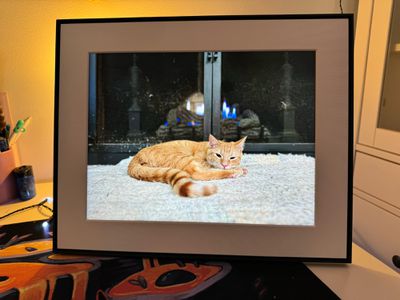
We've previously reviewed (and liked) the 9-inch Aura Mason frame, but the new Walden model is 66 percent larger and it is also Aura's first frame that can be mounted on the wall, so we thought we'd revisit the smart frames ahead of the holidays.
In terms of size, the Walden frame is 15.7 inches long, 12.7 inches tall, and 1.2 inches in depth, so it's a little bit thicker than your average photo frame. Compared to the 9-inch Mason frame, the Walden frame is much more eye-catching in a room because of the space that it takes up on a wall. A 9-inch frame looks odd when hung on the wall, but a 15-inch frame is the ideal size for it.
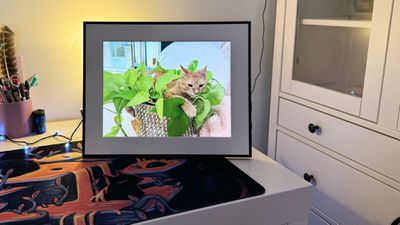
The Walden Frame fits right in on a wall in the living room, entry way, or bedroom, but it can also be placed on a table or other surface if desired with the built-in stand. The display is bright, the colors are largely accurate (the frame tends to add some saturation) and the images look vibrant, but one downside is that it is limited to a 1600x1200 resolution with 133 pixels per inch.
Aura's smaller frames all have better pixel density, and the resolution does impact the quality here. The Mason frame with the same resolution and a smaller size looks better up close, but the resolution is not a dealbreaker. Aura is using a matte display that has anti-reflective coating, so even in a bright room with sunlight or lights that hit the glass, the pictures are visible.
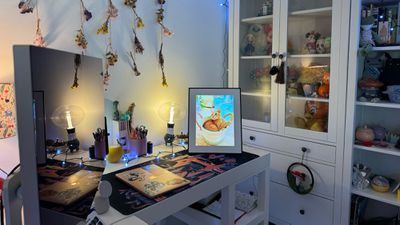
The frame itself is black with a textured white mat around the display. The mat feels about standard size for a photo frame of this size, so it blends in well with other picture frames that you might have. Unfortunately, there are no other frame colors available, and that's one of the main downsides of the Walden.
Aura does have other frames fthat come in different colors and without mats, but on the whole, color selection is limited. On the plus side, the thin frame of the Walden does look sleek, but I am torn on the mat size with some of the images.
The Walden frame can be positioned in either horizontal or landscape mode as it supports both orientations with a 4:3 aspect ratio. Your photos will rotate and resize to fit in the frame regardless of the orientation you choose, but it is best to pick the position that fits the majority of your photos.
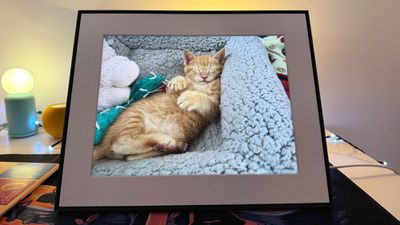
When you put the frame in a specific orientation and it displays a photo in another orientation, one of two things happens. It either crops in to the main subject of the photo, or it adds black bars so the whole image remains visible. For portrait mode images that are close to the subject with nothing to crop in to, this means that you'll see bars at the sides of the frame, which doesn't always look great with the white matte. You can opt to have photo backgrounds used as filler, kind of like what YouTube does for portrait images, in landscape mode, but it still looks off.
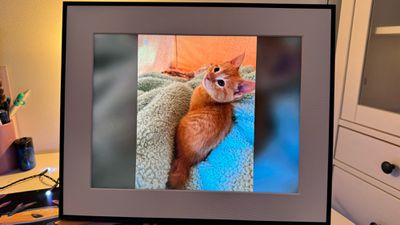
When the frame is in portrait mode, landscape images are typically cut off because they're zoomed in to fit, so there are compromises to be made if you have a lot of images in both orientations. I do think Aura's frames do a decent job of making images look as good as possible by zooming in.
Aura ships the Walden with both a tabletop kickstand and a mounting kit, so you can display it wherever it fits best into your home. The mounting kit uses a single Floreat-style hanger, so it's just one nail that goes in the wall. These hangers are strong, so there's little risk of the frame falling down, plus wall damage is limited to the size of a nail hole.
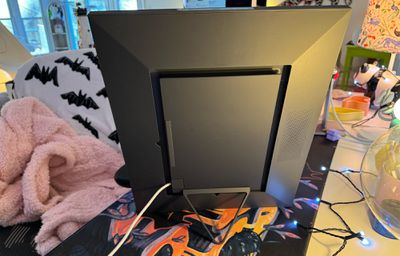
Touch controls at the top of the frame can be used for turning it on and off, changing the photos, viewing details like the date, playing Live Photos, deleting photos, and liking photos that were added to the frame by someone else, but all of these actions can also be done through the app if the frame is somewhere that's inaccessible.
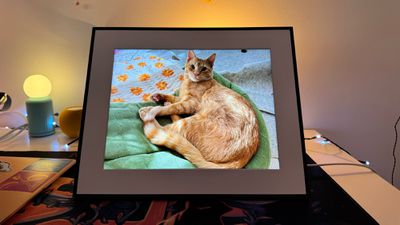
The Walden, like all of Aura's frames, is meant to be a more hands-off product. You basically upload images to it and leave it plugged in. It'll cycle through the images every 10 minutes by default, though you can change that in the app. There are a huge range of times to select from 15 seconds to 24 hours, so you can find the perfect photo change interval.
You can upload both photos and videos to the frame, and videos can be set to autoplay. Videos play without sound by default, but can be replayed with sound using the in-app remote or with the touch controls at the top. Speaker volume is controlled in the app.
The frame is set to turn on when it's light out and turn off when it's dark, but there is an option for an on/off schedule for rooms where the frame might not be able to use its ambient light sensor well or for when you want it active at specific times. I do wish the Walden had better dimming and color matching. With bright images, it can be a little too bright when the room is darker, and it isn't able to match the color temperature of lighting. You'll sometimes get a blue-toned photo that looks odd in a room with soft yellow lighting.
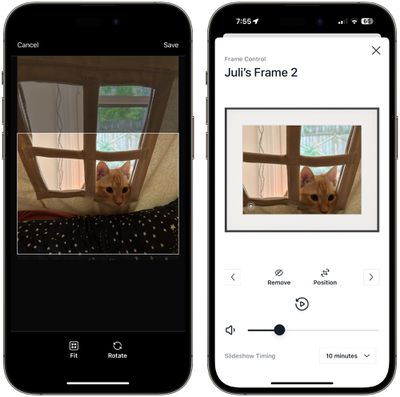
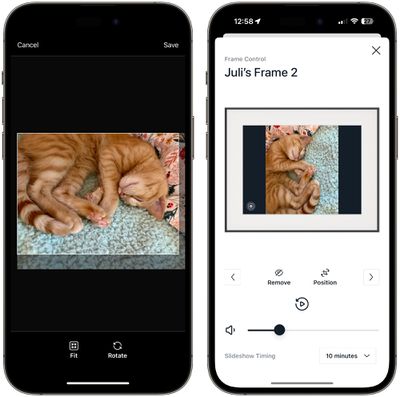
The app has a built-in remote control accessed through the settings section, and this provides easy access for deleting an image, resizing it properly, playing a video, or switching to the next image. Resizing is particularly useful because if you don't like the way Aura has opted to crop an image, you can fix it and the frame will remember that position going forward.
There is no built-in storage in the Walden frame, or in Aura's products in general. Images are uploaded to the cloud, and there is unlimited storage so you can add as many photos and videos as you want. Photos are uploaded through the Aura app, through a unique email address for each frame, or through the web, so there are plenty of ways to get images on it.
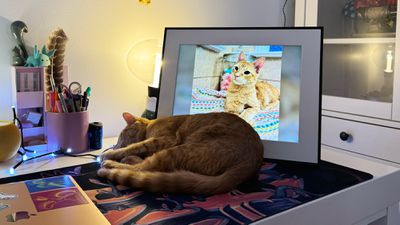
The Aura app is the best part about Aura's frames. In addition to adding photos yourself, you can also invite friends and family members to connect to your frame so they can add photos too. If a family member has a frame, you can connect to it and upload images to it at any time.
I bought an Aura frame for a family member a few years back, and we still all upload photos to it regularly. It has a prominent place in the living room, and the photos that it displays are frequently talked about. It's such a great way to get photos off of an iPhone with little hassle. I don't know about most people, but I so rarely print my images that I take them and forget about them until a random day when I'm browsing through my Photos app. Aura frames provide a way to surface memories them more often.

Aura is set up for gifting, and you can even preload a frame with photos before the gift recipient opens it. I'm sometimes hesitant to give "smart" Wi-Fi connected devices to my less tech savvy family, but Aura frames are dead simple to set up. I think any person that can operate the basic functions of an iPhone can set up the Walden or any other Aura option. You plug in the frame, download the Aura app, and the iPhone detects it automatically. A pairing code is displayed, and once the code is input (which happens automatically too), it connects to Wi-Fi. You don't need to enter the Wi-Fi password again if the iPhone is already connected to a Wi-Fi network in the home (truly a major stopping point for other smart products I've tried to gift), and that's it. After that, images can be uploaded from the app or by family members who have the app.
The option to upload photos to the Aura from anywhere and the option to have multiple contributors makes this a great gift for grandparents, siblings, friends, or basically anyone you would want to share a photo with. For a grandparent, you can set up the frame ahead of time, load it with photos, and then invite other friends and family members all with no interaction from the recipient. The person I gifted a frame to doesn't upload their own photos, but has six other family members who do.

If you have multiple friends or family members with Aura frames, you can upload photos to all of the frames at the same time, making it a fun way to share photos from birthday parties, trips, and other activities with several people basically instantaneously.
You can definitely use an old iPad or other tablet in lieu of something like the Aura frame, but Aura's products are easier to use for the specific purpose of displaying photos, plus they look like an actual photo frame rather than an electronic device.
Bottom Line
Whenever I need a gift for someone and I'm not sure what to get, Aura is my go-to. I have not met anyone who doesn't like Aura's frames, and for grandparents and/or less technically inclined people, it's like magic.
I think the Walden in particular is a great choice because of its size. It's much more visible in a room than Aura's smaller frames, and the frame to get if you want to put a lot of focus on your digital images. It's also the option I'd get for grandparents or older adults who might be having a harder time with their vision, but it's not the frame I'd pick for subtlety or for displaying high-resolution images where quality is a concern.
How to Buy
The Aura Walden frame can be purchased from the Aura website for $250.
Note: Aura provided MacRumors with a Walden Frame for the purpose of this review. No other compensation was received.






















Top Rated Comments
Does anyone know if Aura has provided any kind of guarantee for the longevity of the cloud solution?