How to Set Up and Use Apple Cash Family - MacRumorsOpen MenuShow RoundupsShow Forums menuVisit ForumsOpen Sidebar
Skip to Content

How to Set Up and Use Apple Cash Family

by

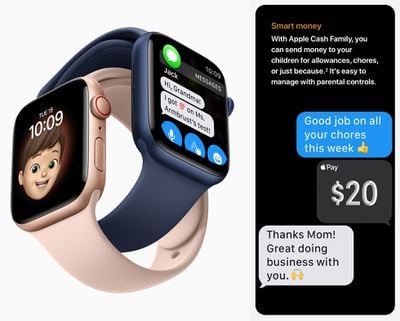
Apple Cash is a popular way to send money to friends and family using Apple's Messages app, and in iOS 14, you can now give your children allowances through the Family Sharing feature so they can make purchases, and send and receive money in Messages. You can even limit who your child can send money to, get notified when they make transactions, lock their account, and more.
apple cash family
Before you start using Apple Cash Family, there are a few requirements to be aware of. You need to be already using Family Sharing and have a family member included that's under 18. As the family organizer, you also need to use the same Apple ID to set up Family Sharing. In addition, family group members need to:

  • Own a compatible iPhone, iPad, or Apple Watch with the latest version of iOS, iPadOS, or watchOS installed.
  • Sign in to iCloud using their ‌Apple ID‌.
  • Have two-factor authentication enabled for each ‌Apple ID‌.
  • Have their device region set to the United States.

How to Set Up Apple Cash Family

  1. On the family organizer's iPhone, launch the Settings app.
  2. Tap your ‌Apple ID‌ name banner at the top of the screen.
  3. Tap Family Sharing.
  4. Swipe down and select Apple Cash.
  5. Select a child in your family.
  6. Tap Set up Apple Cash and follow the prompts to set up Apple Cash Family. You may need to verify your identity.

How to View and Manage Apple Cash Family Transactions

  1. On the family organizer's iPhone, open the Wallet app.
  2. Tap the ellipsis (three dots) icon in the top-right corner of the screen.
  3. Swipe down and select a child.

From here you can check the child's Apple Cash balance, send them money, lock their Apple Cash account, view transactions, and set up transaction alerts. Note that if your child becomes 18 years old and they take ownership of their Apple Cash account, you won't be able to view their Apple Cash activity.


Popular Stories

iOS 27 on iPhone 17 1

iOS 27 Will Add These New Features to Your iPhone

Saturday May 2, 2026 8:43 am PDT by
Apple is expected to unveil iOS 27 during its WWDC 2026 keynote on June 8, and there are already many rumored features and changes for iPhones. The first developer beta of iOS 27 will likely be available immediately following the keynote, and a public beta typically follows in July. Following beta testing, the software update should be released to all users with a compatible iPhone in...
Apple MacBook Pro M4 hero

Why You Might Want to Wait to Buy a MacBook Pro

Friday May 1, 2026 3:43 pm PDT by
Apple refreshed the 14-inch and 16-inch MacBook Pro with M5 Pro and M5 Max models in March 2026, but depending on your needs and interests, you might want to skip this generation because there's something better in the works. The M5 Pro and M5 Max MacBook Pro models have faster chips, but the same design that Apple has used since 2021. An updated design with new display technology and faster ...
Apple Announces 2026 Pride Band Watch Face and iPhone Wallpaper Article 2

iOS 26.5 Coming Soon With These New Features

Monday May 4, 2026 8:40 am PDT by
iOS 26.5 is expected to be released next week, following more than a month of beta testing. The update is relatively minor, but there are a couple of new features and changes across the operating system that we have recapped below. iOS 26.5 lays the groundwork for end-to-end encryption for RCS in the Messages app and ads in the Apple Maps app, and it will include a new Pride wallpaper and a...
Related Apple News: Opinion | Ipad | Culture | Entertainment | Technology