

In macOS Sonoma and Safari 17, you can turn websites into "web apps" that can live in your Mac's dock and be accessed much like any other app, without you having to open a browser. Keep reading to learn how it works.
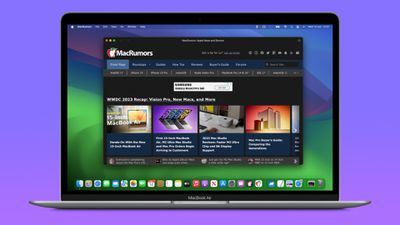
Thanks to a new option in Apple's Safari browser, it's now possible to take any website on the internet that you regularly visit, and turn it into a standalone "web app" that sits in your Mac's dock, ready for you to access whenever you need it. Web apps work with Mission Control and Stage Manager just like any app, and can also be opened via Launchpad or Spotlight Search.
How to Turn Any Website into a Web App
- In Safari, navigate to the website that you want to turn into a web app.
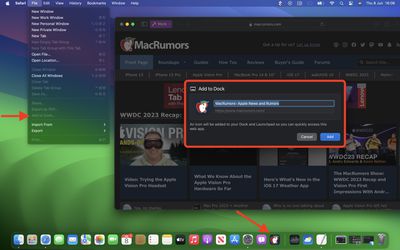
- Choose File -> Add to Dock from the menu bar.
- If you want, you can change the icon by clicking it in the Add to Dock window. You can also edit the web app's name using the title field.
- Click the blue Add button to create your web app.
On opening your new web app, you'll notice its window includes a simplified toolbar with navigation buttons (note: Website developers can control whether these are shown). As you can see in the image, the theme color of the site blends into the toolbar for a more seamless look.
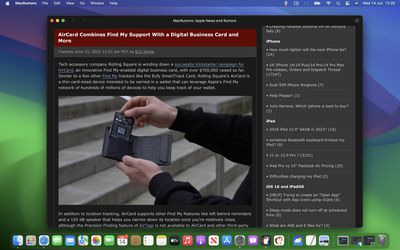
In terms of navigation, the scope of the web app is dictated by the host of the webpage, so you can navigate anywhere within the website, but if you click a link outside of the host page, this will open the linked webpage in Safari. Therefore, if you are a frequenter of a website that includes a section with a separate host filesystem (usually indicated by a different root URL in the address bar) then you should create separate web apps for each.
Website Logins and Notifications
By default, Safari copies a website's cookies to its web app. So if you create a web app for a site that you are currently logged into, you will remain logged in inside the web app. Even if you weren't logged in, you can do so within the web app with minimal effort, since Apple has integrated support for Password and Passkey AutoFill.
If a website already supports web push notifications and you have signed up to them, you will receive web app push notifications that use the web app's icon, giving you more context than a standard Safari notification and icon would.
The web app icon in the Dock will also show a badge when a notification is received. Web app notifications are silent by default, although developers can change them to play a sound. However, the end decision over sound and icon badges is left to the user in System Settings -> Notifications.
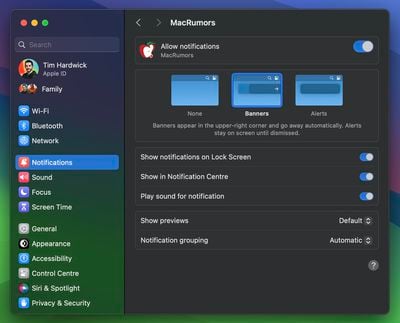
Web apps also respect Focus modes, so you can include or exclude them from allowed notifications based on what you're doing. Lastly, with privacy in mind, Apple has added options to control web apps' access to camera, microphone, and location in System Settings -> Privacy & Security, just like for native apps.




















