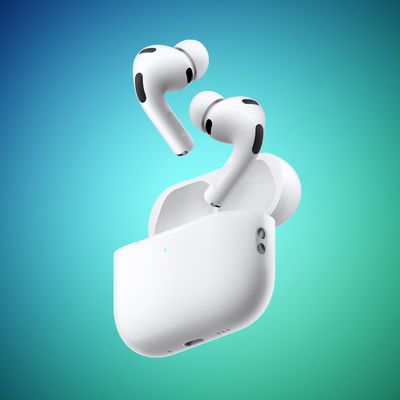
If your AirPods or AirPods 2 aren't working as you'd expect, there are a few steps you can take that will resolve most problems. The first thing to do is try resetting your AirPods.
Resetting AirPods
- Put both AirPods in their charging case.
- Locate the button on the back of the case, near the bottom. It's flush with the case and the same color as it, so you might need to feel about for it.
- Open the charging case lid.
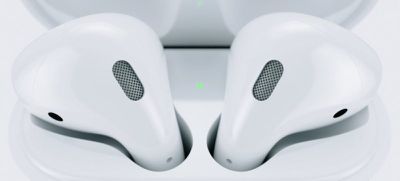
- Press and hold the button on the back of the case for at least 15 seconds. The case's internal light between the AirPods will flash white and then amber, indicating the AirPods have been reset. (On AirPods 2 and Apple's optional Wireless Charging Case, this light is located on the front of the case.)
- Open the case near your iOS device to re-run the pairing process.
Patchy Audio Problems
If you're having issues with patchy sound or static in the earpieces, consider whether you've wandered too far from your audio source.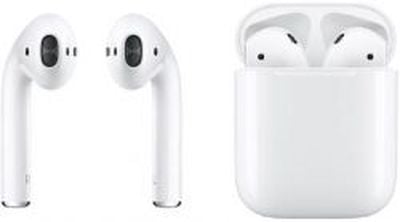
Apple's wireless earphones can happily stream across about 100 feet, but if there are obstacles in the way such as walls, this range can be reduced dramatically.
Other electrical devices like microwaves and Wi-Fi routers can cause interference and detract from your AirPods' wireless performances, so take a good look around your environment for anything similar.
Automatic Ear Detection Issues
AirPods are equipped with proximity sensors that sense when you put them in your ears and take them out, which plays and pauses the audio source, respectively. If this isn't working for you as described, you might want to check that you have the feature enabled.
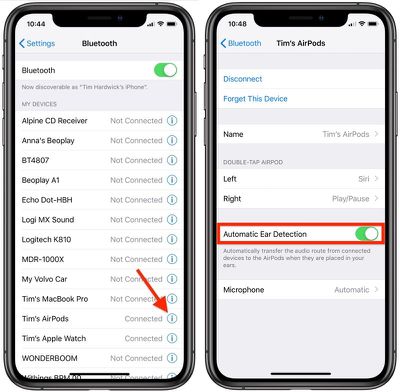
Launch the Settings app on your iOS device and tap the name of your connected AirPods, just under your Apple ID banner. (Alternatively, tap Bluetooth, then tap the circled "i" icon next to your AirPods in the list.) Make sure the Automatic Ear Detection toggle is on.
AirPods Not Connecting to iPhone
If you're having trouble getting your AirPods to connect to an iPhone or iPad that they've previously been paired to, try putting them back in their charging case and leaving them there for about 10-15 seconds, then take them out again to see if they connect this time.
If that doesn't work, try turning Bluetooth off and on again via the Settings app (Settings > Bluetooth > tap the toggle), then manually select your AirPods from the My Devices list to connect them.