

How to Pair a Bluetooth Keyboard and Mouse in macOS Recovery - MacRumorsOpen MenuShow RoundupsShow Forums menuVisit ForumsOpen Sidebar
Skip to Content

How to Pair a Bluetooth Keyboard and Mouse in macOS Recovery

by

All modern Macs with Apple silicon feature a built-in recovery system called macOS Recovery that includes various utilities that can be accessed before your Mac boots up the operating system.
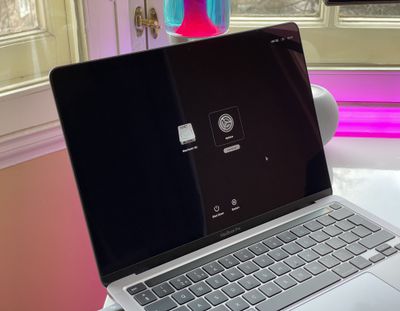
m1 mac startup options
With macOS Recovery, you can perform several troubleshooting related actions on your Mac if it isn't functioning as it should, but booting into Recovery mode may prevent you from automatically using input devices that connect over Bluetooth.

Fortunately, macOS Recovery allows you to pair Bluetooth devices so you can interact more easily with the various utilities. You just need to run through the process manually to get things going again. Here's how.

  1. Shut down your Mac if it's already on by clicking the Apple symbol in the menu bar and selecting Shut Down.
  2. When your Mac has shut down completely, press and hold the power button until "Loading startup options" appears on the screen.
  3. When the system volume and the Options button appear, press the power button three times. NOTE: Each press of the power button needs to be made within one second of the previous press, but don't press the button too fast otherwise it won't register.
  4. Use Bluetooth Setup Assistant to pair your Bluetooth accessories to your Mac. (You won't see the assistant if you already have an input device connected.)
  5. Select an administrator account, then click Next.
  6. Enter the password for the administrator account, then click Continue.
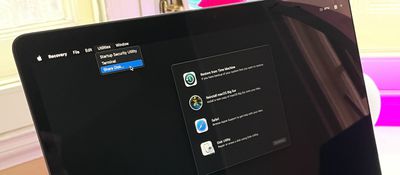
m1 share disk startup

Your mouse and keyboard should now be working. After a short time, the Recovery app will appear in the menu bar, and you'll be able to select options and launch apps from the window or the menu bar.


Popular Stories

imac video apple feature

Apple Released Yet Another New Product Today

Friday March 20, 2026 2:39 pm PDT by
Apple has unveiled a whopping nine new products so far this March, including an iPhone 17e, iPad Air models with the M4 chip, MacBook Air models with the M5 chip, MacBook Pro models with M5 Pro and M5 Max chips, the all-new MacBook Neo, an updated Studio Display, a higher-end Studio Display XDR, AirPods Max 2, and now the Nike Powerbeats Pro 2. iPhone 17e features the same overall design as...
HomePod mini and Apple TV Sage

New Apple TV and HomePod Mini Remain 'Ready' to Launch

Sunday March 22, 2026 6:33 am PDT by
Apple has unveiled nine new products this month, but the wait continues for the next-generation Apple TV 4K and HomePod mini models. In his Power On newsletter today, Bloomberg's Mark Gurman said new versions of the Apple TV and HomePod mini have been "ready" since last year, but he reiterated that Apple has held off on releasing them until the more personalized version of Siri and other...
ios 26 4 pastel

iOS 26.4: Top 10 New Features Coming to Your iPhone

Friday March 20, 2026 2:44 pm PDT by
iOS 26.4 isn't the major update with new Siri features that we hoped for, but there are some useful quality of life improvements, and a little bit of fun with an AI playlist generator and new emoji characters. Playlist Playground - Apple Music has a Playlist Playground option that lets you generate playlists from text-based descriptions. You can include moods, feelings, activities, or...
Related Apple News: South Africa | Reviews | Mac | Technology | Ipad














