

How to Enable the Classic Startup Chime on Newer Macs - MacRumorsOpen MenuShow RoundupsShow Forums menuVisit ForumsOpen Sidebar
Skip to Content

How to Enable the Classic Startup Chime on Newer Macs

by

The discovery of a simple Terminal command that brings back the classic startup chime on newer Macs has gone viral in recent days. Apple disabled the startup sound on new Macs in 2016, and while a couple of tricks have worked in the past to get the chime back, updates to macOS appear to have stopped them working.
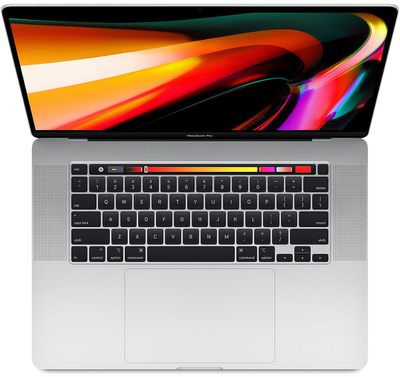
16 inch macbook pro orange background
However, the latest trick – first shared in the MacRumors Forums by BigMcGuire – appears to have a high success rate, although depending on your Mac model, your mileage may vary.

If you yearn for that classic Mac sound, follow these steps to re-instate it.

  1. Launch the Terminal app, which can be found in the Applications/Utilities folder. This will open a Terminal window and a command prompt for you to begin typing.
  2. Input the following command and then press Return: sudo nvram StartupMute=%00
  3. Enter your admin user password when prompted.
  4. Close Terminal, then restart your Mac.

Make sure the volume is up, and with a little bit of luck, you'll hear that soothing F-sharp chord sound the next time your Mac boots up.

If you want to get rid of the chime after re-activating it, simply repeat the steps above but replace the Terminal command in step 2 with the following: sudo nvram StartupMute=%01.

The iconic chiming startup sound was originally made to indicate that diagnostic tests had found no hardware or software issues. A similar sound accompanied almost every Mac boot sequence since 1991 and the most recent F-sharp chord incarnation was first used in the iMac G3.

Originally, a C major chord was recorded by Apple engineer Jim Reekes using a Korg keyboard, but what most users will hear these days is a pitch-shifted version of the sound made by the Macintosh Quadra family of professional computers, first released in 1991.


The Mac startup sound was immortalized in the 2008 Disney-Pixar movie WALL*E. When the titular robot character has reached 100 percent power after positioning his solar array, the booting chime goes off.


Top Rated Comments

markfc Avatar
79 months ago
now we just need the glowing Apple Logo and the sleep pulse light back and we're good! :-)
Score: 25 Votes (Like | Disagree)
Apple Knowledge Navigator Avatar
79 months ago
They should have just added an option in System Pref to turn it on or off.
Score: 15 Votes (Like | Disagree)
QuarterSwede Avatar
79 months ago
Now that Ive is gone it’s time for Apple to add little bits of whimsy back. I miss that.
Score: 14 Votes (Like | Disagree)
zorinlynx Avatar
79 months ago
I liked the sound because it meant a successful POST had occurred.

Sometimes when waking up a machine from sleep it actually crashed and starts up from scratch again; you hear the chime and it tells you that something went wrong.

Other times you power it on and it fails to boot, but you heard the chime, which meant a successful POST and that the problem is likely in storage or the OS installation.

It was useful and there was no reason to get rid of it. It could even be turned off for those who didn't want it.
Score: 10 Votes (Like | Disagree)
Reason077 Avatar
79 months ago
Confirmed working on MacBook Pro 2017 13” (non-touchbar).


now we just need the glowing Apple Logo and the sleep pulse light back and we're good! :)
Ahh yes, the sleep pulse light. How I miss nights with it’s deceptively bright pulsating glow, lighting up the room every 10 seconds or so!
Score: 6 Votes (Like | Disagree)
yurc Avatar
79 months ago

Great, but still not good to reset the PRAM with Option Command P R, since after the first chime, the setting is reset and no second chime is heard! Is there any way to fix that with the new Macs?
Because that chime settings are stored in NVRAM. Option Command P R basically wiping entire NVRAM contents and it’s explained why it’s gone.

I also want to confirm this tricks works on my employer 2018 MacBook Pro 15, albeit being muddy compared with native chime in my Mac Pro.
Score: 5 Votes (Like | Disagree)

Popular Stories

imac video apple feature

Apple Released Yet Another New Product Today

Friday March 20, 2026 2:39 pm PDT by
Apple has unveiled a whopping nine new products so far this March, including an iPhone 17e, iPad Air models with the M4 chip, MacBook Air models with the M5 chip, MacBook Pro models with M5 Pro and M5 Max chips, the all-new MacBook Neo, an updated Studio Display, a higher-end Studio Display XDR, AirPods Max 2, and now the Nike Powerbeats Pro 2. iPhone 17e features the same overall design as...
ios 26 4 pastel

iOS 26.4: Top 10 New Features Coming to Your iPhone

Friday March 20, 2026 2:44 pm PDT by
iOS 26.4 isn't the major update with new Siri features that we hoped for, but there are some useful quality of life improvements, and a little bit of fun with an AI playlist generator and new emoji characters. Playlist Playground - Apple Music has a Playlist Playground option that lets you generate playlists from text-based descriptions. You can include moods, feelings, activities, or...
HomePod mini and Apple TV Sage

New Apple TV and HomePod Mini Remain 'Ready' to Launch

Sunday March 22, 2026 6:33 am PDT by
Apple has unveiled nine new products this month, but the wait continues for the next-generation Apple TV 4K and HomePod mini models. In his Power On newsletter today, Bloomberg's Mark Gurman said new versions of the Apple TV and HomePod mini have been "ready" since last year, but he reiterated that Apple has held off on releasing them until the more personalized version of Siri and other...
Related Apple News: Iphone | Iphone | Reviews | Iphone | Sport














