

Apple's 14-inch and 16-inch MacBook Pro models are equipped with a Liquid Retina XDR display that is capable of outputting HDR content at full screen brightness, and thanks to a third-party utility, it's possible to enable it system-wide when displaying only SDR content. Keep reading to learn how it works.
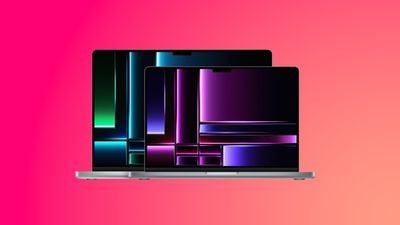
Both the 14-inch and 16-inch MacBook Pro use mini-LED display technology, which allows HDR content to come to life with more detail in shadows, brilliant highlights, deeper blacks, and more vivid colors than were previously available. This is enabled through the 10,000 mini-LEDs that are grouped into individually controlled local dimming zones.
Like the Pro Display XDR, the MacBook Pro displays have a peak brightness of 500 nits for standard aka SDR content, while the MacBook Pro's advertised 1,600 nits of peak full-screen brightness is for HDR content only.
However, thanks to a third-party utility called Vivid, it's possible to unlock the peak brightness of these MacBook Pro displays for system-wide use, regardless of the quality of the content you are viewing.
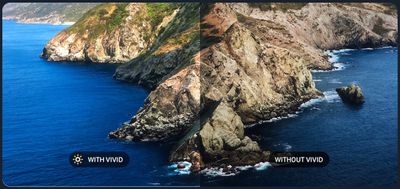
The neat thing about Vivid is that it does not technically make your display do anything it's not supposed to do. It simply enables the extra brightness range usually reserved for HDR content in exactly the same way as if you were editing HDR video, making it a great solution if you tend to use your MacBook Pro outside in bright daylight, without adding noticeable CPU overhead to your system.
Vivid costs €20 ($21.82) and, once installed, adds a simple toggle to your Mac's menu bar allowing you to quickly turn Vivid on and off. Note that Vivid is made for MacBook Pros with the M1/M2 Pro and M1/M2 Max chip, as well as the Pro Display XDR display.
The developers also provide a free trial that lets you test Vivid in "Splitscreen Mode" on your machine to see if it works for your workflow.
Vivid is available to buy on the developers website as well as on the Mac App Store, where it is slightly more expensive due to Apple's fees.
Note: No compensation was received from Vivid for this article.




















