

How to Copy and Translate Text That Appears in Videos on Your iPhone - MacRumorsOpen MenuShow RoundupsShow Forums menuVisit ForumsOpen Sidebar
Skip to Content

How to Copy and Translate Text That Appears in Videos on Your iPhone

by

In iOS 16, Apple has expanded the reach of its Live Text feature, which can recognize text in not just photos, but also videos now, too. Keep reading to learn how to use it.
ios 16 live text
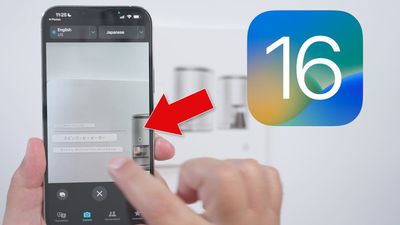
In iOS 15, Apple introduced a feature called Live Text that can recognize text when it appears in your camera's viewfinder or in a photo you've taken and let you perform several actions with it. In iOS 16, this ability now extends to videos as well.

Rather than just being able to select text in photos, you can now pause a video and interact with the text like you would in an image. Text in any paused video frame can be copied and pasted or translated, plus it works with Apple's Look Up feature.

Live Text works across the operating system in Photos, Camera, Safari, and other apps. Note that Live Text features require an iPhone with an A12 Bionic or later. The ‌iPhone‌ XR, ‌iPhone‌ XS, and ‌iPhone‌ XS Max from 2018 are equipped with an A12 Bionic, so if you have one of these devices or newer you can take advantage of Live Text. Here's how to get it working on video.

  1. Pause the video at the frame that has text showing.
  2. Touch and hold on a word in the text.
  3. Use the two blue markers to narrow or widen your selection.
  4. Next, press and hold to see options including Translate and Copy.


If you opted to translate the text, the translation will appear on the screen automatically. Live Text works with Japanese, Korean, and Ukrainian text in addition to English, Chinese, French, German, Spanish, Italian, and Portuguese.

If you chose to copy the text, switch to an app that supports text input, press and hold your finger where the cursor is located, then select Paste from the popup menu.


Popular Stories

imac video apple feature

Apple Released Yet Another New Product Today

Friday March 20, 2026 2:39 pm PDT by
Apple has unveiled a whopping nine new products so far this March, including an iPhone 17e, iPad Air models with the M4 chip, MacBook Air models with the M5 chip, MacBook Pro models with M5 Pro and M5 Max chips, the all-new MacBook Neo, an updated Studio Display, a higher-end Studio Display XDR, AirPods Max 2, and now the Nike Powerbeats Pro 2. iPhone 17e features the same overall design as...
iPhone 18 Pro Deep Red Feature

iPhone 18 Pro Launching Later This Year With These 12 New Features

Wednesday March 18, 2026 7:39 am PDT by
While the iPhone 18 Pro and iPhone 18 Pro Max are not expected to launch for another six months or so, there are already plenty of rumors about the devices. It was initially reported that the iPhone 18 Pro models would have fully under-screen Face ID, with only a front camera visible in the top-left corner of the screen. However, the latest rumors indicate that only one Face ID component...
ios 26 4 pastel

iOS 26.4: Top 10 New Features Coming to Your iPhone

Friday March 20, 2026 2:44 pm PDT by
iOS 26.4 isn't the major update with new Siri features that we hoped for, but there are some useful quality of life improvements, and a little bit of fun with an AI playlist generator and new emoji characters. Playlist Playground - Apple Music has a Playlist Playground option that lets you generate playlists from text-based descriptions. You can include moods, feelings, activities, or...
Related Apple News: South Africa | Local News | Mac | Mac | Politics














