Alongside the iPhone 13 series, Apple in September 2021 introduced a new version of the MagSafe Wallet that first came out in 2020. This updated version includes Find My network technology, which means it can now give the location where it was last separated from your iPhone in the Find My app.
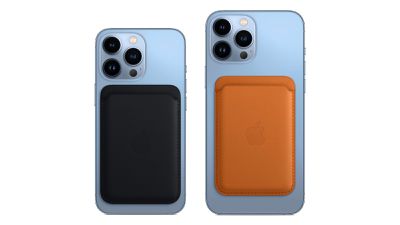
Designed to keep your ID and credit cards close at hand, the latest version of Apple's iPhone MagSafe Wallet looks identical to the last version, but this model supports Find My, so you can be notified of your wallet's last known location if it gets separated from your phone. Before it can do that though, you need to set it up. Fortunately, it's super-easy. Here's how it works.
- Place the MagSafe Wallet on the back of your iPhone 12 or iPhone 13 so that the magnets secure the wallet in place.

- You should see an onscreen popup notifying you that a Find My accessory has been recognized. Follow the instructions to set up the wallet and add it to Find My.
- Tap View in Find My, and you'll be able to see your wallet on the map, control the Notify When Detached option if you want to get an alert if the wallet falls off your iPhone, and show a phone number if someone else finds the wallet.
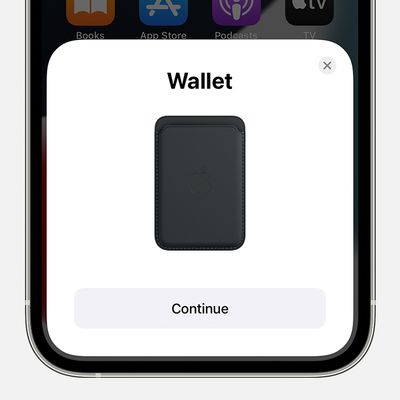
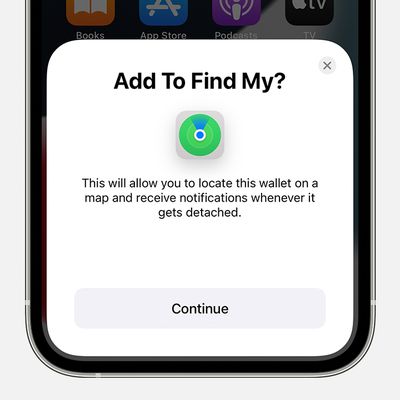
The new iPhone MagSafe Leather Wallet relies heavily on your iPhone to register its location, so if the wallet does detach from your phone, you'll only see its last known location on the Find My map. Also, there's a one-minute delay between the wallet detaching and getting an alert, so you won't get a notification every time you remove the wallet to take out and use a card.
It's worth noting that some MagSafe Wallet owners have been unable to get Find My to connect. Affected users do not get the proper Find My pop up when attaching a MagSafe Wallet to an iPhone. Some users have been directed by Apple Support to Erase Network Settings and have had success with that method, but others say that this method does not work. Some users have found that putting their iPhone into Device Firmware Update (DFU) mode can also fix the issue.
If you're having problems getting the new MagSafe Wallet working with Find My, try it without a case on your iPhone. Reports suggest that Find My functionality does not work when the wallet is used with Apple's Clear Case, so it's worth checking the same doesn't go for any case you might be using.