

Apple is expanding how its cross-platform Continuity features work in 2024, introducing an iPhone Mirroring option in macOS Sequoia and iOS 18. As the name suggests, iPhone Mirroring lets you control your iPhone with your Mac by mirroring your iPhone's display to your Mac's display. You can manage your iPhone from your Mac with iPhone Mirroring, using your mouse, keyboard, and trackpad with iPhone apps, notifications, and more.
This guide walks through all of the iPhone Mirroring features and explains how it works.
iPhone Mirroring Basics
After upgrading to iOS 18 and macOS Sequoia, there's a new iPhone Mirroring app in the Dock, and that's how you start an iPhone Mirroring session.
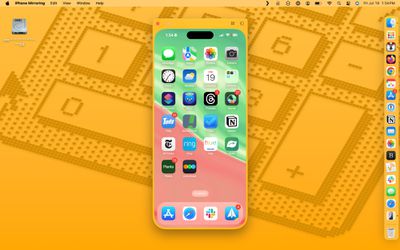
- From your Mac's Dock, click on the iPhone Mirroring app.
- Click on Continue at the pop-up informational screen.
- Select the iPhone that you want to use if you have more than one iPhone.
- Unlock your iPhone with a passcode to allow the connection.
- Click on Get Started.
- Use Touch ID on the Mac to authenticate (alternatively, enter your password).
When you start up iPhone Mirroring for the first time, you can opt to have it require authentication with every connection or to allow a connection automatically. If you choose automatic authentication, you will not need to authenticate with Touch ID or a password to use iPhone Mirroring when your Mac is unlocked.
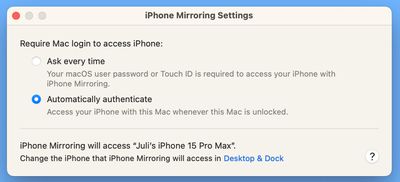
Otherwise, you will need to authenticate on your Mac each time you want to use iPhone Mirroring. Note that an iPhone needs to be locked while an iPhone Mirroring session is in progress, so you can't use your iPhone while it's being mirrored to your Mac.
If your iPhone is not locked and you attempt to initiate iPhone Mirroring from your Mac, you will get a warning that the iPhone is in use.
There is no option for launching an iPhone Mirroring session from an iPhone -- it needs to be done from a Mac. While the iPhone Mirroring app icon should be in the Dock, if it's not there, you can get to it from the Launchpad or the Applications folder, because it is treated as a standard app.
iPhone Mirroring Interface
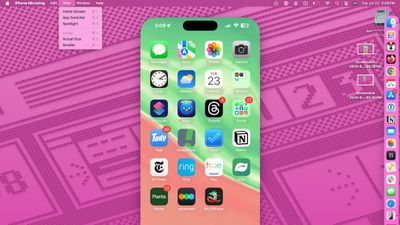
Your full iPhone interface is shown as a dedicated app on the Mac, with your wallpaper and app icons all visible and accessible. You can click in to any of your apps and use it on the Mac just like you would on the iPhone.
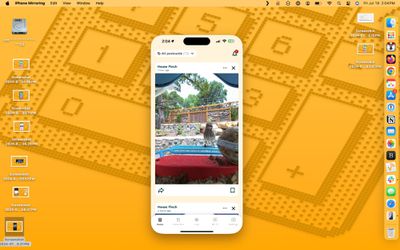
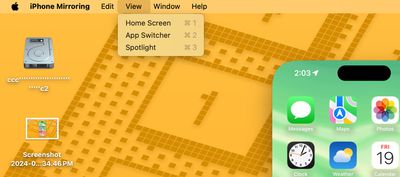
You can get to your Home Screen by clicking on the bottom bar, and swap between pages with the trackpad or with a click and drag gesture using a mouse. There are menu options for getting to the Home Screen and for bringing up the app switching interface, but most control is done within the iPhone Mirroring window.
iPhone Mirroring Requirements
To use iPhone Mirroring, you need a Mac that runs macOS Sequoia and that has an Apple silicon chip (M1 or later) or a T2 security chip. Macs with T2 security chips are Intel-based and include the following machines:
- 2018 and later MacBook Pro
- 2020 iMac
- iMac Pro
- 2018 Mac mini
- 2019 Mac Pro
These Macs have Apple silicon chips:
- 2020 and later Mac mini
- 2020 and later MacBook Air
- 2021 and later iMac
- 2021 and later MacBook Pro (14 and 16 inch)
- 2020 13-inch MacBook Pro
- 2022 and later Mac Studio
- 2023 Mac Pro
Any iPhone that runs iOS 18 works with iPhone Mirroring.
- All iPhone 15 models
- All iPhone 14 models
- All iPhone 13 models
- All iPhone 12 models
- All iPhone 11 models
- iPhone XS and XS Max
- iPhone XR
- iPhone SE (2nd and 3rd gen)
Your iPhone and Mac need to be signed into the same Apple ID, and two-factor authentication must be enabled for the iPhone Mirroring feature to work. You will also need to turn on Bluetooth and Wi-Fi, and the two devices will need to be near each other.
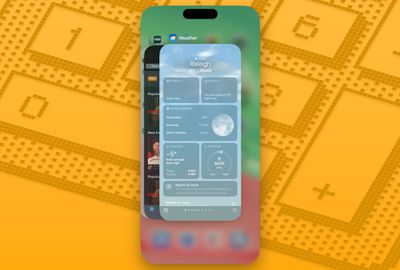
During an iPhone Mirroring session, your Mac and your iPhone need to be close to one another, essentially in the same room.
Privacy and Security
You need to be signed into the same Apple ID on your iPhone and your Mac for iPhone Mirroring to work. While iPhone Mirroring is active, your iPhone does not need to be unlocked.
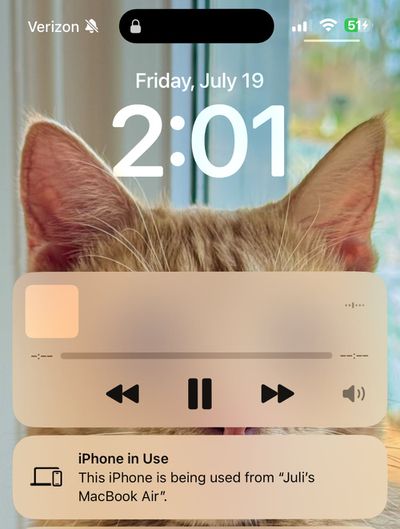
Your iPhone can remain tucked away in a pocket or a bag while you control it from your Mac, so no one can access it or see what you're doing with it. You do need to have your iPhone close enough to your Mac for there to be a Bluetooth connection, likely for security purposes.
Using a Mouse and Keyboard with iPhone
Your Mac's keyboard, trackpad, and mouse can be used with your iPhone, which is useful if you need to type something lengthy in an iPhone app.
Audio, Camera, and Microphone
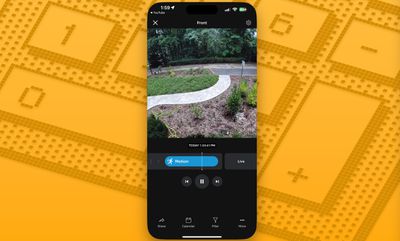
If you play a video on your iPhone while iPhone Mirroring is enabled, the audio comes through your Mac. You can't turn on the Camera app or use the microphone, though.
iPhone Notifications on Mac
With iPhone Mirroring turned on, incoming iPhone notifications show up right alongside your Mac notifications in the Notification Center at the upper right hand corner of the Mac's display.
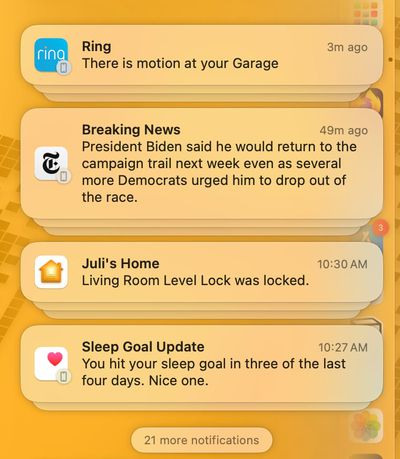
iPhone notifications are denoted with a small iPhone icon, but they otherwise look like native Mac notifications.
You can click on a notification and open up the app on your iPhone, interacting with it directly from the Mac.
StandBy
While your iPhone is being mirrored to your Mac, it can be on a charger and in StandBy mode, displaying the time and other information.
Drag and Drop
Later this year, Apple plans to add iPhone Mirroring's best feature, file transfers. You will be able to transfer files, photos, and videos from your Mac to your iPhone and vice versa using drag and drop gestures.
Apple says that it will work just like dragging files from one Mac app to another.
While drag and drop has yet to be implemented, you can sort of work around this by using AirDrop to move photos and files from your iPhone to your Mac, initiating AirDrop from the iPhone without having to unlock it.
Resizing
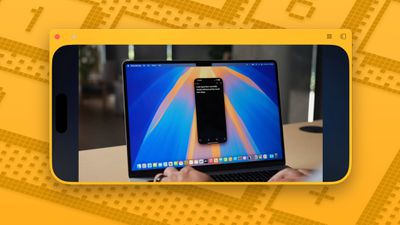
There are three size options for iPhone Mirroring. You can have it mirror the display size of your iPhone or set it to be one size bigger or one size larger, with these options available from the iPhone Mirroring settings options.
If an app or a game is displayed in landscape orientation, the window will shift into landscape.
Home Screen Management
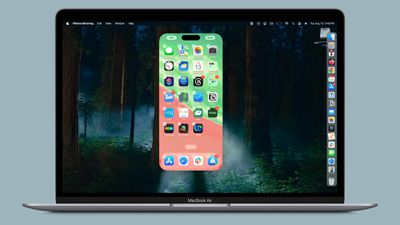
You can click and hold on an area of the iPhone's Home Screen while iPhone Mirroring is activated to bring up jiggle mode, which allows you to then rearrange your iPhone apps, delete them, and add and manage widgets.
iPhone Mirroring Limitations
iPhone Mirroring will not work if the Mac is using AirPlay to stream music or video content to another device, or if Sidecar is enabled with an iPad. Continuity Camera cannot be enabled either, so if you're using your iPhone as a webcam for your Mac, you can't use iPhone Mirroring at the same time.
Attempting to watch movies and TV shows from some apps like Hulu and Netflix does not work, with the iPhone Mirroring app showing just a blank black screen, likely due to DRM restrictions.
You cannot access the Control Center or the Notification Center with iPhone Mirroring, nor can you manage the Lock Screen.
Read More
For more on the new features that Apple is adding in iOS 18, we have a dedicated iOS 18 roundup.























