iOS 26 has somewhere around 200 new features and changes, some of which are more useful than others. We've highlighted some of the updates that we think provide the best quality of life improvements to the iPhone.
Spam Filtering
iOS 26, iPadOS 26, and macOS 26 filter out spam text messages, so you'll no longer get alerts for fake toll payments, suspicious job offers, missed deliveries, tax refunds, and other common scams.
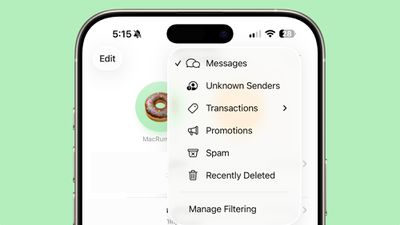
Spam phone calls and FaceTime calls also won't come through, and that includes spam voicemails. Everything spam or scam related that your Apple devices catch is filtered into a spam filter that you never have to look at.
Call Screening
When you get a call from an unknown number, Call Screening will ask the person for their name and reason for calling. That information is relayed to you so you can decide whether to pick up or not.
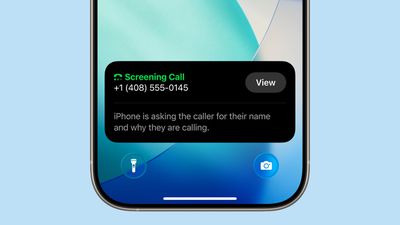
You can also ask for more information from a caller before you ever pick up. There's still an option to silence calls from unknown numbers entirely if you prefer.
Adjustable Lock Screen Widgets
Widgets on the Lock Screen can be placed at the bottom of the display, and are no longer limited to placement just below the clock. It's a small change, but it's useful if you want to see more of your wallpaper.
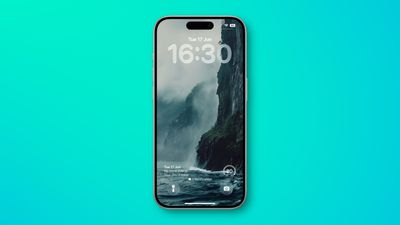
It plays into the adjustable time size too, because if you have your wallpaper set to change regularly, the time and widget position can change dynamically to accommodate the artwork or image.
Disappearing Navigation Bars
When you scroll in Safari, Apple Music, Apple News, Podcasts, and more, the tab bar will shrink down to be smaller, so you can see more of the content that you're looking at.
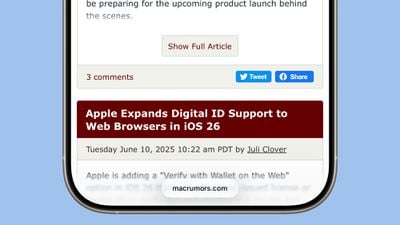
It's especially useful in Safari, where you'll just see a tiny bar with the site URL or search term, with no extra controls in the way. Tapping the tab bar or scrolling back up returns the controls. Navigation bars that collapse down are one of the best Liquid Glass changes, and it's the kind of intuitive thing that feels like it should have always existed.
On-Screen Visual Intelligence
You can use Visual Intelligence with content on your display, which is more useful than Visual Intelligence activated through the Camera. Just take a screenshot and tap it to get to the on-device Visual Intelligence controls.
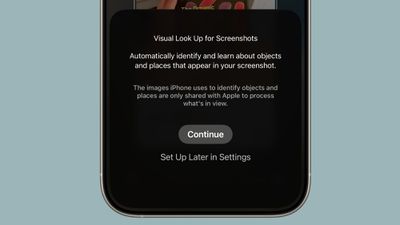
You can summarize what's in your screenshot, translate it, or have it read aloud. You can also ask ChatGPT questions about it or search for an item on Google, Etsy, and other sites.
What Visual Intelligence does can be accomplished in other ways since there's web-based summary and translate features and the option to simply search for items with Google Images or open ChatGPT, but it saves time once you get used to grabbing a screenshot and tapping into Visual Intelligence.
Voicemail Summaries
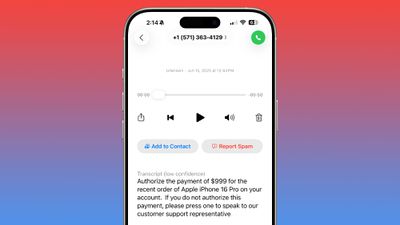
Apple Intelligence can summarize your voicemails and provide transcripts so you can see what someone had to say without having to listen to a voicemail.
Copying Messages Text
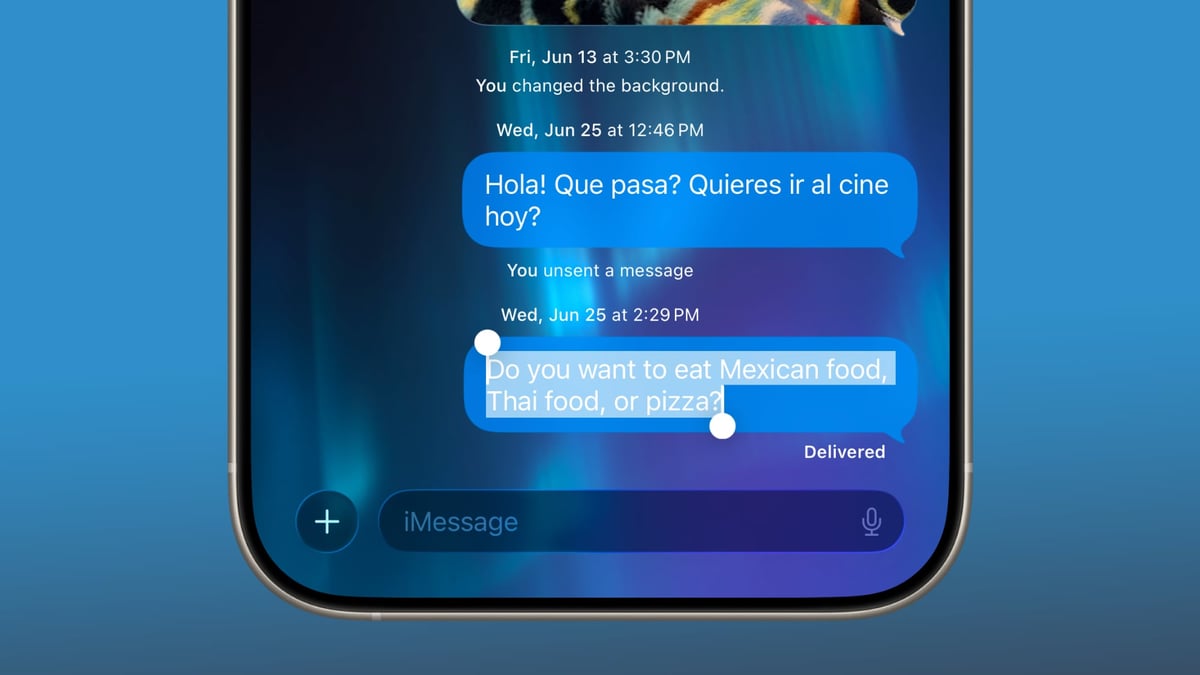
There is FINALLY an option to copy just part of a text in the Messages app rather than the whole thing. If you've ever needed to copy a phone number, address, URL, or something similar from a message but couldn't single out exactly what you wanted, you'll appreciate this small but useful feature.
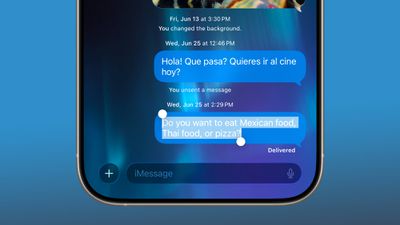
Long press on a text and tap "Select" to get drag and drop controls, then tap on copy. It's not the most intuitive flow, but at least the option exists.
Customize Snooze Duration
You can now choose a snooze duration between 1 minute and 15 minutes when setting an alarm in the Clock app, so you're no longer limited to a nine minute snooze period.
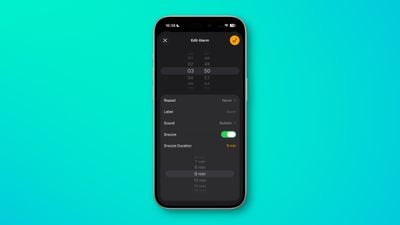
Unfortunately, this change was accompanied by a design change that makes the snooze button enormous, so you might be more prone to sleepily snoozing longer than expected.
Messages Live Translation
Live Translation is a little niche if you're not regularly chatting with people who speak another language, but it comes in handy. You can turn on Live Translation for any conversation and get real-time translations for texts that aren't in your language.
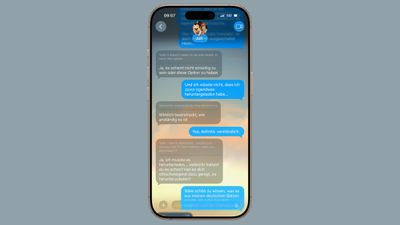
It works well, but it is limited to English (U.S., UK), French (France), German, Italian, Japanese, Korean, Portuguese (Brazil), Spanish (Spain), and Chinese (simplified), so there isn't support for every language you might encounter.
There are also Live Translation features for Phone and FaceTime. FaceTime uses translated live captions, and the Phone app uses an AI voice, which is a little bit weirder than text-based translation.
Message Backgrounds
Technically not the most useful feature, but it's on the list because Apple is finally embracing more customization. You can choose a custom background for any single person or group conversation, but keep in mind that the background is displayed for everyone.
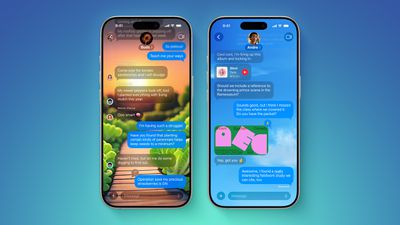
More useful Messages features include filtering options, support for polls, typing indicators for group chats, and Apple Cash support for sending money in a group chat.
Image Playground and Genmoji
This is at the bottom of the list and is technically an honorable mention, but Apple did implement changes that make Image Playground and Genmoji more useful. Two or more emoji can be combined to create a new emoji, which makes for a better jumping off point than a blank slate if you want to create a new character.
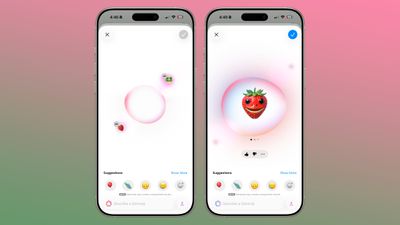
More importantly, emotion-themed emoji can be used for Genmoji and Image Playground creations to actually add emotion. Apple's image generation tools have a very hard time portraying even basic emotion like happy, sad, and mad, limiting their usefulness. It's a little better in iOS 26.
If you haven't checked out Image Playground in iOS 26, it could be worth a look. Apple did a good job improving the images that are generated based on images of your family and friends, plus it supports the full ChatGPT image generation capabilities if you have a paid ChatGPT plan.
Other Useful Additions
There are other handy changes that didn't make the list, but deserve a mention.
- Passwords - The Passwords app shows your password history, so you can see the previous passwords that you used for a given login.
- Battery UI - Apple now monitors battery life in averages, comparing your daily usage to your average usage. You can see at a glance if you're using more battery than normal, and which apps are causing battery drain. It's more helpful than just straight battery usage statistics.
- Time to Charge - You can see how long it'll be until your iPhone charges to full if you tap on the display while it's plugged into a charger or on a MagSafe charger.
- Photos - If you hated that unified iOS 18 Photos app, you'll like the iOS 26 version better. It has one tab for the Photo Library and one tab for Collections.
- AutoMix - Apple Music's AutoMix feature for song transitions works well, and the beat matching is neat. It isn't available for all genres and there are some songs where it could be better, but it's a great new option.
- SharePlay for the Phone app - You don't need to be on a FaceTime call to chat while doing things like watching tv, playing a game, or listening to music with someone.
- Maps Visited Places - If you travel a lot, Visited Places can keep track of where you've been. It's good for remembering a favorite store or restaurant. It doesn't always log every visit and sometimes it isn't spot on for locations, but it's still a beta feature and even when imperfect, it's useful.
- DualSense Controller Pairing - This takes a firmware update, but you can connect a DualSense controller to an iPhone or iPad just by plugging it in with a USB-C cable.
Potentially Useful, But Disappointing
There are some features in iOS 26 that have a lot of potential, but that need improvement.
- Wallet order tracking - The Wallet app can in theory track any order you place even if it's not an Apple Pay purchase, but it's not great right now. It pulls order and shipment emails from the Mail app, so if you don't get an email with every step of the order process, the item just sits in a list in the Wallet app until you clear it out. Apple does say this feature is in beta, and for good reason.
- Preview app - The Preview app is just kind of confusing. The interface is odd because it pops up the Files app and buttons for creating a new document, and it doesn't open automatically when you do something like tap a PDF in the Files app. The interface is too similar to Files, and there's overlap with Markup, which still exists.
- Games - Apple has tried several times to make Game Center features more popular, and the Games app seems like the latest attempt. It has multiplayer game support and options to challenge friends to beat your score in single player games, but it's really just a copy of the Games section of the App Store.
- Reminders - Reminders has a Suggest Reminders feature that Apple says can do things like pull ingredients from a recipe in Safari. It can, kind of, but it needs to be better at it. Auto-categorize also has the potential to be useful, but it doesn't always get things right.
- Shortcuts - Shortcuts supports Apple Intelligence, and Apple Intelligence models can be integrated directly into your creations, but shortcuts are still too complicated for the average user. iOS 26 hasn't improved the shortcut creation process.
- Hold Assist - Hold Assist holds for you so you can do other things while waiting for someone to get on the line. It's useful, but if the place you're calling has music with lyrics or one of those please stay on the line voice reminders, it can trip up Hold Assist.
Wrap Up
Do you agree with our iOS 26 feature ranking? What do you think are the most useful new additions in iOS 26? Let us know in the comments below.