

What You Need to Know About HEIF in macOS

With the official release of iOS 11 and macOS High Sierra, Apple introduced support for a new image format called HEIF, which uses the file extension HEIC. Apple sees HEIF as a worthy successor to the JPEG format. So what makes it so good that it can replace an industry standard that's been in use for almost 25 years?
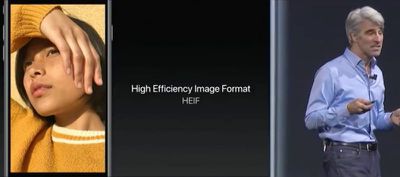
HEIF

What is HEIF?

HEIF stands for High Efficiency Image Format and can be considered the still-image version of the HEVC video codec that Apple's ecosystem now officially supports. (You can learn more about HEVC here.) The HEIF standard wasn't made by Apple – it was developed in 2015 by the MPEG group, which also invented the AAC audio format used in iTunes.

Benefits of HEIF Over JPEG

As the name implies, HEIF is a more streamlined method of storing image data and offers better quality than the traditional JPEG format. For example, HEIF supports image transparency and can capture a more extended color range than JPEG (16-bit versus 8-bit), which should increase the accuracy of photos taken on Apple's latest iPhones. At the same time, a HEIF-encoded image should be around half the file size of an equivalent-quality JPEG, so users will be able to keep twice the number of shots on their Apple devices (or in iCloud) before they max out their storage capacity.

In addition, HEIF files include a 320x240 embedded thumbnail that's four times the resolution but only twice the file size of a standard JPEG thumbnail. HEIF images can also be rotated and cropped without altering the image or re-saving them, all of which makes working with HEIF files that much faster than JPEG on both Mac and iOS devices.
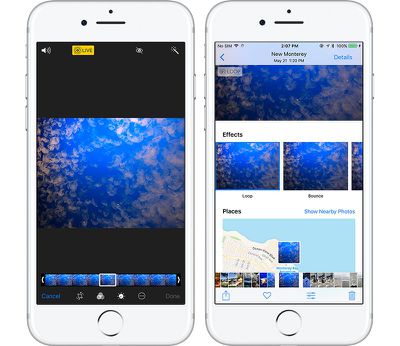
ios11livephotos
HEIF also brings other benefits that JPEG doesn't offer because it's unlike your typical image format. That's because it's also capable of acting as a container for multiple files. This should be a boon for anyone who takes bursts of photos or lots of Live Photos – which can be edited in multiple new ways in iOS 11 – but it also means HEIF could become a wholesale replacement for GIF.

HEIF Compatibility and Image Sharing

Currently, Apple only supports HEIF image encoding on iOS devices with a minimum A10 Fusion processor, so that includes the 2017 10.5-inch and 12.9-inch iPad Pro, the iPhone 7 and iPhone 7 Plus, and of course Apple's new 2017 range of iPhones. Owners of these devices can check their camera is encoding photos in HEIF by going to Settings -> Camera -> Formats, and ensuring the "High Efficiency" option is selected. The "Most Compatible" option means photos will be encoded in JPEG format.
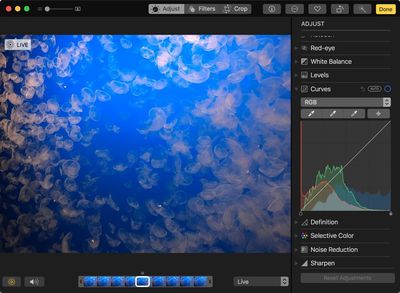
highsierraphotoscurves
HEIF is supported on all Macs capable of running macOS High Sierra, and many macOS applications work natively with HEIF, including Photos, Preview, and Quick Look. This means macOS users might consider converting their JPEG image files to HEIF for greater storage or network benefits.

The transition to HEIF within the Apple ecosystem should be mostly transparent, but if users need to move HEIF content outside of that ecosystem, it's worth looking into transcoding options (JPEG, for example) to provide the best backwards compatibility for other users. Happily, iOS 11 will auto-convert HEIF images to JPEG when they are shared to devices running earlier versions of iOS, non-Apple devices, and popular social media sites, or when they are passed over to apps that don't yet support the standard.


Tag: HEIF
Related Forums: iOS 11, macOS High Sierra

Popular Stories

Aston Martin CarPlay Ultra Screen

Apple's CarPlay Ultra to Expand to These Vehicle Brands Later This Year

Sunday February 1, 2026 10:08 am PST by
Last year, Apple launched CarPlay Ultra, the long-awaited next-generation version of its CarPlay software system for vehicles. Nearly nine months later, CarPlay Ultra is still limited to Aston Martin's latest luxury vehicles, but that should change fairly soon. In May 2025, Apple said many other vehicle brands planned to offer CarPlay Ultra, including Hyundai, Kia, and Genesis. In his Powe...
Apple Logo Black

Apple's Next Launch is 'Imminent'

Sunday February 1, 2026 12:31 pm PST by
The calendar has turned to February, and a new report indicates that Apple's next product launch is "imminent," in the form of new MacBook Pro models. "All signs point to an imminent launch of next-generation MacBook Pros that retain the current form factor but deliver faster chips," Bloomberg's Mark Gurman said on Sunday. "I'm told the new models — code-named J714 and J716 — are slated...
Apple MacBook Pro M4 hero

New MacBook Pros Reportedly Launching Alongside macOS 26.3

Sunday February 1, 2026 5:42 am PST by
Apple is planning to launch new MacBook Pro models with M5 Pro and M5 Max chips alongside macOS 26.3, according to Bloomberg's Mark Gurman. "Apple's faster MacBook Pros are planned for the macOS 26.3 release cycle," wrote Gurman, in his Power On newsletter today. "I'm told the new models — code-named J714 and J716 — are slated for the macOS 26.3 software cycle, which runs from...
iOS 26

iOS 26.3 and iOS 26.4 Will Add These New Features to Your iPhone

Tuesday February 3, 2026 7:47 am PST by
We are still waiting for the iOS 26.3 Release Candidate to come out, so the first iOS 26.4 beta is likely still at least a week or two away. Following beta testing, iOS 26.4 will likely be released to the general public in March or April. Below, we have recapped known or rumored iOS 26.3 and iOS 26.4 features so far. iOS 26.3 iPhone to Android Transfer Tool iOS 26.3 makes it easier...
14 inch MacBook Pro Keyboard

Apple Changes How You Order a Mac

Saturday January 31, 2026 10:51 am PST by
Apple recently updated its online store with a new ordering process for Macs, including the MacBook Air, MacBook Pro, iMac, Mac mini, Mac Studio, and Mac Pro. There used to be a handful of standard configurations available for each Mac, but now you must configure a Mac entirely from scratch on a feature-by-feature basis. In other words, ordering a new Mac now works much like ordering an...

Top Rated Comments

katanna Avatar
109 months ago
This means macOS users might consider converting their JPEG image files to HEIF for greater storage or network benefits.
Is there an option inside of Photos to batch-convert your entire library to HEIF?
Score: 7 Votes (Like | Disagree)
zorinlynx Avatar
109 months ago
This means macOS users might consider converting their JPEG image files to HEIF for greater storage or network benefits.
Does this mean that JPG -> HEIF conversion is completely lossless? Because if it's not, NO, macOS users shouldn't convert their images.
Score: 6 Votes (Like | Disagree)
Superhai Avatar
109 months ago
I have used HEIF for some time and the short version of what you want to know is this:

Encoding and decoding is processor intensive. On my MacBook Pro without hardware acceleration, photos are not displayed instantly as with jpeg, but could take seconds. This is noticeably if you have lots of photos to go through. Consider this if you want others to view your photos as well.

The quality is much higher than jpeg. Especially skies and surfaces with little color change are much less blocky even with 8-bit sources. And it support higher bits per color without needing a different format. And like jpeg you decide how much or little compression you require.

Avoid converting jpeg to HEIF. Unless you have stored the jpeg at near lossless quality, you will loose even more detail. And storing jpeg artifacts require more space.

Apple Photos does not convert your master files to HEIF automatically. Only if you transfer to a device without HEIF support will macOS or iOS convert HEIF to jpeg. Not the other way round. It should make sense as Photos neither did this before with TIFF, PNG, camera RAW or any other file format it supports.

A HEIF photo is basically a one frame HEVC video. Interestingly you can use ffmpeg or other video software to create a HEIF image, but you still need to put it in the right container by some other software. Also knowledge of HEVC compression settings are directly transferable to HEIF.
Score: 5 Votes (Like | Disagree)
rishiomedia Avatar
109 months ago
I’m also interested in knowing if it’s possible to convert an existing library of jpeg and Raws into HEIF on the Mac.
Score: 5 Votes (Like | Disagree)
abbstrack Avatar
109 months ago
Are older pictures automatically converted in the HEIF format?
This is my question too.

Also - can you do other non-destructive editing (aside from cropping/resizing) on them similar to RAW.
Score: 4 Votes (Like | Disagree)
ajspear Avatar
109 months ago
Are older pictures automatically converted in the HEIF format?
Score: 4 Votes (Like | Disagree)
















