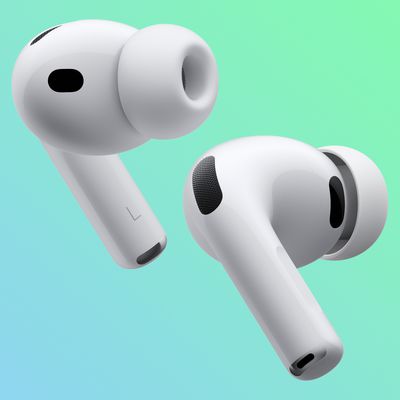
AirPods Pro Crackling/Rattling Issues: Troubleshooting

Some AirPods Pro owners have run into issues with their earbuds, and there have been numerous complaints about crackling or popping noises that occur during movement when the AirPods Pro are worn. This guide outlines the problem and provides troubleshooting steps recommended by Apple as a potential fix.
AirPods Crackling Feature
Some AirPods Pro users have been complaining of rattling, crackling, or static-like noises when Active Noise Cancellation or Transparency Mode are engaged since shortly after the AirPods Pro launched.

The noise seems to appear over time, it appears to be a hardware issue as it does not happen when ANC and Transparency Mode are turned off.

The sound happens when something causes the earbud to move or vibrate, such as when a person walks, runs, taps the affected earbud with a finger, turns their head, nods, or plays music with a lot of bass. A MacRumors reader describes what it sounds like:

It's often described like it sounds like something has come loose inside the APP earbud. Many people seem to think it's actually a problem with the external microphone: it appears to be picking up tiny vibrations as sound, and then attempting to "cancel" (in Noise Cancellation mode) or amplify (in Transparency mode) these sounds (which don't actually exist), causing the APP to play the rattling-style noise. Whether this is the actual cause or not I don't know.

While there has been speculation that it's a hardware issue, Apple seems to believe it could be based on wireless interference or a specific app, and recommends people who hear crackling sounds follow these steps:

  • Make sure the latest software is installed on a connected iPhone, iPad, iPod touch, or Mac.
  • Check that the connected device is nearby and there's no wireless interference or obstructions between you and the device.
  • Listen to audio from a different app to see if the app causes the issue.

If that doesn't work, Apple recommends contacting Apple Support for help because there is a repair program for the problem.

AirPods Pro Service Program

Apple launched a repair program for AirPods Pro to fix an issue that causes some AirPods Pro models to exhibit sound issues such as crackling or static or faulty Active Noise Cancellation.

Affected models have static or crackling sounds that increase in loud environments such as with movement or when talking on the phone, or Active Noise Cancellation that fails to work properly with a loss of bass, increased background sound, or a street or airplane noise.

The faulty AirPods Pro models were manufactured before October 2020, and those who are experiencing issues can take the AirPods Pro to Apple for service at no charge. AirPods Pro will be examined prior to service to verify that they're eligible for the program. AirPods manufactured after October 2020 should not exhibit this issue, though some users have reported having issues with AirPods manufactured later as well.

Lawsuit

Apple customers filed a class action lawsuit against Apple in November 2024 for continuing to sell AirPods Pro knowing there was a defect causing the crackling sound. Apple has been accused of deceiving customers and false advertising, with the lawsuit seeking damages.

Guide Feedback

Have a question about Apple's advice for these issues, know of a potential solution we left out, or want to offer feedback? Send us an email here.
Related Roundup: AirPods Pro 3
Buyer's Guide: AirPods Pro (Buy Now)
Related Forum: AirPods

Popular Stories

iOS 26

iOS 26.4 and iOS 27 Features Revealed in New Leak

Friday December 12, 2025 10:56 am PST by
Macworld's Filipe Espósito today revealed a handful of features that Apple is allegedly planning for iOS 26.4, iOS 27, and even iOS 28. The report said the features are referenced within the code for a leaked internal build of iOS 26 that is not meant to be seen by the public. However, it appears that Espósito and/or his sources managed to gain access to it, providing us with a sneak peek...
apple beta 26 lineup

Apple Leak Confirms Work on Foldable iPhone, AirTag 2, and Dozens More Devices

Monday December 15, 2025 2:05 pm PST by
Last week, details about unreleased Apple devices and future iOS features were shared by Macworld. This week, we learned where the information came from, plus we have more findings from the leak. As it turns out, an Apple prototype device running an early build of iOS 26 was sold, and the person who bought it shared the software. The OS has a version number of 23A5234w, and the first...
Apple Foldable Thumb

Leak Reveals Foldable iPhone Details

Monday December 15, 2025 9:09 am PST by
The first foldable iPhone will feature a series of design and hardware firsts for Apple, according to details shared by the Weibo leaker known as Digital Chat Station. According to a new post, via machine translation, Apple is developing what the leaker describes as a "wide foldable" device, a term used to refer to a horizontally oriented, book-style foldable with a large internal display....
Apple Logo Top Half

Early iOS 26 Software Leak Uncovers Dozens of Upcoming Apple Features

Monday December 15, 2025 3:05 pm PST by
Software from an iPhone prototype running an early build of iOS 26 leaked last week, giving us a glimpse at future Apple devices and iOS features. We recapped device codenames in our prior article, and now we have a list of some of the most notable feature flags that were found in the software code. In some cases, it's obvious what the feature flags are referring to, while some are more...
iOS 26

Apple Releases iOS 26.2 With Alarms for Reminders, Lock Screen Changes, Enhanced Safety Alerts and More

Friday December 12, 2025 10:10 am PST by
Apple today released iOS 26.2, the second major update to the iOS 26 operating system that came out in September, iOS 26.2 comes a little over a month after iOS 26.1 launched. ‌iOS 26‌.2 is compatible with the ‌iPhone‌ 11 series and later, as well as the second-generation ‌iPhone‌ SE. The new software can be downloaded on eligible iPhones over-the-air by going to Settings >...
iOS 26

iOS 26.2 Coming Soon With These 8 New Features on Your iPhone

Thursday December 11, 2025 8:49 am PST by
Apple seeded the second iOS 26.2 Release Candidate to developers earlier this week, meaning the update will be released to the general public very soon. Apple confirmed iOS 26.2 would be released in December, but it did not provide a specific date. We expect the update to be released by early next week. iOS 26.2 includes a handful of new features and changes on the iPhone, such as a new...
macOS Tahoe 26 Thumb

Apple Releases macOS Tahoe 26.2 With Edge Light

Friday December 12, 2025 10:08 am PST by
Apple today released macOS Tahoe 26.2, the second major update to the macOS Tahoe operating system that came out in September. macOS Tahoe 26.2 comes five weeks after Apple released macOS Tahoe 26.1. Mac users can download the macOS Tahoe update by using the Software Update section of System Settings. macOS Tahoe 26.2 includes Edge Light, a feature that illuminates your face with soft...
airpods max 2024 colors

AirPods Max 2 Likely to Offer These 10 New Features

Monday December 15, 2025 7:41 am PST by
Apple released the AirPods Max on December 15, 2020, meaning the over-ear headphones launched five years ago today. While the AirPods Max were updated with a USB-C port and new color options last year, followed by support for lossless audio and ultra-low latency audio this year, the headphones lack some of the features that have been introduced for newer generations of the regular AirPods and the ...

Top Rated Comments

Ikeda Kazuto Avatar
67 months ago

It is a hardware issue, I managed to fix mine. Just take some blue tack and force it into every hole in your AirPods. Then slowly SLOWLY remove each blue tack. Repeat this a few times on each vent and you will get perfect sound quality again. I don’t know where the inner and outer microphone is but if you know which vent has microphones in them just do the ones with microphones in them.

if you didn’t do it slowly and got some blue tack stuck in your AirPods you are stuck with 30 minutes of sticking and removing a piece of blue tack until it comes off. Good Luck


Attachment Image

Attachment Image
Score: 9 Votes (Like | Disagree)
mcexco Avatar
45 months ago
Thanks! The blue tack method works! Except that I don't have the blue tack, so I suck and blew the hole instead. And It's fixed in just one try! Thanks! You saved my life. ?

Attachment Image
Score: 8 Votes (Like | Disagree)
Ikeda Kazuto Avatar
67 months ago

Wow, I have that exact same problem and was going to go to an Apple store (after Covid) to exchange my Airpod Pros (I have applecare+) b/c I really thought it was a hardware issue.

Glad to hear that it's being addressed and that it wasn't only me!
It is a hardware issue, I managed to fix mine. Just take some blue tack and force it into every hole in your AirPods. Then slowly SLOWLY remove each blue tack. Repeat this a few times on each vent and you will get perfect sound quality again. I don’t know where the inner and outer microphone is but if you know which vent has microphones in them just do the ones with microphones in them.

if you didn’t do it slowly and got some blue tack stuck in your AirPods you are stuck with 30 minutes of sticking and removing a piece of blue tack until it comes off. Good Luck
Score: 5 Votes (Like | Disagree)
pmm1221 Avatar
35 months ago
I have this issue. The Apple store ran a diagnostic and confirmed it. My original purchase was over three years ago. However, I have already had my AirPods replaced within the first year, and that replacement occurred less than three years ago.

I know that the support document says the time window is based on the original purchase date, but if the product is defective, this policy seems anti-consumer. Basically Apple replaced my original defective AirPods, with another pair of defective AirPods that they have acknowledged on their website based on the manufacturing date in and was validated by the diagnostic ran at the Apple store.

The store representative told me to call the online support, who they said may be able to override the policy. But they refused even after confirming that the replacement AirPods fell within the manufacturing defect window.

Has anyone else faced a similar issue? I’m thinking of escalating via email to see if I get a different response.
Score: 3 Votes (Like | Disagree)
valleyboy1970 Avatar
69 months ago
I’ve had 3 replacement buds since Christmas for this issue each time. When they work these are great but this fault makes the buds unbearable except when anc and trans are off. So far they have been swapped under warranty - but after this I’m afraid I’ll be stuck with £249 lemons.
Score: 2 Votes (Like | Disagree)
Variant Avatar
59 months ago
I hate to bump an old thread, but no one has said thank you yet. So... THANK YOU. The stick tack method works! This worked for me and saved me a lot of hassle!
Score: 2 Votes (Like | Disagree)