Apple Releases visionOS 2.0.1 With Safari YouTube Fix
Apple today released visionOS 2.0.1, a minor update to the visionOS 2 operating system that came out in September. visionOS 2.0.1 comes three weeks after the launch of visionOS 2.
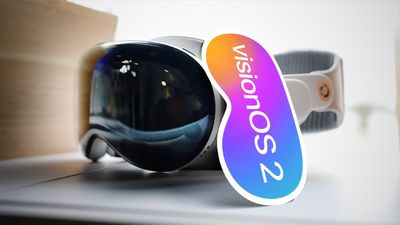
visionOS 2 can be downloaded on all Vision Pro headsets by navigating to the Settings app, selecting the General section, and choosing the Software Update option. To install an update, the Vision Pro headset needs to be removed, and there is a software progress bar available on the front EyeSight display.
The visionOS 2 update fixes a bug that could cause YouTube in Safari to freeze, plus it addresses an issue with Safari Web Extension data. Apple's release notes for the update are below.
This update provides important bug fixes and security updates and is recommended for all users.
- YouTube video player in Safari may freeze Safari
- Web Extension data may be lost after updating to visionOS 2
- Messages may unexpectedly quit when replying to a message with a shared Apple Watch face
visionOS 2 introduces 2D spatial photos, updates to Persona, a new version of the Guest Mode, and more, with additional information available in our visionOS 2 roundup.
Popular Stories
Apple is expected to unveil iOS 27 during its WWDC 2026 keynote on June 8, and there are already many rumored features and changes for iPhones.
The first developer beta of iOS 27 will likely be available immediately following the keynote, and a public beta typically follows in July. Following beta testing, the software update should be released to all users with a compatible iPhone in...
Apple refreshed the 14-inch and 16-inch MacBook Pro with M5 Pro and M5 Max models in March 2026, but depending on your needs and interests, you might want to skip this generation because there's something better in the works.
The M5 Pro and M5 Max MacBook Pro models have faster chips, but the same design that Apple has used since 2021. An updated design with new display technology and faster ...
Apple today released a new Pride Edition Sport Loop for the Apple Watch. The band features a rainbow design with 11 colors of woven nylon yarns.
The new Pride Edition Sport Loop is available to order now on Apple.com and in the Apple Store app in 40mm, 42mm, and 46mm sizes, and it will be available at Apple Store locations starting later this week. In the U.S., the band costs $49.
There...