Apple Releases macOS Sonoma 14.4

Apple today released macOS Sonoma 14.4, the fourth major update to the macOS Sonoma operating system that launched last September. macOS Sonoma 14.4 comes over a month after macOS Sonoma 14.3, an update that brought collaborative Apple Music playlists.
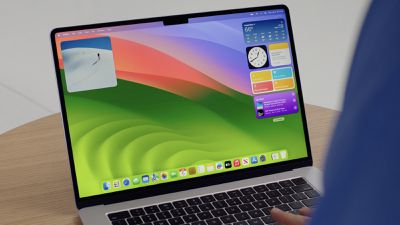
sonoma desktop wwdc
The ‌‌‌‌macOS Sonoma‌‌ 14.4‌ update can be downloaded for free on all eligible Macs using the Software Update section of System Settings. There's also a macOS 13.6.5 release for those who are still running macOS Ventura and a macOS 12.7.4 release for those who have macOS Monterey installed.

With macOS Sonoma 14.4, Apple is introducing new emoji characters and adding support for reading Podcast Episode text in full with search support. There are new features for Business Updates in Messages, along with a toggle for showing only icons for websites in the Safari Favorites Bar. Apple's release notes for the update are below.

macOS Sonoma 14.4 introduces new emoji as well as other features, bug fixes, and security updates for your Mac.

Emoji
- New mushroom, phoenix, lime, broken chain, and shaking heads emoji are now available in emoji keyboard
- 18 people and body emoji support facing the opposite direction

This update also includes the following improvements and bug fixes:
- Podcasts Episode text can be read in full, searched for a word or phrase, clicked to play from a specific point and used with accessibility features such as Text Size, Increase Contrast, and VoiceOver
- Business Updates in Messages for Business let you get updates that you've opted into, like order status, flight notifications, fraud alerts or other transactions from trusted businesses
- Safari Favorites Bar adds an option to show only icons for websites

Some features may not be available for all regions, or on all Apple devices.

For detailed information about the security content of this update, please visit: https://support.apple.com/kb/HT201222

More information on the features that have been introduced in macOS Sonoma to date can be found in our macOS Sonoma roundup.


Related Forum: macOS Sonoma

Popular Stories

iOS 26

iOS 26.4 and iOS 27 Features Revealed in New Leak

Friday December 12, 2025 10:56 am PST by
Macworld's Filipe Espósito today revealed a handful of features that Apple is allegedly planning for iOS 26.4, iOS 27, and even iOS 28. The report said the features are referenced within the code for a leaked internal build of iOS 26 that is not meant to be seen by the public. However, it appears that Espósito and/or his sources managed to gain access to it, providing us with a sneak peek...
apple beta 26 lineup

Apple Leak Confirms Work on Foldable iPhone, AirTag 2, and Dozens More Devices

Monday December 15, 2025 2:05 pm PST by
Last week, details about unreleased Apple devices and future iOS features were shared by Macworld. This week, we learned where the information came from, plus we have more findings from the leak. As it turns out, an Apple prototype device running an early build of iOS 26 was sold, and the person who bought it shared the software. The OS has a version number of 23A5234w, and the first...
Apple Logo Top Half

Early iOS 26 Software Leak Uncovers Dozens of Upcoming Apple Features

Monday December 15, 2025 3:05 pm PST by
Software from an iPhone prototype running an early build of iOS 26 leaked last week, giving us a glimpse at future Apple devices and iOS features. We recapped device codenames in our prior article, and now we have a list of some of the most notable feature flags that were found in the software code. In some cases, it's obvious what the feature flags are referring to, while some are more...
Apple Foldable Thumb

Leak Reveals Foldable iPhone Details

Monday December 15, 2025 9:09 am PST by
The first foldable iPhone will feature a series of design and hardware firsts for Apple, according to details shared by the Weibo leaker known as Digital Chat Station. According to a new post, via machine translation, Apple is developing what the leaker describes as a "wide foldable" device, a term used to refer to a horizontally oriented, book-style foldable with a large internal display....
iOS 26

Apple Releases iOS 26.2 With Alarms for Reminders, Lock Screen Changes, Enhanced Safety Alerts and More

Friday December 12, 2025 10:10 am PST by
Apple today released iOS 26.2, the second major update to the iOS 26 operating system that came out in September, iOS 26.2 comes a little over a month after iOS 26.1 launched. ‌iOS 26‌.2 is compatible with the ‌iPhone‌ 11 series and later, as well as the second-generation ‌iPhone‌ SE. The new software can be downloaded on eligible iPhones over-the-air by going to Settings >...
iOS 26

iOS 26.2 Coming Soon With These 8 New Features on Your iPhone

Thursday December 11, 2025 8:49 am PST by
Apple seeded the second iOS 26.2 Release Candidate to developers earlier this week, meaning the update will be released to the general public very soon. Apple confirmed iOS 26.2 would be released in December, but it did not provide a specific date. We expect the update to be released by early next week. iOS 26.2 includes a handful of new features and changes on the iPhone, such as a new...
macOS Tahoe 26 Thumb

Apple Releases macOS Tahoe 26.2 With Edge Light

Friday December 12, 2025 10:08 am PST by
Apple today released macOS Tahoe 26.2, the second major update to the macOS Tahoe operating system that came out in September. macOS Tahoe 26.2 comes five weeks after Apple released macOS Tahoe 26.1. Mac users can download the macOS Tahoe update by using the Software Update section of System Settings. macOS Tahoe 26.2 includes Edge Light, a feature that illuminates your face with soft...
airpods max 2024 colors

AirPods Max 2 Likely to Offer These 10 New Features

Monday December 15, 2025 7:41 am PST by
Apple released the AirPods Max on December 15, 2020, meaning the over-ear headphones launched five years ago today. While the AirPods Max were updated with a USB-C port and new color options last year, followed by support for lossless audio and ultra-low latency audio this year, the headphones lack some of the features that have been introduced for newer generations of the regular AirPods and the ...

Top Rated Comments

AAPLGeek Avatar
23 months ago
Once again, emojis take the lead on release notes.

Apple should just rebrand macOS to toyOS now, the transformation is nearly done.
Score: 52 Votes (Like | Disagree)
bhagemann Avatar
23 months ago
Sheesh folks, get a grip. ENOUGH with the emoji bitching. Its been explained way too many times that this 1) isn't how standards work -apple isn't creating these, just adding them as approved, and 2) certainly do NOT have folks pulled off systems development teams to do this.

Out of 13 comments so far.. EIGHT (?!) have been about whatever deal you have with emojis pushing your buttons or something. take a break please. please. seriously. not funny anymore.

I'm guessing most of us would much rather read actual feedback and comments about the system changes... I'm especially interested in photos, music & the changes in the printing system.

Music (doesn't seem to have much in terms of changes here, still have an issue with importing mp3s to a new playlist and having them disappear until i do it a 2nd time, then its fine)

Photos - would love a way to search for unnamed faces, but found a nice script that helps with that finally. Recognition seems better all the time though of faces and objects. I did notice for the first time that when browsing the photos you get a little 'i' for 'info', normally the photo meta details, place and so on. and if the app finds something of interest in the photo it adds a pulsing star to the icon. for me, a cat picture when i clicked that, not only did it pull up info about cats, but correctly identfied the breed of my cat!
Score: 51 Votes (Like | Disagree)
Fuzzball84 Avatar
23 months ago

Once again, emojis take the lead on release notes.

Apple should just rebrand macOS to toyOS now, the transformation is nearly done.
fpacOS... Fisher Price Activity Center Operating System

Critical Update: New Emojis added, Emoji security flaw patched, Emoji designs updated, Emoji desktop enabled
Score: 26 Votes (Like | Disagree)
Fuzzball84 Avatar
23 months ago
Apples marketing research revealed the following customer priorities

1. Emoji
2. Emoji
3. Emoji
4. Emoji
5. Emoji

78290. Desktop wallpapers

193523. Critical Security Patches

2389162674626. Core OS functionality and stability
Score: 21 Votes (Like | Disagree)
Asbow Avatar
23 months ago
Are updates to Messages and Podcasts really worthy mentions. These are apps that should be separate downloadable updates.
Score: 17 Votes (Like | Disagree)
Realityck Avatar
23 months ago
Released today

* macOS 14.4 (23E214) - March 7, 2024
* tvOS 17.4 (21L227) - March 7, 2024
* visionOS 1.1 (21O211) - March 7, 2024
* watchOS 10.4 (21T216) - March 7, 2024
Score: 15 Votes (Like | Disagree)